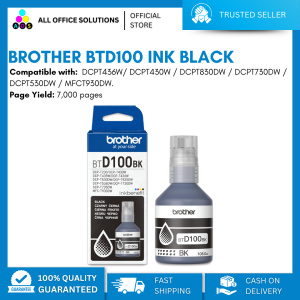
Brother DCP-T830DW Ink Tank Printer with Starter Ink

Brother DCP-T830DW Ink Tank Printer with Starter Ink

Brother

AllOfficeSolutions Reference Number: 250923-161608
Seller ratings 97%
Review

Oops
This video has no reviews.
You May Also Like
00:22
Epson M2170 EcoTank Monochrome Printer: Fast Print Scan & Copy with Wi-Fi Auto Duplex

00:35
All U Want - Cuyi Pigment Ink For Inkjet Printer 500ML CMYK

00:12
AOS Brand New Compatible Toner Cartridge TN261 TN-261 TN 261 CMYK TN221 TN-221 TN 221 for Brother Color Printer\\n\\n What is AOS Compatible Toner Cartridge TN261 & TN221?\\n\\nThe AOS compatible toner cartridge TN261 and TN221 is a high-quality replacement option for Brother color printers. These cartridges come in CMYK (Cyan, Magenta, Yellow, and Black) colors and offer a cost-effective solution for printing tasks.\\n\\n Key Features\\n\\n- High-quality output: AOS compatible toner cartridges TN261 and TN221 provide excellent print quality, rivaling original Brother cartridges.\\n- Cost-effective: These cartridges offer a more affordable alternative to the OEM (Original Equipment Manufacturer) options, without compromising on print quality.\\n- Easy installation: Installing these cartridges is simple and straightforward, even for users who are not familiar with printer maintenance.\\n\\n Compatibility\\n\\nAOS compatible toner cartridge TN261 and TN221 are designed to work seamlessly with Brother color printers, providing reliable performance and consistent results.\\n\\n Cost-effectiveness\\n\\nThe AOS compatible toner cartridge TN261 and TN221 offer significant cost savings compared to OEM alternatives, allowing users to enjoy high-quality printing without breaking the bank.\\n\\n How to Install AOS Compatible Toner Cartridge TN261 & TN221\\n\\nInstalling AOS compatible toner cartridges TN261 and TN221 is a simple process that can be completed in just a few steps.\\n\\n Preparing the Printer\\n\\nBefore installing the new toner cartridge, make sure the printer is powered on and connected to a power source. Open the front cover of the printer to access the toner compartments.\\n\\n Installing the Toner Cartridge\\n\\n1. Remove the old toner cartridge from its compartment by gently pulling it out.\\n2. Take the new AOS compatible toner cartridge TN261 or TN221 out of its packaging and remove any protective tape or seals.\\n3. Insert the new cartridge into the appropriate compartment, making sure it clicks into place.\\n\\n Final Steps\\n\\nAfter installing the new toner cartridge, close the front cover of the printer and allow the printer to initialize. The printer will automatically detect the new cartridge and adjust settings accordingly.\\n\\n How to Maintain AOS Compatible Toner Cartridge TN261 & TN221\\n\\nTo ensure optimal performance and longevity of AOS compatible toner cartridges TN261 and TN221, follow these maintenance tips.\\n\\n Cleaning Tips\\n\\n- Keep the printer clean and free of dust to prevent clogging and ensure smooth operation.\\n- Clean the toner compartments regularly using a soft, lint-free cloth.\\n\\n Storage Recommendations\\n\\n- Store unused cartridges in a cool, dry place away from direct sunlight and moisture.\\n- Keep cartridges in their original packaging until ready for use.\\n\\n Troubleshooting Common Issues\\n\\nIf you encounter any issues with your AOS compatible toner cartridge TN261 or TN221, refer to the troubleshooting guide included with the product or consult the manufacturer's website for further assistance.\\n\\n Why Choose AOS Compatible Toner Cartridge TN261 & TN221?\\n\\nThere are several reasons why users should consider choosing AOS compatible toner cartridges TN261 and TN221 for their Brother color printers.\\n\\n High-Quality Output\\n\\nThese cartridges provide excellent print quality, rivaling OEM options and ensuring consistent results for all printing tasks.\\n\\n Easy Installation\\n\\nInstalling AOS compatible toner cartridges TN261 and TN221 is simple and straightforward, even for users who are not familiar with printer maintenance.\\n\\n Eco-Friendly Solution\\n\\nBy choosing AOS compatible toner cartridges TN261 and TN221, users can reduce their environmental impact and contribute to a more sustainable future.\n}

00:15
INKSCRIBED DR2455 DR-2455 Compatible Drum Kit for Brother HL-L2375DW HL-L2370DN HL-L2350DW DCP-L2550DW MFC-L2750DW

00:24
How to Reset Epson Printer Chips: A Comprehensive Guide

00:12
AOS Compatible Toner Cartridge for Canon LBP2900 CRG 103/303/703

00:26
30ml Yellow Ink Replacement for HP Printers: A Comprehensive Guide

00:47
LIOTOG C15 Portable Smart Bluetooth Thermal Printer Original Label Printer Photo Printer No-Ink-Required App Control Mini Printer

00:12
HP 680 Tri-Color Original Ink Advantage Cartridge

00:37
ERYONE 1KG TPU Hyper Speed 95A Premium Filament 3D PrintMax Print Speed 300mm/sMulticolor AvailableDiameter:1.75mm1KG/Spool

00:40
Mini Thermal Printer Wireless BT 200dpi Label Photo Memo Wrong Question Printing Tag Bluetooth Printer USB Cable Portable

00:35