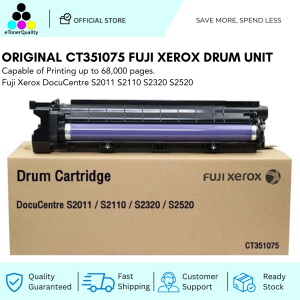
Original CT351075 Drum Unit Fuji Xerox DocuCentre S2011 S2110 S2320 S2520
Original CT351075 Drum Unit Fuji Xerox DocuCentre S2011 S2110 S2320 S2520
Introduction to High-Quality Printer Drum Units
A printer drum unit is a critical component of any laser printer, including the Fuji Xerox DocuCentre series. The drum unit is responsible for transferring toner onto the paper, creating the printed image. Choosing a high-quality replacement drum unit, like the CT351075, is essential for maintaining optimal printer performance and extending the lifespan of your Fuji Xerox DocuCentre printer.
Understanding Compatible Drum Units
Compatible drum units, such as the CT351075, are designed to work seamlessly with specific printer models. In this case, the CT351075 is compatible with the Fuji Xerox DocuCentre S2011, S2110, S2320, and S2520 printers. This compatibility ensures that the drum unit will function effectively within the printer, delivering consistent print quality and reliability.
Benefits of Using High-Quality Drum Units
Using a high-quality drum unit, like the CT351075, offers several advantages for your Fuji Xerox DocuCentre printer:
- Improved Print Quality: High-quality drum units provide better print quality, ensuring sharp and clear images.
- Enhanced Printer Performance: A reliable drum unit contributes to smoother printer operation, reducing the risk of errors and malfunctions.
- Cost-Effective: Investing in a high-quality drum unit can save money in the long run by extending the lifespan of your printer and reducing the frequency of replacements.
Choosing the Right Drum Unit for Your Fuji Xerox Printer
When selecting a drum unit for your Fuji Xerox DocuCentre printer, it is crucial to choose a compatible unit that meets your specific needs. The CT351075 drum unit is an excellent choice for users of the S2011, S2110, S2320, and S2520 printers, offering reliable performance and high-quality prints.
Key Features of the CT351075 Drum Unit
The CT351075 drum unit is specifically designed for the Fuji Xerox DocuCentre series, offering several key features:
- High-Quality Print Output: The CT351075 delivers sharp, clear images and text, ensuring excellent print quality.
- Long-lasting Performance: With a lifespan of up to 20,000 pages, the CT351075 provides reliable performance and longevity.
- Easy Installation: The CT351075 drum unit is designed for simple installation, making it easy to replace the existing drum unit in your Fuji Xerox DocuCentre printer.
Compatibility with Fuji Xerox DocuCentre Models
The CT351075 drum unit is compatible with the following Fuji Xerox DocuCentre models:
- S2011
- S2110
- S2320
- S2520
This compatibility ensures that the CT351075 will function effectively within your printer, providing consistent print quality and reliability.
How to Install the CT351075 Drum Unit
Installing the CT351075 drum unit in your Fuji Xerox DocuCentre printer is a straightforward process. Follow these step-by-step instructions to ensure a successful installation:
- Turn off the printer and unplug it from the power source.
- Open the printer cover and locate the existing drum unit.
- Carefully remove the existing drum unit by pulling it out of the printer.
- Remove the protective film from the new CT351075 drum unit.
- Insert the new CT351075 drum unit into the printer, aligning it with the guide rails.
- Close the printer cover and reconnect the power source.
- Turn on the printer and allow it to initialize.
Troubleshooting Common Issues
If you encounter any issues during the installation process, refer to the following troubleshooting tips:
- Printer Not Recognizing the New Drum Unit: Ensure that the CT351075 drum unit is properly installed and aligned within the printer. If the issue persists, consult the printer manual or contact Fuji Xerox support for further assistance.
- Print Quality Issues: Check the toner cartridge for any signs of damage or wear. If necessary, replace the toner cartridge to improve print quality.
Maximizing Printer Performance with the CT351075 Drum Unit
To maintain optimal printer performance and extend the lifespan of your CT351075 drum unit, follow these tips:
- Regularly Clean the Printer: Clean the printer regularly to remove any dust or debris that may affect print quality.
- Replace Toner Cartridges Promptly: Replace toner cartridges when they reach their end-of-life indicator to maintain consistent print quality.
- Store Drum Units Properly: Store drum units in a cool, dry place away from direct sunlight to prevent damage.
Extending the Life of Your Drum Unit
To maximize the lifespan of your CT351075 drum unit, consider the following:
- Use High-Quality Toner Cartridges: Using high-quality toner cartridges can help extend the life of your drum unit by reducing wear and tear.
- Avoid Overloading the Printer: Avoid overloading the printer with excessive printing tasks, as this can cause premature wear on the drum unit.
- Monitor Printer Usage: Monitor your printer usage and replace the drum unit when necessary to prevent damage and maintain optimal performance.

eTonerQuality Reference Number: 250919-16162227
Review

You May Also Like
Color Photo Print Mini Printer Can Print Labels Photos Images Text URLs Gift Choice57*25mm Print
3D Printer Tips Nozzle Assembly 3 Piece Set High Temperature Resistant Steel Enhances Durability For AD5X
Portable Mini 58mm Receipt Printer USB Bluetooth Wireless Mobile Thermal printer Ink-free POS Printer for Small Business
Epson 664 Ink 100% Original Genuine For Epson L Series Printer L120 L130 L220 L310 L360 L565 L1300 L455 L558(with box)
003 Ink Refill Compatible for Printers L3210 L3250 L3150 L5190 L5290
Kedida 2D Wireless Ring Barcode Scanner with Display Screen 1D 2D QR Bluetooth Barcode Reader Portable Wearable Mini Finger Bar Code Reader with Bluetooth & 2.4GHz Wireless & USB Wired Connection
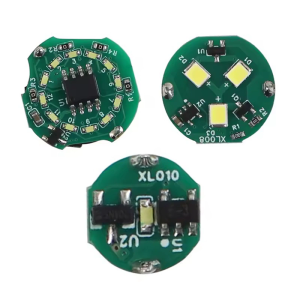
LED Light with Magnetic Control DIY 3D Printing Model Part Rings/Single/Y Shape LED Light Accessories For Voron AD5M

Typewriter Different Unit Available | with 3 Brandnew Ribbon

Epson L850 Photo All-in-One Ink Tank Printer
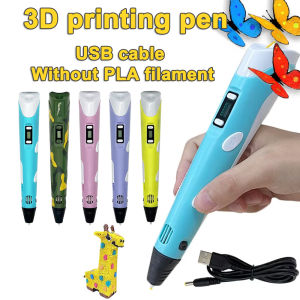
3D Printing Pen DIY Three-dimensional Painting Children Toys Fun Camouflage With LCD Screen Compatible PLA Filament Toys Gift
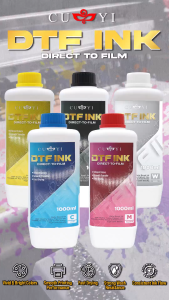
Printing View - CUYI Direct to Film Ink 1000ml CMYKW