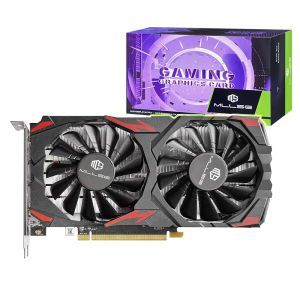
MLLSE AMD RX 580 8GB 2048SP Gaming Graphics Card GDDR5 256Bit PCI-E 3.0 ×16 8Pin Radeon GPU Rx 580 Video Card Placa De Video
MLLSE AMD RX 580 8GB 2048SP Gaming Graphics Card GDDR5 256Bit PCI-E 3.0 ×16 8Pin Radeon GPU Rx 580 Video Card Placa De Video
What is the MLLSE AMD RX 580?
The MLLSE AMD RX 580 is a high-performance gaming graphics card featuring a 256-bit PCI-E 3.0 interface and 8GB GDDR5 memory. This powerful graphics card is designed to deliver exceptional gaming performance and multimedia capabilities, making it an ideal choice for gamers and content creators alike.
Key Features & Specifications
The MLLSE AMD RX 580 boasts several key features and specifications that set it apart from other graphics cards:
- GPU Architecture: Polaris 20
- Memory Type: GDDR5
- Memory Size: 8GB
- Memory Bandwidth: 256-bit
- Interface: PCI-E 3.0 x16
- Power Connectors: 8-pin
- Cooling: Dual-fan cooling system
Compatibility & Support
The MLLSE AMD RX 580 is compatible with a wide range of motherboards and power supplies, making it easy to integrate into existing systems. It supports the latest DirectX and OpenGL APIs, ensuring compatibility with the latest games and applications.
How to Choose the Right MLLSE AMD RX 580 for Your Needs
When selecting an MLLSE AMD RX 580, consider the following factors to ensure you choose the right model for your specific requirements:
Performance Considerations
The MLLSE AMD RX 580 offers excellent performance for gaming and multimedia applications. To get the most out of this powerful graphics card, ensure your system meets the minimum requirements for optimal performance.
Budget & Cost Analysis
The MLLSE AMD RX 580 offers great value for money, providing excellent performance at a competitive price point. Compare prices across different retailers to find the best deal.
Installing & Configuring MLLSE AMD RX 580
Installing and configuring the MLLSE AMD RX 580 is a straightforward process. Follow these steps to get started:
System Requirements & Power Supply
Before installing the MLLSE AMD RX 580, ensure your system meets the minimum requirements, including a compatible motherboard, power supply, and case. The MLLSE AMD RX 580 requires a minimum of 500W power supply with at least one 8-pin connector.
Step-by-Step Installation Process
- Power off your computer and unplug all cables.
- Open the case and locate an available PCI-E slot.
- Install the MLLSE AMD RX 580 into the slot and secure it with screws.
- Connect the 8-pin power connector from the power supply to the graphics card.
- Close the case and reconnect all cables.
- Power on your computer and install the latest drivers for optimal performance.
Maximizing the Potential of MLLSE AMD RX 580
To get the most out of your MLLSE AMD RX 580, consider the following tips:
Overclocking & Tuning Tips
Overclocking can improve performance, but it's essential to monitor temperatures and ensure stability. Use software such as MSI Afterburner or AMD Radeon Software to overclock and tune your MLLSE AMD RX 580.
Optimizing for Gaming & Multimedia Applications
Optimize your system settings for gaming and multimedia applications by adjusting resolution, frame rate, and other settings. Utilize AMD Radeon Software to fine-tune performance and ensure the best possible experience.
The MLLSE AMD RX 580 is a powerful gaming graphics card that offers excellent performance and value for money. By following these guidelines, you can choose the right model, install it correctly, and maximize its potential for gaming and multimedia applications.

GlobalLifestyle
Review
You May Also Like

Universal AM5 Motherboards Metal Backplate Support Ensures Secure for A620 B650 X670 Coolers Base

MVP 15.6 Inch touch Portable Monitor 1080P 60Hz IPS Monitor 16:9 100%sRGB Game Monitor For Laptop PS3/4/5 Switch Xbox ips monitor computer
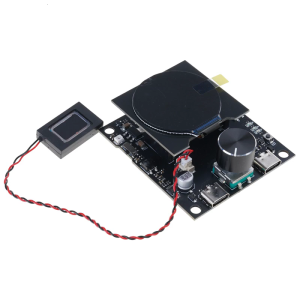
Cost-Effective ESP32C3-LCDkit Development Board: Build Intelligent Displaying 240x240 Resolution & Low Power Consumption

Mini 80mm DC5V Brushless Cooling Fan USB Powered Sleeve Bearing For Electronics
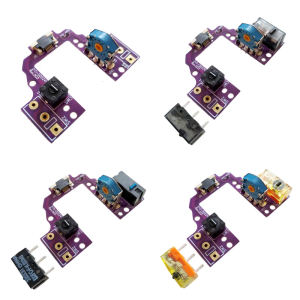
Hot Swap Mouse Motherboards PCB Button Board with MicroSwitch Gold Mouse Encoders for GPROX Superlight Mouse
Direct Drive Upgrade Kit with Dual Gear Extruder for Ender3 and CR10S 3D Printers High Quality Aluminum Plate
QJ-PS30SWI DC Power Supply 13.8V Fixed Output DC Stabilization Communication Switch Power Supply 13.8V 30A Short-wave Station
USB Auditory Adapter for PC Virtual 7.1 Channel Output Hifi Sound Lightweight Aluminum Shell Multiple Port Support

2cm Route 9g Servo Linear Motion Accessory For 3D Printing Projects Science Lightweight 9g Servo With 2cm Travel
Geekria Computer Chassis Stand: A Silver Aluminum Chassis Case for 2024 Mac Mini M4 & M4 Pro
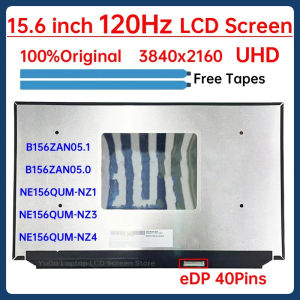
15.6" 120Hz Laptop LCD Screen B156ZAN05.1 B156ZAN05.0 NE156QUM-NZ4 NE156QUM-NZ3 NE156QUM-NZ1 Gaming Display Matrix Panel 40 Pins