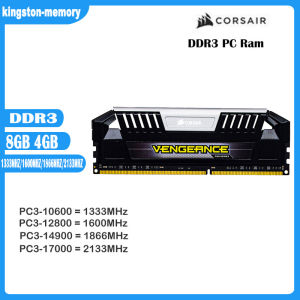
Ready Stock LPX RAM DDR3 4GB & 8GB Gaming Desktop Memory
Ready Stock LPX RAM DDR3 4GB & 8GB Gaming Desktop Memory
Understanding LPX RAM DDR3
What is LPX RAM DDR3?
LPX RAM DDR3 is a type of desktop memory designed specifically for gaming PCs. It is known for its superior performance and reliability, making it a popular choice among gamers and enthusiasts. This particular model supports 240-pin 1.5V PC RAM and offers various memory frequencies, including 1333MHz, 1600MHz, 1866MHz, and 2133MHz.
Key Features of LPX RAM DDR3
- Bus Speed: Supports PC3-10600 (DDR3-1333), PC3-12800 (DDR3-1600), PC3-14900 (DDR3-1866), and PC3-17000 (DDR3-2133)
- Total Capacity: Available in 4GB and 8GB options
- Memory Frequency: 1333MHz, 1600MHz, 1866MHz, and 2133MHz
- Compatibility: Compatible with both AMD motherboards and Intel CPUs
- Warranty: Lifetime warranty
Choosing the Right LPX RAM DDR3
Bus Speed: PC3-10600 & PC3-12800
When selecting LPX RAM DDR3, consider the bus speed that best suits your needs. PC3-10600 (DDR3-1333) offers reliable performance, while PC3-12800 (DDR3-1600) provides faster data transfer rates, enhancing overall system performance.
Memory Frequency: 1333MHz & 1600MHz
The memory frequency plays a significant role in determining the performance of your gaming PC. A higher frequency, such as 1600MHz, results in improved gaming experience and smoother multitasking.
Compatibility & Warranty
AMD Motherboards & Intel CPUs
LPX RAM DDR3 is compatible with both AMD motherboards and Intel CPUs, ensuring seamless integration into your existing setup. Its compatibility with popular platforms makes it a versatile choice for gamers and enthusiasts alike.
Lifetime Warranty
This LPX RAM DDR3 comes with a lifetime warranty, providing peace of mind and protection against any potential issues. If you encounter any problems, rest assured that the manufacturer will promptly address them.
Purchasing & Installation
Packing List: RAM 8GB DDR3 DIMM Desktop Memory x 1
Upon purchase, you'll receive a single 8GB DDR3 DIMM desktop memory module. This product is available in both 4GB and 8GB capacities, allowing you to choose the option that best suits your requirements.
Installing LPX RAM DDR3
Installing LPX RAM DDR3 is a straightforward process. Simply follow these steps:
- Power off your computer and unplug it from the power source.
- Open the case and locate the empty RAM slot on your motherboard.
- Align the notch on the RAM module with the slot and gently press down until it clicks into place.
- Close the case and reconnect the power source.
- Power on your computer and enter the BIOS to verify that the new RAM has been detected.
By following this guide, you'll be able to easily install LPX RAM DDR3 and enjoy enhanced performance in your gaming PC." }

kingston-memory
You May Also Like

GMKtec K10 Intel 13th Core i9-13900HK Iris Xe Dual DDR5 3xM.2 2280 PCIe SSD 4x4/8K Display MINI PC Server Compute
USB Type C Female to VGA Female Adapter Cable Connection Wire Cord for Desktop Laptop Connect to VGA Displays

DELL OPTIPLEX SFF 7020 DESKTOP | 14th Gen Intel Core i5-14500 | Intel UHD Graphics | 16GB DDR5 RAM | 512GB SSD | Win 11 Pro
Laptop LCD Front Frame Cover Bezel Laptop Accessories New/Original for DellLatitude E7480 E7490 Laptop 33x21.3cmBlack
ESP32P4 Multimedia Development Board Featuring 10.1inches Display and Camera Integration
Power Converters 85V~265V to DC3.3V 900mA Step Down Power Truck Car Power Supply Voltages Regulator
SN65HVD230 Can Bus Transceiver Communication Thermal Protection Module Compatible for Arduino
How to Choose and Use a Laptop Cooling Mat & Fan

YUWO 1Set Computer CPU Radiator Mounting Bracket Backplane Accessories For LGA2011 X99 X79 E5 1700 1366 115X 1200 AMD AM2 AM3 AM4 AM5
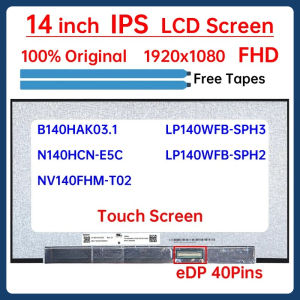
14" Touch Screen N140HCN-E5C B140HAK03.1 NV140FHM-T02 LP140WFB-SPH3 LP140WFB-SPH2 LCD Display Matrix Panel Replacement 1920x1080
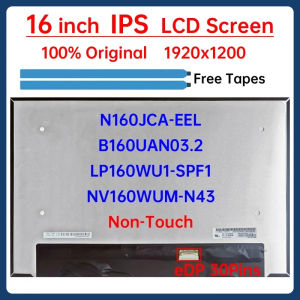
16" LCD Screen NV160WUM-N43 N160JCA-EEL B160UAN03.2 LP160WU1-SPF1 For Lenovo IP 5 Chrome 16IAU7 Type 82V9 Display Matrix Panel