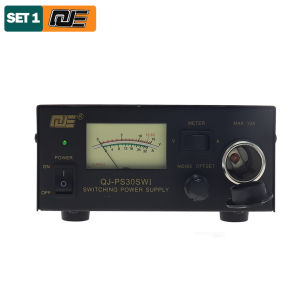
QJ-PS30SWI DC Power Supply 13.8V Fixed Output DC Stabilization Communication Switch Power Supply 13.8V 30A Short-wave Station
QJ-PS30SWI DC Power Supply 13.8V Fixed Output DC Stabilization Communication Switch Power Supply 13.8V 30A Short-wave Station
Understanding the QJ-PS30SWI DC Power Supply
The QJ-PS30SWI is a high-quality, fixed output stabilization power supply designed specifically for short-wave stations. This robust device delivers a consistent 13.8V DC voltage, ensuring reliable performance in various conditions. With a maximum current capacity of 30A, it provides ample power for demanding communication switches and other equipment. The QJ-PS30SWI is ideal for both amateur radio enthusiasts and professional short-wave station operators.
Key Features of the QJ-PS30SWI
- Fixed output stabilization: Ensures consistent voltage delivery for optimal performance
- 13.8V DC power supply: Meets industry-standard requirements for short-wave stations
- 30A communication switch compatibility: Supports high-current applications
- Compact and lightweight design: Easy to install and integrate into existing setups
- Long-lasting durability: Built to withstand harsh environments and extended use
How the QJ-PS30SWI Works
The QJ-PS30SWI operates by converting AC input power into a stable 13.8V DC output. This conversion process involves several stages, including rectification, filtering, and regulation. The device's advanced circuitry ensures minimal voltage fluctuations, providing a reliable power source for sensitive equipment. By maintaining optimal operating conditions, the QJ-PS30SWI enhances overall system performance and prolongs the lifespan of connected devices.
Setting Up Your Short-Wave Station with the QJ-PS30SWI
Installing the QJ-PS30SWI in your short-wave station is a straightforward process that requires minimal technical expertise. Here's a step-by-step guide to help you set up this powerful power supply:
Installing the 13.8V DC Power Supply
- Connect the AC input cable to the appropriate wall outlet or power source.
- Attach the 13.8V DC output cable to the desired equipment, such as a communication switch or transceiver.
- Turn on the power supply and verify that the output voltage is within the specified range (13.8V ± 0.1V).
Connecting the 30A Communication Switch
- Identify the communication switch's power input terminals.
- Connect the 13.8V DC output cable from the QJ-PS30SWI to the corresponding terminals on the communication switch.
- Ensure all connections are secure and properly insulated.
Maximizing Performance with the QJ-PS30SWI
To get the most out of your QJ-PS30SWI power supply, it's essential to fine-tune its settings and maintain optimal operating conditions. Here are some tips to help you achieve peak performance:
Fine-Tuning Output Voltage
- Monitor the output voltage using a multimeter or voltmeter.
- Adjust the power supply's internal settings if necessary to maintain a stable 13.8V DC output.
- Regularly check and recalibrate the output voltage to ensure consistent performance.
Maintaining Optimal Power Supply Conditions
- Keep the QJ-PS30SWI clean and free from dust accumulation.
- Ensure proper ventilation to prevent overheating.
- Avoid exposing the power supply to extreme temperatures or humidity levels.
Troubleshooting Common Issues with the QJ-PS30SWI
Despite its robust design, the QJ-PS30SWI may occasionally experience issues that affect its performance. Here are some common problems and their solutions:
Identifying and Resolving Voltage Fluctuations
- Check the input power source for stability.
- Verify that all connections are secure and properly insulated.
- Adjust the output voltage settings if necessary.
Addressing Communication Switch Failures
- Inspect the communication switch for any visible damage or loose connections.
- Check the power supply's output voltage to ensure it meets the required specifications.
- Consult the communication switch's user manual for troubleshooting tips.

Global Merch Park
Review
You May Also Like
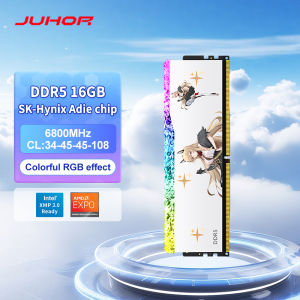
JUHOR RGB Memory DDR5 16GB 6800MHz Gaming Memoria Ram

Viewpoint 27 inches 75hz Flat ips VP27S1 | Viewpoint 19 20 22 24 inches Monitor

RETROFLAG PiStation Case: A Comprehensive Guide for Raspberry Pi 4 & Pi 4B
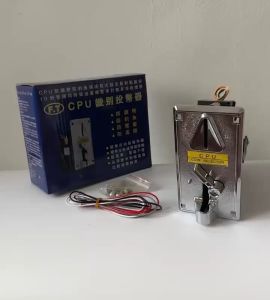
HD916.SHOP FT Comparative CPU Coin Slot: A Brand New CPU Upgrade
USB3.0 Motherboard 20Pin Header Extension Adapter Cable USB Double Connector Female to Female Extender 20Pin USB Cable
Mitch168 Black Senda Sata High Speed USB 3.0 2.5 inch SATA Hard Case PC HDD Case Enclosure
DC3-5V Input Boost Charging Steps Up Charging Module For 4s Batteries Featuring Overcurrent Short Circuits Protections
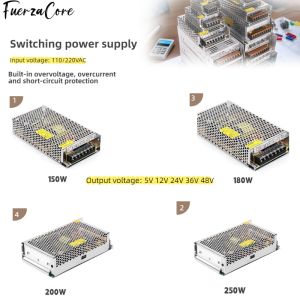
Power Supply 15V 12V 24V 36V 48VDC 150W 180W 200W 250W SMPS Power Transformer 110/220V AC-DC for LED Lights Motors and Displays
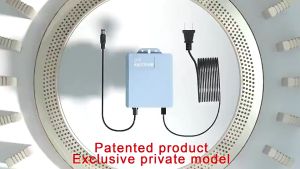
GDLITE V380 PRO 12V 1.5A UPS Battery Backup for WiFi Router Modem and CCTV Camera Power Supply

Laptop Cover for ThinkPad T460 T460S Screen Front Frame Bezel Cover

EXPOSE Gaming Monitor for PC 27 inch 4K IPS Monitor 165HZ Monitors Monitor for laptop extension 24 inch Monitor 144HZ 100HZ 75HZ