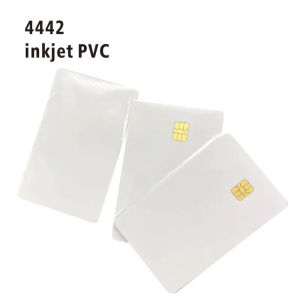
10PCS/Lot Printable Contact PVC Blank Smart IC Card With FM/Sle4442 Chip For Epson/Canon Inkjet Printer
10PCS/Lot Printable Contact PVC Blank Smart IC Card With FM/Sle4442 Chip For Epson/Canon Inkjet Printer
Introduction to FM/Sle4442 Chip for Epson/Canon Inkjet Printer Compatible IC Card
The FM/Sle4442 chip is a passive contact IC card chip designed specifically for use with Epson and Canon inkjet printers. This chip enables the creation of customizable smart cards with various applications, including pharmaceutical supply chain management, rental and library management, container identification, pallet and case tracking, supply chain management, parcel handling, factory automation, asset management, and anti-counterfeit protection.
What is the FM/Sle4442 Chip?
The FM/Sle4442 chip is a passive contact IC card chip with a frequency of 13.56 MHz and read-write recognition mode. It features a 256 × 8-bit EEPROM organization and a 32 × 1-bit organization of protection memory. The chip supports more than 100,000 erase cycles and guarantees data retention for up to ten years. The operating temperature range is from -20°C to 80°C.
Key Features & Specifications
- Frequency: 13.56 MHz
- Recognition Mode: Read-write
- Chip Type: Contact IC Card
- Power: Passive Card
- Origin: Mainland China
- Certification: None
- Product ID: SLE4442
- Color: White
- Dimension: L85.5 x W54 x H0.80±0.04mm
- 256 × 8-bit EEPROM organization
- 32 × 1-bit organization of protection memory
- Erase cycles: More than 100,000 times
- Data retention: Up to ten years
- Temperature range: -20°C to 80°C
- Compatible with all inkjet card printers
Understanding Smart Cards with IC Chips
Smart cards are secure, portable devices that store and process data. They come in various forms, including contact, contactless, and dual interface cards. These cards can be used for a wide range of applications, such as identification, access control, payment systems, and data storage.
Types of Smart Cards
There are three main types of smart cards:
- Contact cards: These cards require physical contact with a reader to transfer data.
- Contactless cards: These cards use radio waves to communicate with a reader without the need for physical contact.
- Dual interface cards: These cards combine both contact and contactless technologies.
How Smart Cards Work
Smart cards work by storing data on a microprocessor embedded within the card. When inserted into a reader, the card communicates with the reader to exchange data securely. The data stored on the card can include personal information, financial details, or other sensitive information.
Applications & Benefits of Smart Cards with IC Chips
Smart cards with IC chips offer numerous benefits across various industries, including pharmaceutical supply chain management, rental and library management, container identification, pallet and case tracking, supply chain management, parcel handling, factory automation, asset management, and anti-counterfeit protection.
Pharmaceutical Supply Chain Management
Smart cards can help ensure the authenticity and integrity of pharmaceutical products throughout the supply chain. By storing unique identifiers and other important data on the card, manufacturers, distributors, and retailers can track the product's journey from production to delivery.
Rental & Library Management
Smart cards can streamline the rental and library management process by providing secure access to resources and tracking usage. For example, library patrons can use smart cards to borrow books, while renters can use them to access equipment or facilities.
Container Identification & Tracking
Smart cards can help identify and track containers, pallets, and cases throughout the supply chain. By attaching a smart card to each item, companies can monitor its location, condition, and status in real-time.
How to Use & Install Printable Contact PVC Blank Smart IC Cards
To use and install printable contact PVC blank smart IC cards, follow these steps:
Preparation & Setup
- Gather the necessary materials, including the smart cards, inkjet printer, and any required software.
- Ensure the printer is compatible with the smart cards and properly configured.
- Install any required software or drivers for the printer and smart cards.
Printing & Customization
- Design the desired layout and content for the smart cards using a graphics editor or design software.
- Print the design onto the smart cards using the inkjet printer.
- Customize the smart cards with unique identifiers, barcodes, or other relevant information.
Warranty & Return Policy
We are committed to providing our clients with 100% satisfaction. Our products come with a 7 Days Money Back Guarantee and a Full One Year Limited Warranty from the date of original purchase. We accept returns of unused/untested items in their original packaging. Buyers are responsible for sending the items back at their own expense.

qwnp60
Review

You May Also Like
NIIMBOT B21 Pro Upgraded Label Maker 300DPI Fun APP Portable Label Printer Bluetooth Sticker Printer for OrganizationPriceLogoScrapbook
3D Printer Accessories: Consumables & Material Detection
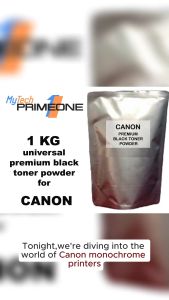
1 KG (1000 grams) UNIVERSAL CANON premium black toner powder for CANON monochrome printers
Soonpos Wired USB 2.4G Wireless Bluetooth 1D 2D Barcode Scanners Inventory Portable QR Code Scanner CMOS Sensor Bar Code Reader With Stand Support Self-sensing
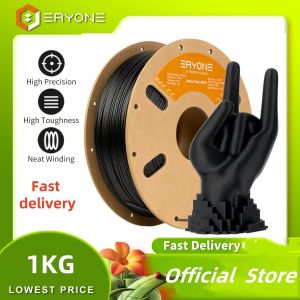
ERYONE 1KG PETG Carbon Fiber Filament Premium 3D Print 1.75mmMulticolor Available1kg petg-cf filament 3d print1KG/Spool
Compatible CF283A 83A toner cartridge for HP Laserjet pro M201 M225 M202 M226 M125A M127FN printer
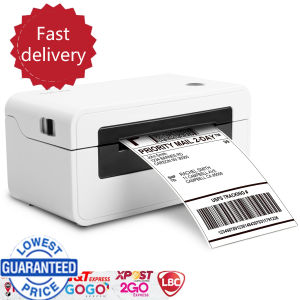
NefLaca N41 Direct thermal printer Xprinter A6 waybill printer is suitable for thermal labels of various sizes
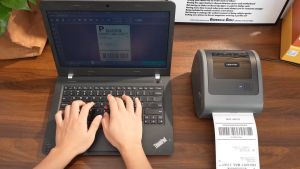
Phomemo D450BT: A Compact Bluetooth Thermal Printer for A6 Waybill Labels
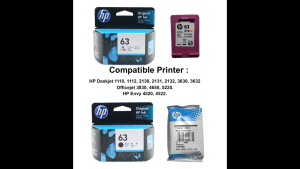
HP 63 100% Original Ink Advantage Cartridge For HP Deskjet 1110 1112 2130 2131 2132 3630 3632. HP Envy 4520 4522. HP Officejet 3830 4650 5220.
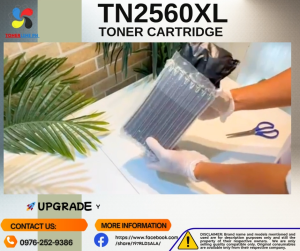
TN2560XL w/Chip TN2560 Toner Cartridge & Reset Chip Compatible for Brother DCP-L2640DW L2680 L2885 L2805 L2400 L2440
Memoqueen D30 Label Maker Machine with Tape - Bluetooth Thermal PortableLabel Printer Labeler Sticker Maker Compatible with Phomemo D30 iOS&Android for Home Office OrganizationWhite