3D Printer Accessories: Consumables & Material Detection
3D Printer Accessories: Consumables & Material Detection
What are Consumables for 3D Printers?
Consumables for 3D printers are materials and accessories that are used up during the printing process. These consumables play a crucial role in ensuring optimal performance and quality of printed objects. Some common types of consumables include filament, adhesives, cleaning supplies, and maintenance tools.
Types of Consumables
Filament is one of the most important consumables for 3D printers. It comes in various materials, such as PLA, ABS, PETG, and nylon, each with its own unique properties and applications. Adhesives are used to secure the printed object to the build plate, while cleaning supplies are necessary for maintaining the printer's components. Maintenance tools, such as calibration kits and cleaning brushes, help keep the printer running smoothly.
Choosing the Right Consumables
Selecting the appropriate consumables for your 3D printer is essential for achieving the desired print quality and performance. Consider factors such as the material's strength, flexibility, and melting point when choosing filament. Additionally, choose adhesives that are compatible with your printer and the materials you are working with. Regularly clean and maintain your printer to ensure optimal performance and longevity.
Understanding Material Detection Modules
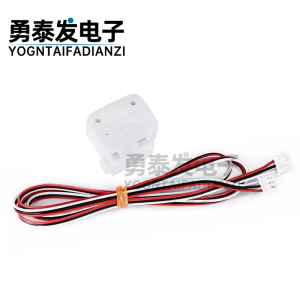
A material detection module is a device that helps monitor and control the material supply during the printing process. It ensures that the printer has enough material to complete the print job and alerts the user if there are any issues with the material supply.
Functions of Material Detection Modules
Material detection modules perform several functions, including monitoring the material supply, detecting any obstructions or breaks in the material feed, and alerting the user to potential issues. They help maintain consistent print quality and minimize the risk of failed prints due to material-related problems.
Installing Material Detection Modules
Installing a material detection module is a straightforward process. Follow the manufacturer's instructions carefully to ensure proper installation and operation. Connect the module to the printer's control system and configure it according to the specific requirements of your printing setup.
Broken Wire Sensors: Ensuring Smooth Printing
A broken wire sensor is a device that detects any breaks or obstructions in the material feed during the printing process. It helps prevent failed prints and ensures smooth operation of the printer.
Detecting Broken Wires
Broken wire sensors work by monitoring the tension in the material feed. If the tension drops below a certain threshold, the sensor detects a break or obstruction and alerts the user. This allows the user to take corrective action before the print job is compromised.
Replacing Broken Wires
If a broken wire is detected, replace the damaged material immediately to resume printing. Follow the manufacturer's instructions for replacing the material and ensure that the new material is properly loaded into the printer.
Starving Trigger Switch: Preventing Material Starvation
A starving trigger switch is a device that helps prevent material starvation during the printing process. It detects when the material supply is running low and alerts the user to take corrective action.
How Starving Trigger Switch Works
The starving trigger switch works by monitoring the material feed and detecting any drops in tension or flow rate. If the tension or flow rate falls below a certain threshold, the switch triggers an alert, indicating that the material supply is running low.
Benefits of Using Starving Trigger Switch
Using a starving trigger switch helps prevent failed prints due to material-related issues. It allows the user to take corrective action before the print job is compromised, ensuring consistent print quality and minimizing waste.
Pause Switch for 3D Printing: Pausing & Resuming Prints
A pause switch is a device that allows the user to pause and resume the printing process at any time. It provides greater control over the printing process and enables the user to address any issues that may arise during the print job.
How Pause Switch Works
The pause switch works by interrupting the printing process and allowing the user to take corrective action. Once the issue has been resolved, the user can resume the print job from where it was paused.
Using Pause Switch for Optimal Printing
Use the pause switch to address any issues that may arise during the printing process, such as changing the filament or adjusting the printer settings. This helps ensure optimal print quality and minimizes the risk of failed prints.

TAO Study & Work
Review

You May Also Like
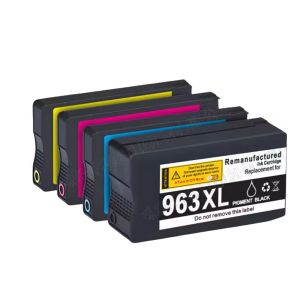
Compatible Ink Cartridge for HP 963XL 963 HP963 OfficeJet Pro 9010 9012 9013 9014 9015 9016 9018 9019 9020 9022 9023 9025 9026
NFC 215 Chip Card: Inkjet Printable Card for ESPON & Canon Printers
Practical Paper and Photo Cutter Photo Trimming Device Three in One Paper Tool Produced for Easy Use in Any Setting

ECILY Mini Thermal Label Printer: A Smart & Portable Solution for Your Phone

LC 535 LC 539 ink LC 535XL LC 539XL Ink Cartridge LC535XL LC539XL black LC-535 LC-539 Compatible for Brother DCP-J100 DCP-J105 MFC-J200

Best 003 Refill Ink – Long-Lasting & Affordable

1D 2D Barcode Scanner Wired Wireless Bluetooth Bar Code Reader Omni-directional Scanning For Supermarket Logistics Product

HP Printhead Kit 3JB06AA: A Comprehensive Guide

Toner Powder for Bizhub Ineo Minolta: 1kg & 500grams

Risefully 1L CUYI Cleaning Solution for Eco-Solvent Ink

Supermarket Barcode Reader Handheld Wired Barcode Scanner Wired USB Portable 32-bit wired 1D Wireless Code Scanner