



Phomemo D450BT: A Compact Bluetooth Thermal Printer for A6 Waybill Labels
Phomemo D450BT: A Compact Bluetooth Thermal Printer for A6 Waybill Labels
Introduction
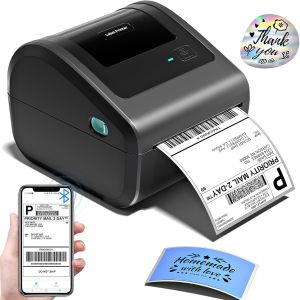
Phomemo D450BT is a compact Bluetooth thermal printer designed specifically for printing A6 waybill labels and stickers. This durable waybill printer is perfect for small businesses, online sellers, and individuals looking for a reliable and efficient solution for their shipping needs. With its sleek design and user-friendly interface, the Phomemo D450BT makes it easy to print professional-looking labels with minimal effort.
Product Overview
Phomemo D450BT comes with a comprehensive package that includes everything you need to get started:
- 1 x D450BT Bluetooth Label Printer
- 1 x Power Cord & Adapter for A6 Printer
- 1 x USB-C Adapter for MAC OS
- 1 x Quick Start Guide for Sticker Printer
- 20 Sheets of 100x150mm Size Sticker
Key Features
Phomemo D450BT boasts several features that make it stand out from other sticker label printers on the market:
- Compact and lightweight design for easy portability
- Bluetooth connectivity for wireless printing
- USB-C adapter for Mac OS compatibility
- Support for A6 waybill labels and stickers
- Durable construction for long-lasting performance
Setup & Installation
Setting up your Phomemo D450BT is simple and straightforward. Follow these steps to get started:
Connecting to Bluetooth
- Turn on your Phomemo D450BT by pressing the power button on the top of the printer.
- Connect your smartphone, tablet, or computer to the printer via Bluetooth.
- Follow the on-screen instructions to complete the pairing process.
Using the USB-C Adapter
If you're using a Mac OS device, connect the USB-C adapter to your Phomemo D450BT and plug it into your computer's USB-C port. This will allow you to print wirelessly using your Mac OS device.
Usage & Maintenance
Using your Phomemo D450BT is easy, thanks to its intuitive interface and user-friendly design. Here are some tips for getting the most out of your printer:
Printing A6 Waybill Labels
- Load your A6 waybill labels or stickers into the printer.
- Connect your Phomemo D450BT to your device via Bluetooth or USB-C adapter.
- Open your shipping software or label printing app and select the appropriate settings for your A6 waybill labels.
- Print your labels and enjoy the convenience of a compact thermal printer.
Cleaning & Care Tips
To keep your Phomemo D450BT running smoothly, follow these cleaning and care tips:
- Wipe the exterior of the printer with a soft, dry cloth to remove dust and debris.
- Do not use harsh chemicals or abrasive materials to clean the printer.
- Store the printer in a cool, dry place when not in use.
- Replace the ink ribbon when it runs low to ensure optimal print quality.
Conclusion
Phomemo D450BT is a compact Bluetooth thermal printer that offers reliable performance and ease of use. With its support for A6 waybill labels and stickers, this durable waybill printer is perfect for small businesses, online sellers, and individuals looking for a convenient solution for their shipping needs. Order your Phomemo D450BT today and experience the convenience of wireless printing with a compact thermal printer.

Phomemo official store
You May Also Like
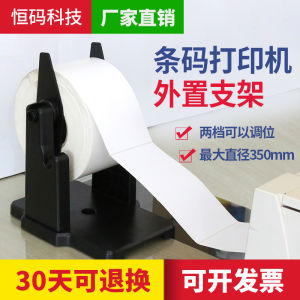
External Bracket for Barcode Printer Large Roll Self-Adhesive Stickers Washing Tags Hanging Labels outside Support Frame

Soonpos Android 14 Dual Screen 8+2.66 / 8+3.95 Inch Handheld POS Terminal with 58mm Thermal Receipt Ticket Label Printer NFC Reader Compatible With Loyverse Salesplay POS Bluetooth & GPS WiFi Can Connect Cash Drawer Barcode Scanner
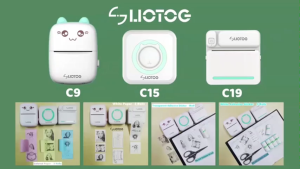
LIOTOG Adhesive Print Paper Sticker Thermal Paper for C9, C15, and C19 Smart Mini Portable Bluetooth Thermal Printers 57mm
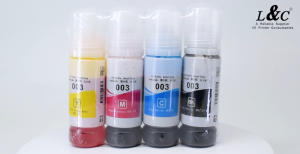
【PH Ready Stock】L&C for Epson 003 Ink Set Dye Ink For Inkjet Printer L3110 L3150 L3116 L3156 L5190 L1110 70ML
Canon MC-G04 Maintenance Cartridge Chip Resetter for Canon Pixma G1730 G2730 G3730 G4770
Sharp Color Toner Powder 250g Compatible with MX-C2010 C3111 C2700 C2600 C3100 C3060 C2610 C2640 C3110 C3610 C310 C3500 C4500 C4100 C4110 C 5111
Eyoyo 1D Finger Ring Barcode Scanner Compatible with Bluetooth Function & 2.4G Wireless & Wired Connection Portable Wearable Mini Finger Bar Code Reader Work with Windows MacOS Android 4.0+ iOS
Metal Textured Bed Plate Cold Plate Strong Adhesion Double Sided Epoxy Coated For H2D 3D Printer Accessories
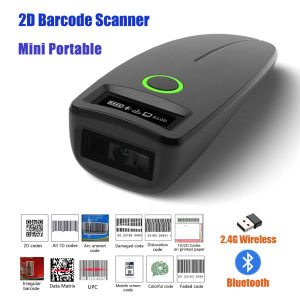
2D Barcode Scanner Mini 2.4G Wireless Bluetooth Handheld Portable 1D 2D QR Code Data Matrix PDF417 Reader With Storage Function
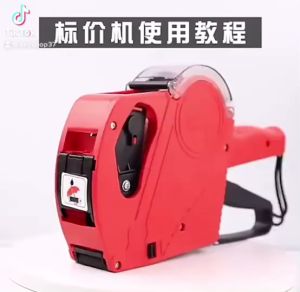
Price Tag Gun Crown MX-5500 Price Labeller With Labels Introductory package (Free ink roll and Tag)
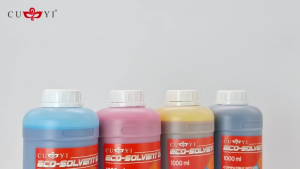
MP00 CUYI Eco-Solvent Ink 1000ML (C M Y K)



















