Original Canon GI-790 Ink & Compatible Printers
Original Canon GI-790 Ink & Compatible Printers
Introduction to Canon GI-790 Ink
What is Canon GI-790 Ink?
Canon GI-790 ink is a high-quality ink cartridge specifically designed for use with select Canon printer models, including the G1010, G2010, G3010, G4010, G1000, G2000, and G3000 series printers. This ink cartridge offers exceptional print quality, longevity, and color accuracy, making it an ideal choice for both personal and professional printing needs.
Compatibility with Canon Printer Models
The Canon GI-790 ink is compatible with a wide range of Canon printer models, including the G1010, G2010, G3010, G4010, G1000, G2000, and G3000 series printers. By using genuine Canon ink cartridges, you can ensure optimal performance and print quality from your Canon printer.
Benefits of Using Genuine Canon GI-790 Ink
High-Quality Prints
Canon GI-790 ink is formulated to produce high-quality prints with sharp text and vibrant colors. This ensures that your documents, photographs, and other printed materials look their best every time.
Longevity and Reliability
Genuine Canon ink cartridges are designed to last longer than non-genuine alternatives, providing reliable performance and consistent print quality over time. This makes them a cost-effective choice for frequent printing needs.
Color Accuracy
Canon GI-790 ink delivers accurate color reproduction, ensuring that your printed materials match the original design or image as closely as possible. This is particularly important for professional printing applications, such as business presentations or marketing materials.
Canon Printer Ink G3010 & G4010
Differences Between G3010 & G4010 Inks
While both the G3010 and G4010 ink cartridges are designed for use with select Canon printer models, there are some differences between the two. The G3010 ink cartridge is optimized for use with the G3010 series printers, while the G4010 ink cartridge is specifically designed for use with the G4010 series printers.
Advantages of Choosing G3010 & G4010 Inks
By choosing genuine Canon G3010 and G4010 ink cartridges, you can enjoy the benefits of high-quality prints, longevity, and color accuracy. These ink cartridges are optimized for use with their respective printer models, ensuring optimal performance and print quality.
Canon G1010, G2010, G3010 Ink Replacement
Easy Installation Process
Replacing the ink cartridges in your Canon printer is a simple process that can be completed in just a few minutes. Follow the instructions provided with your printer to ensure a smooth installation process.
Cost-Effectiveness of Genuine Inks
While genuine Canon ink cartridges may cost more than non-genuine alternatives, they offer better value over time due to their longevity and reliability. By investing in genuine Canon ink cartridges, you can save money in the long run while enjoying consistent print quality.
How to Replace Inks in Your Printer
To replace the ink cartridges in your Canon printer, follow these steps:
- Turn off your printer and unplug it from the power source.
- Open the ink cartridge access door and remove the old ink cartridge.
- Remove the new ink cartridge from its packaging and remove the protective tape.
- Insert the new ink cartridge into the appropriate slot and close the ink cartridge access door.
- Turn on your printer and allow it to initialize the new ink cartridge.
Genuine Canon Ink for G1010 & G2010
Why Choose Genuine Canon Inks?
Genuine Canon ink cartridges offer superior print quality, longevity, and color accuracy compared to non-genuine alternatives. By choosing genuine Canon ink cartridges, you can ensure optimal performance and print quality from your Canon printer.
Availability & Where to Purchase
Genuine Canon ink cartridges are widely available from authorized Canon dealers and online retailers. To find a retailer near you, visit the Canon website and enter your zip code.
Tips for Maintaining Printer Performance
To maintain optimal printer performance, follow these tips:
- Regularly clean the printhead to prevent clogging and ensure consistent print quality.
- Replace ink cartridges before they run out to avoid streaking or faded prints.
- Store ink cartridges in a cool, dry place when not in use to prevent drying out.
- Use genuine Canon ink cartridges to ensure optimal performance and print quality." }

Elite office consumables
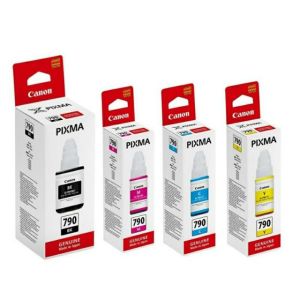
You May Also Like
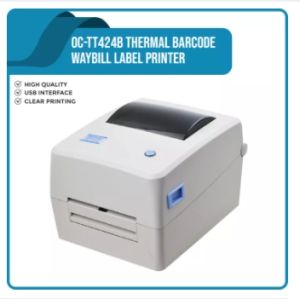
Waybill Printer A6 Officom OC-TT424B Thermal Waybill Printer USB Bluetooth Portable Printer for Waybill Stickers Barcode
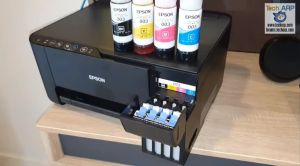
Epson 003 CMYK Genuine Ink Bottles for L1110/L3100/L3101/L3110/L3115/L3116/L3150/L3151/L3152/L3156/L519
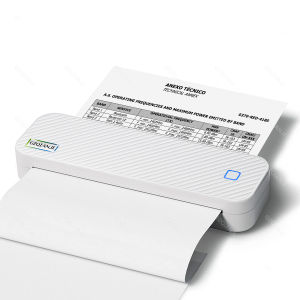
Mini Portable Thermal Printer Bluetooth Portable Wireless A4 Maker with Paper Rolls Case for Mobile World PDF Picture Print Home Office Travel Car USE
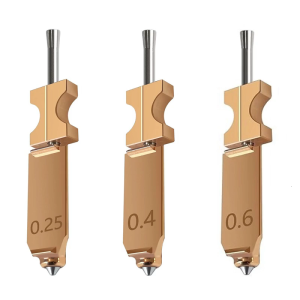
3D Printer Tips Nozzle Assembly 3 Piece Set High Temperature Resistant Steel Enhances Durability For AD5X
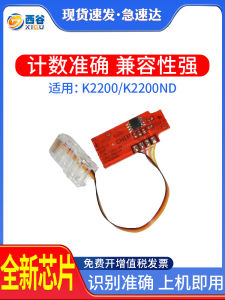
How to Replace Printer Toner Chip: A Guide for Samsung MLT-D707 & K2200
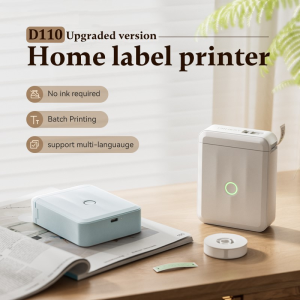
Niimbot D110 Label Printer Wireless Bluetooth Thermal Label Maker Portable Printer for Android / IOS Phone Inkless Household Mark Classification Name stickers
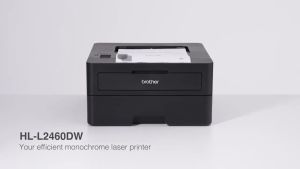
HLL2460DW Brother Wireless HL-L2460DW Compact Monochrome Laser Printer Duplex and Mobile Printing
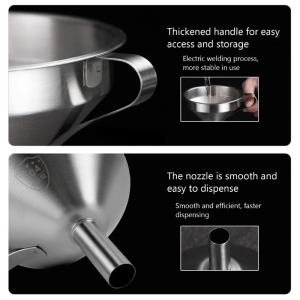
3D-Printer Resin Funnel 304 Stainless-Steel Kitchen Funnel Strainer for SLA/DLP/LCD UV Resin Cup

Portable Tattoo Transfer Printer Machine: A4 Size Mini Wireless Network Thermal Stencil Line Drawing Printing Copier
Tatrix W1107A toner 107a W1107A Premium Compatible Black Toner Cartridge for HP 107a 107w MFP 135a 135w 137fnw
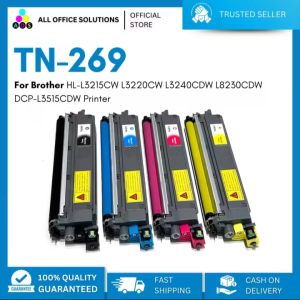
AOS Compatible Brother TN269 Toner Cartridge For HL-L3215CW L3220CW L3240CDW L8230CDW DCP-L3515CDW Printer