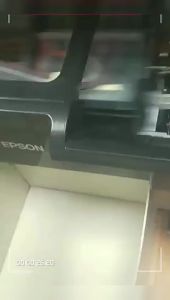
How to Replace Printer Toner Chip: A Guide for Samsung MLT-D707 & K2200
How to Replace Printer Toner Chip: A Guide for Samsung MLT-D707 & K2200
Understanding Printer Toner Chips
What is a Toner Chip?
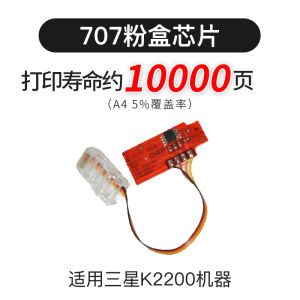
A toner chip, also known as a toner cartridge chip, is a small electronic component embedded in the toner cartridge of a laser printer. It stores data related to the toner cartridge's status, such as remaining toner level, number of printed pages, and other maintenance-related information.
How Does a Toner Chip Work?
The toner chip communicates with the printer's firmware through a series of electrical signals. When the toner cartridge is installed, the printer reads the data stored on the chip and updates its internal status accordingly. This allows the printer to monitor the toner level and other cartridge-related parameters, providing valuable information to users and helping maintain optimal print quality.
Why Replace a Toner Chip?
Over time, the toner chip may wear out or become damaged, leading to inaccurate readings and potential errors. Replacing the toner chip can help restore accurate tracking of toner levels and improve overall print performance. Additionally, replacing the toner chip can be necessary when using third-party toner cartridges, as they may not have the correct chip pre-installed.
Steps to Replace Toner Chip for Samsung MLT-D707 & K2200
Uninstalling Old Toner Chip
- Turn off the printer and unplug it from the power source.
- Open the printer's front cover and remove the toner cartridge.
- Carefully detach the old toner chip from the toner cartridge, being cautious not to damage any components.
Installing New Toner Chip
- Insert the new toner chip into the designated slot on the toner cartridge, ensuring proper alignment and secure connection.
- Reinsert the toner cartridge back into the printer and close the front cover.
- Plug the printer back into the power source and turn it on.
Resetting Toner Chip Counter
Some printers may require resetting the toner chip counter after installing a new chip. Refer to your printer's manual or manufacturer's website for specific instructions on how to reset the toner chip counter for your Samsung MLT-D707 or K2200 printer.
Troubleshooting Common Issues
Error Messages
If you encounter error messages related to the toner cartridge after replacing the toner chip, try resetting the toner chip counter or consult your printer's manual for troubleshooting steps.
Misalignment
If prints appear misaligned after replacing the toner chip, try cleaning the printer's internal components, such as the drum unit and transfer roller, according to the manufacturer's instructions.
Low Print Quality
If print quality is poor after replacing the toner chip, check for any issues with the toner cartridge itself, such as low toner levels or damage. If necessary, replace the toner cartridge and try again.
Conclusion
Replacing the toner chip in your Samsung MLT-D707 or K2200 printer can help improve print performance and accuracy. By following the steps outlined in this guide, you can easily replace the toner chip and troubleshoot common issues that may arise. Remember to consult your printer's manual or manufacturer's website for specific instructions and troubleshooting tips related to your printer model.

TAO Study & Work
Review

You May Also Like
Brandnew ink cartridge for smart tank 510/515/610/615 printer

AOS Toner Powder Refill Guide for Fuji Xerox Machines C7780 & Others
1/2 USB Port Network Printer Server Office Printer Sharing Device Remote Small Wireless Printing WiFi WAN LAN NET
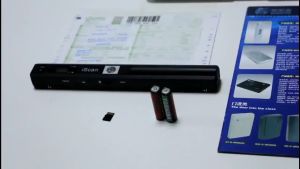
iScan Portable Scanner Mini Handheld Document Scanner A4 Book Scanner JPG and PDF Format 300/600/900 DPI
![[🇵🇭 Stock&COD] Portable Thermal Printer With Bluetooth Mini Cat Label Print Photo For Waybill Receipt Pocket Thermal Printer 58mm Wireless Printers For Android IOS Cellphone](https://img.lazcdn.com/g/p/9f3d2fe185c14e92ddd5547ceb8c060b.jpg_300x300q80.jpg)
[🇵🇭 Stock&COD] Portable Thermal Printer With Bluetooth Mini Cat Label Print Photo For Waybill Receipt Pocket Thermal Printer 58mm Wireless Printers For Android IOS Cellphone
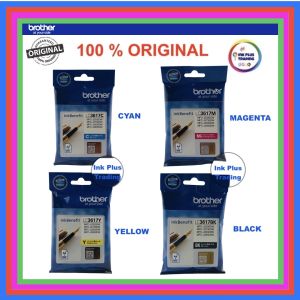
Original Brother Ink Cartridge LC3617 For MFC-J2330DW / MFC-2730DW / J3530DW / J3930DW
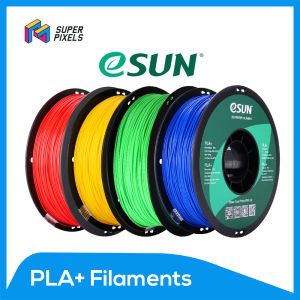
eSUN PLA+ Basic Colors and Matte 1.75 mm - Premium 3D Printing Filament by Super Pixels
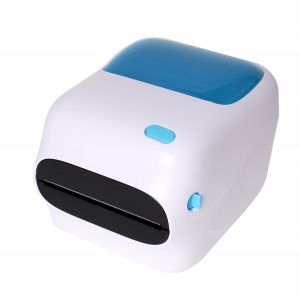
WIFI + USB Black and White 4x6 Shipping Label Printer with Large Paper Bin
12V 24V 40W Heating Rod Ceramic Heating Cartridge High Durability Enhances 3D Printing
Android 11 Handheld PDA Barcode Scanner: A Portable Data Collector POS Terminal Device
Brand New Compatible Toner Cartridge MLT-D108S MLTD108S MLT D108S for Samsung Printer