ECILY Mini Thermal Label Printer: A Smart & Portable Solution for Your Phone
ECILY Mini Thermal Label Printer: A Smart & Portable Solution for Your Phone
What is ECILY Mini Thermal Label Printer?
ECILY Mini Thermal Label Printer is a smart, pocket-sized portable printer designed specifically for use with your phone. This innovative device offers wireless Bluetooth connectivity, allowing you to print adhesive miniprints directly from your mobile device. With its compact size and lightweight design, the ECILY Mini Thermal Label Printer is perfect for on-the-go printing needs.
Key Features
- Compact Design: Weighing just a few ounces, this mini thermal label printer is small enough to fit in your pocket or purse, making it easy to carry wherever you go.
- Wireless Bluetooth Connectivity: Connect your phone to the ECILY Mini Thermal Label Printer via Bluetooth, eliminating the need for cables or wires.
- Adhesive Miniprints: Print custom labels, stickers, or miniprints using the included adhesive printing paper, ideal for organizing, labeling, or decorating.
- User-Friendly App: Download the ECILY app to access a wide range of customization options, including fonts, colors, and designs.
Comparison with Other Printers
Compared to traditional printers, the ECILY Mini Thermal Label Printer offers a number of advantages. Its compact size and wireless connectivity make it much more portable than standard printers, while its adhesive miniprints provide a versatile printing solution for a variety of applications. In addition, the ECILY app allows for easy customization and personalization, making it a great choice for those looking for a smart and convenient printing solution.
How to Use ECILY Mini Thermal Label Printer
Using the ECILY Mini Thermal Label Printer is simple and straightforward. Follow these step-by-step instructions to get started:
Step-by-Step Guide
- Download the ECILY app from the App Store or Google Play.
- Connect your phone to the ECILY Mini Thermal Label Printer via Bluetooth.
- Load the adhesive printing paper into the printer.
- Customize your label or miniprint using the ECILY app.
- Print your label or miniprint by tapping the print button in the app.
Tips & Tricks
- Battery Life: The ECILY Mini Thermal Label Printer has a long battery life, allowing you to print on-the-go without worrying about running out of power.
- Customization: Experiment with different fonts, colors, and designs to create unique labels and miniprints that suit your needs.
- Printing Paper: Be sure to use the included adhesive printing paper for best results.
Benefits of Using ECILY Mini Thermal Label Printer
Using the ECILY Mini Thermal Label Printer offers several benefits, including convenience, portability, customization, and creativity.
Convenience & Portability
With its compact size and wireless connectivity, the ECILY Mini Thermal Label Printer is perfect for those who want a convenient and portable printing solution. Whether you're organizing your home office, labeling items in your kitchen, or creating custom decorations, this mini thermal label printer is a great choice.
Customization & Creativity
The ECILY app allows you to customize your labels and miniprints in a variety of ways, making it easy to create unique designs that reflect your personal style. With a wide range of fonts, colors, and designs to choose from, the possibilities are endless.
Frequently Asked Questions
Troubleshooting Tips
If you encounter any issues with your ECILY Mini Thermal Label Printer, try these troubleshooting tips:
- Check Bluetooth Connection: Make sure your phone is connected to the ECILY Mini Thermal Label Printer via Bluetooth.
- Load Printing Paper: Ensure that the adhesive printing paper is loaded correctly into the printer.
- Update App: Check for updates to the ECILY app and install any available updates.
Additional Resources
For more information on the ECILY Mini Thermal Label Printer, visit the ECILY website or download the ECILY app. You can also find helpful tutorials and tips on the ECILY YouTube channel.

Ecily
You May Also Like
NIIMBOT D11 Upgraded Version Label Maker Bluetooth Label Printer Handheld Small Sticker Printer
Xiaomi AR Photo Printer Paper: A Portable Photo Printing Solution
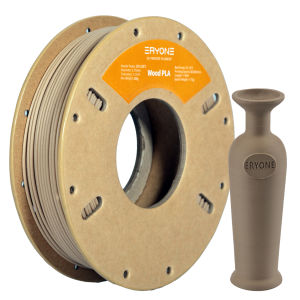
Eryone 250G Wood PLA Premium Filament 3D PrintDeep Light colorwood pla filament250g big sale
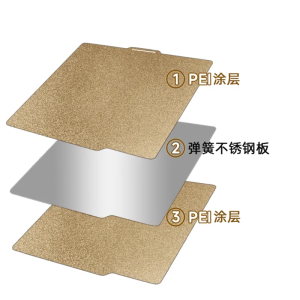
for Lab X1 3D Printer Hot Bed Steel Plate Double-Sided Textured PEI with Magnetic Base 260° Heat Resistant 257x257mm
Rubber Roller Rubber Number Letter Scrapbooking Rotating Business for Office School
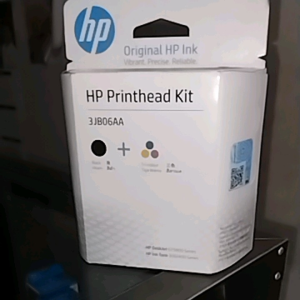
HP Printhead Kit 3JB06AA: A Comprehensive Guide
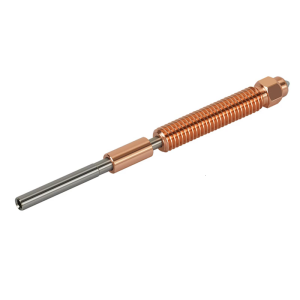
High Performances Nozzle Set for K2 Plus 3D Printers Includes 0.4mm 0.6mm 0.8mm 1.0mm Hardened Steel Nozzles for Enhanceds Durability and Precisions
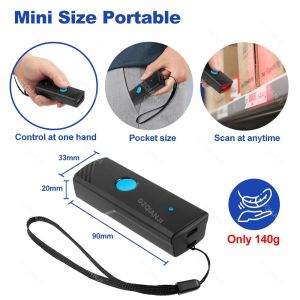
Handheld 3-in-1 Barcode Scanner 1D/2D/QR Bar Code Reader Bluetooth 2.4G Wireless USB Wired Connection for Supermarket Storage
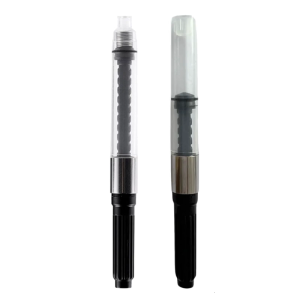
Fountain Pen Ink Piston Converter 2.6mm OR 3.4mm Bore Diameter Rotating Fountain Pen Ink Converter for Smooth Writing
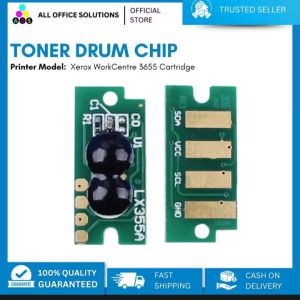
AOS Drum Chip for Xerox WorkCentre 3655 Cartridge
Epson 664 inks for L1300 L200 L220L300 L310 L350 L365 L565 L120 Printer - BK/CY/MG/YW