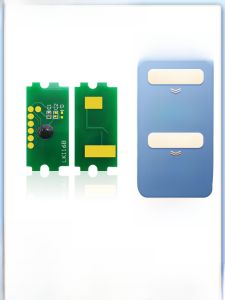
Kyocera Compatible Toner Chip for P3060dn P3055dn P3045dn P3050dn TK3193 3196 3195K 3160 3170 Office Equipment Consumables
Kyocera Compatible Toner Chip for P3060dn P3055dn P3045dn P3050dn TK3193 3196 3195K 3160 3170 Office Equipment Consumables
Office equipment consumables like toner chips play a vital role in maintaining the efficiency and performance of your printer. In this article, we will discuss the Kyocera compatible toner chip, its features, benefits, and how to choose the right one for your printer model.
What is a Kyocera Compatible Toner Chip?
A Kyocera compatible toner chip is a device that stores information about the toner cartridge, such as its remaining ink level and other data necessary for optimal printer performance. These chips are designed to work seamlessly with Kyocera printers, including the P3060dn, P3055dn, P3045dn, and P3050dn models. By using compatible toner chips, you can save money on replacement toner while still enjoying high-quality print results.
Key Features of Kyocera Compatible Toner Chips
- Compatibility: These chips are designed to work with specific Kyocera printer models, ensuring seamless integration and optimal performance.
- Cost-effective: Using compatible toner chips can help you save money on printer consumables without compromising on quality.
- Reliable: Compatible toner chips undergo rigorous testing to ensure they meet the same standards as original equipment manufacturer (OEM) chips.
Benefits of Using Kyocera Compatible Toner Chips
- Cost savings: By using compatible toner chips, you can save money on printer consumables without sacrificing print quality.
- Improved efficiency: Compatible toner chips work seamlessly with your Kyocera printer, ensuring optimal performance and minimal downtime.
- Environmental benefits: Using compatible toner chips helps reduce waste and promotes sustainability.
How to Choose the Right Kyocera Compatible Toner Chip
Selecting the right compatible toner chip for your Kyocera printer is crucial for achieving optimal performance and cost savings. Here are some factors to consider when choosing a Kyocera compatible toner chip:
Factors to Consider When Selecting a Kyocera Compatible Toner Chip
- Printer model: Ensure the compatible toner chip is specifically designed for your Kyocera printer model, such as the P3060dn, P3055dn, P3045dn, or P3050dn.
- Compatibility: Look for a chip that is compatible with your printer's toner cartridge, such as the TK3193, 3196, 3195K, 3160, or 3170 models.
- Brand reputation: Choose a reputable brand known for producing high-quality compatible toner chips.
Compatible Toner Options for P3060dn & P3055dn
When selecting a Kyocera compatible toner chip for your P3060dn or P3055dn printer, consider the following options:
- TK3193: Compatible with the P3060dn printer model.
- 3196: Compatible with the P3055dn printer model.
- 3195K: Compatible with both the P3060dn and P3055dn printer models.
Installation and Usage Tips for Kyocera Compatible Toner Chips
To ensure optimal performance and cost savings, follow these installation and usage tips for your Kyocera compatible toner chip:
Preparing Your Printer for Kyocera Compatible Toner Chip Installation
Before installing a Kyocera compatible toner chip, make sure your printer is turned off and unplugged. This helps prevent any potential damage during the installation process.
Step-by-Step Guide to Installing Kyocera Compatible Toner Chips
- Open the printer cover and locate the toner cartridge.
- Remove the old toner cartridge and discard it properly.
- Insert the new compatible toner chip into the designated slot on the toner cartridge.
- Carefully insert the toner cartridge back into the printer.
- Close the printer cover and turn the printer back on.
Troubleshooting Common Issues with Kyocera Compatible Toner Chips
If you encounter issues with your Kyocera compatible toner chip, try the following troubleshooting steps:
- Printer not recognizing the new chip: Check that the chip is properly inserted and seated in the toner cartridge.
- Print quality issues: Ensure the chip is compatible with your printer model and toner cartridge.
- Error messages: Refer to your printer's user manual for troubleshooting tips specific to your model.
Where to Buy Kyocera Compatible Toner Chips
To ensure you purchase high-quality Kyocera compatible toner chips, consider the following trusted online retailers and recommended brands:
Trusted Online Retailers for Kyocera Compatible Toner Chips
- Amazon
- eBay
- Walmart
Recommended Brands for Kyocera Compatible Toner Chips
- HP
- Brother
- Canon
By following these guidelines and choosing the right Kyocera compatible toner chip for your printer, you can enjoy cost savings, improved efficiency, and high-quality print results. Remember to always refer to your printer's user manual for specific installation and troubleshooting instructions.

TAO Study & Work
You May Also Like
Mini Printer Thermal Printer Label Maker Portable Mini Wireless Inkless Printer Small Pocket Printer For Pictures Photos
Phomemo M02 Mini Bluetooth Thermal Label PrinterPortable Inkless Sticker Maker MachineGreat For PhotoBarcodeLogoStudy NotesDIY Stickers

SUNLU 3D Printer Filament Dryer S2: A Comprehensive Guide
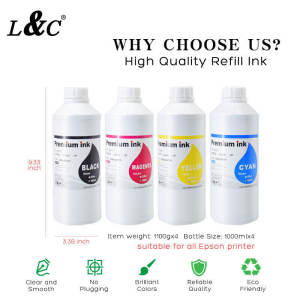
【PH Ready Stock】L&C Sublimation Ink For Epson Printers for Printing Business Sublimation Paper for Personalize 1L/1000ML
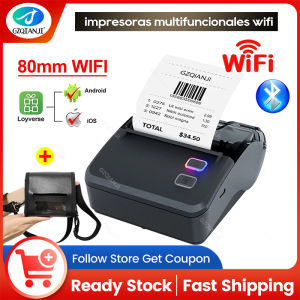
WiFi 80mm Thermal Receipt Printer - Handheld Portable Printer Mini Bluetooth Mobile Compatible for Android IOS Windows POS Print
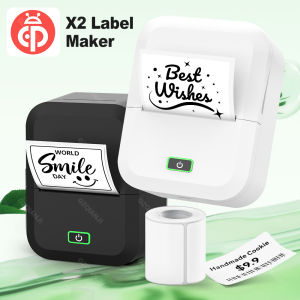
Marklife X2 Mini Thermal Printer Wireless Bluetooth Portable Adhesive Sticker Label Printing Similar as B21 B1 Labeling Machine
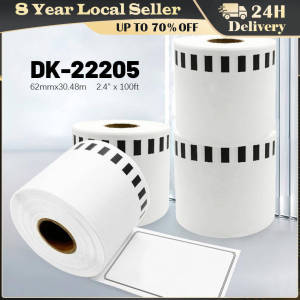
DK-22205 Dk2205 Label Thermal Paper 62mm X 30.48m Continuous for Brother QL-500/500A/550/560/700/570VM/800N/600TD Compatible for Brother Labels barcode sticker white Continuous Labels for QL570 QL700 Printer Compatible DK-22205
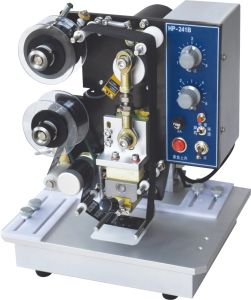
Shenglong HP-241B Desktop Automatic Ribbon Printer Small Production Date Production Batch Number Printer Electric Stamping Machine Convenient Paper Box Film Leather Coding Machine Label Printing Machine
【PH Ready Stock】L&C DTF Hotmelt Powder For DTF Transfer Film Fine Particle High Elasticity Premium Quality
Phomemo M110 Bluetooth Thermal Label Printer: A Powerful Portable Solution
380mm Carbon Fiber Rod Assembly With Metal Slider Easy Maintenance Replacement For X1/P1 3D Printer Accessories