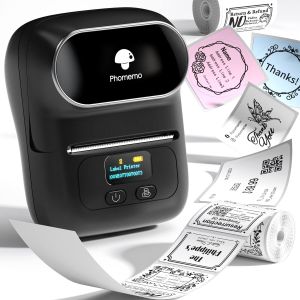
Phomemo M110 Bluetooth Thermal Label Printer: A Powerful Portable Solution
Phomemo M110 Bluetooth Thermal Label Printer: A Powerful Portable Solution
Phomemo M110 Bluetooth Thermal Label Printer is a versatile and efficient ink-free label maker designed specifically for office, home, and retail use. This portable sticker maker supports various label sizes, from 20mm to 50mm, making it a convenient choice for all labeling needs. With its sleek and compact design, the Phomemo M110 label printer can easily fit into your bag, allowing you to print labels on-the-go.
Introduction to Phomemo M110
Phomemo M110 Bluetooth Thermal Label Printer is a powerful portable solution that offers numerous features and benefits. Here are some key features of the Phomemo M110:
- Supports 20-50mm label sizes
- Ink-free thermal printing technology
- Bluetooth connectivity for wireless printing
- Lightweight and portable design
- Compatible with Android and iOS devices
- Free Print Master app for easy label creation and customization
Comparison with D11 Printer
Phomemo M110 Bluetooth Thermal Label Printer offers several improvements over its predecessor, the D11 printer. Some notable differences include:
- Enhanced label size range (20-50mm vs. 20-38mm)
- Improved Bluetooth connectivity for faster and more reliable printing
- Free Print Master app for easy label creation and customization
How to Use Phomemo M110 Bluetooth Thermal Label Printer
Using the Phomemo M110 Bluetooth Thermal Label Printer is simple and straightforward. Follow these steps to get started:
Connecting via Bluetooth
- Turn on the Phomemo M110 label printer by pressing the power button.
- On your smartphone, go to Settings > Bluetooth and turn on Bluetooth.
- Search for available devices and select "Phomemo M110" from the list.
- Once connected, the Phomemo M110 label printer will be ready for use.
Downloading Print Master App
To download the free Print Master app, follow these steps:
- Open the Google Play Store (for Android) or Apple App Store (for iOS).
- Search for "Print Master" and download the app.
- Open the Print Master app and connect to the Phomemo M110 label printer via Bluetooth.
Creating Custom Labels
With the Print Master app, you can easily create custom labels for various purposes. Here's how to get started:
- Open the Print Master app and select a label template.
- Customize the label by adding text, images, or barcodes.
- Preview the label and make any necessary adjustments.
- Once satisfied, tap the "Print" button to send the label to the Phomemo M110 label printer.
Phomemo M110 Label Printer Applications
The Phomemo M110 Bluetooth Thermal Label Printer has numerous applications across various industries and settings. Here are some examples:
Office Use
In an office setting, the Phomemo M110 can be used for labeling files, documents, and equipment. It can also be used for creating price tags, asset tags, and inventory labels.
Home Use
At home, the Phomemo M110 can be used for labeling food storage containers, organizing household items, and creating personalized gift tags.
Retail Use
In retail settings, the Phomemo M110 can be used for creating price tags, product labels, and barcode stickers. It can also be used for inventory management and asset tracking.
In conclusion, the Phomemo M110 Bluetooth Thermal Label Printer is a powerful and versatile solution for all your labeling needs. With its compact design, easy-to-use features, and numerous applications, it is a must-have tool for any office, home, or retail setting.

Zodzi Printer Store
Review

You May Also Like
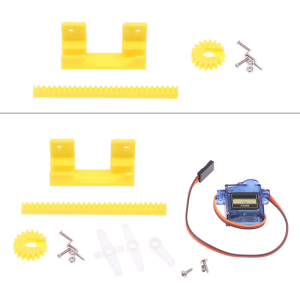
9g Servo Designed 3D Printing Science Production for Model Making Perfect For DIY 3D Printing Enthusiasts
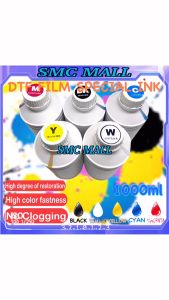
DTF Pigment Ink 1000ML: Special Ink for DTF Film & High-Quality Textile Printing
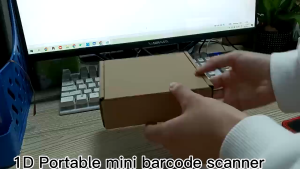
XPRINTER Xp-5022G 1D/2DPORTABLE BARCODE SCANNER

CANON PG 810 BLACK 811 TRI COLOR
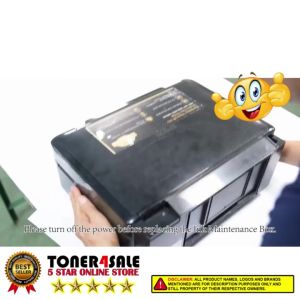
Epson Printer Maintenance Box and Waste Ink Tank Sponge Pad Absorber for L360 T664 L350 L358 L380
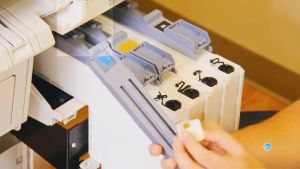
T7413 T7412 T7411 T7414 T741X Ink Packs Dye Sublimation Ink 7412 For Epson SureColor F6000 F6070 F6200 F9300 F9330 9340
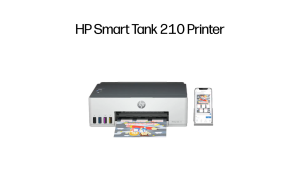
HP Smart Ink Tank 210 | A4 Color Printer | Print only | USB | Wireless | Mobile Scan | Manual Duplex | Digital multifunction printer | Continuous Ink Supply System (CISS) | 2 Years Warranty 100% Free Delivery - Lazada
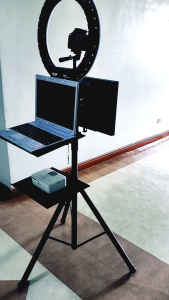
PHOTO BOOTH LAPTOP OR PRINTER TRAY
ZVVN 12 Pack Refill Cartridges Refills Compatible with Indoor Light M364A and Max Replacement 100% Fit (8 Refill Cartridges) (12 Refill Cartridges)
TN2480 TN760 TN2450 Toner Cartridge/DR2455 DRUM Unit for Use and Compatible with DCPL2550 HL-L2370 L2375 MFC-L2750
Cidy 1610 Manual Label Printer: A Replacement for Dymo Organizer Xpress