SUNLU 3D Printer Filament Dryer S2: A Comprehensive Guide
SUNLU 3D Printer Filament Dryer S2: A Comprehensive Guide
Introduction to SUNLU 3D Printer Filament Dryer S2
The SUNLU 3D Printer Filament Dryer S2 is an innovative solution designed to maintain the quality and performance of your 3D printing materials. With its built-in fan and advanced features, it ensures that your PLA, Nylon PA, ABS, and PETG filaments stay dry, preventing issues like brittleness, stringing, and poor adhesion. This comprehensive guide will walk you through the key features, benefits, target audience, and usage scenarios of the SUNLU 3D Printer Filament Dryer S2.
Key Features & Benefits
-
Double Heating Element Structure: The SUNLU S2 dryer features a double heating element structure that heats up faster and evenly, providing consistent drying results.
-
Upper and Lower Heating Plates: The addition of upper and lower heating plates ensures all-around surrounding heating and rapid drying, keeping your filaments in optimal condition.
-
Extended Adjustable Temperature Range: Compared to its predecessor, the SUNLU dryer S1, the S2 model offers an extended adjustable temperature range of 35℃-70℃, allowing for precise control over drying conditions.
-
Longer Continuous Drying Time: With an adjustable range of 0-99 hours, the SUNLU filament dryer provides ample time for thorough drying, ensuring your filaments are ready for printing.
-
Automatic Sleep Standby Mode: After completing the drying process, the SUNLU filament dryer automatically enters sleep standby mode, conserving energy and extending the life of the device.
-
Personalized Touch Screen Interface: The SUNLU Filadryer S2 features a 3.42*2.87 inch touch screen interface, offering a tablet-like operation experience and easy one-click switching between ℃ and ℉.
-
User-Friendly One-Key Recommended Temperature Settings: For various filament types, the SUNLU Filadryer S2 provides user-friendly one-key recommended temperature settings, making it easy to customize your drying experience.
Target Audience & Usage Scenarios
The SUNLU 3D Printer Filament Dryer S2 is designed for 3D printing enthusiasts, hobbyists, and professionals who want to maintain the quality and performance of their filaments. Whether you're printing prototypes, models, or functional parts, the SUNLU filament dryer ensures that your materials remain in optimal condition, resulting in smoother prints and better overall results.
How to Use SUNLU 3D Printer Filament Dryer S2
To get the most out of your SUNLU 3D Printer Filament Dryer S2, follow these simple steps:
Setting Up the Filament Dryer
-
Place the filament dryer on a flat surface away from flammable materials.
-
Connect the power cord to a reliable electrical outlet.
-
Load your filaments into the dryer, ensuring they are evenly distributed.
Adjusting Temperature & Time Settings
-
Press the power button to turn on the SUNLU filament dryer.
-
Use the touch screen interface to adjust the desired temperature and drying time.
-
Save your settings and press the start button to begin the drying process.
Drying Filaments for Optimal Performance
-
Monitor the drying process through the touch screen interface.
-
Once the drying cycle is complete, the SUNLU filament dryer will automatically enter sleep standby mode.
-
Remove your filaments and store them in a dry, cool place until ready for use.
SUNLU 3D Printer Filament Dryer S2: Extended Functionality
In addition to its core functionality, the SUNLU 3D Printer Filament Dryer S2 offers several extended features to enhance your drying experience:
Personalizing Your Experience with Touch Screen Interface
The SUNLU Filadryer S2 features a 3.42*2.87 inch touch screen interface, offering a tablet-like operation experience and easy one-click switching between ℃ and ℉.
Customizing Filament Settings for Various Materials
For various filament types, the SUNLU Filadryer S2 provides user-friendly one-key recommended temperature settings, making it easy to customize your drying experience.
Automatic Sleep Standby Mode
After completing the drying process, the SUNLU filament dryer automatically enters sleep standby mode, conserving energy and extending the life of the device.
Conclusion & Next Steps
The SUNLU 3D Printer Filament Dryer S2 is a powerful tool for maintaining the quality and performance of your filaments. By following the steps outlined in this comprehensive guide, you can ensure that your PLA, Nylon PA, ABS, and PETG filaments remain in optimal condition, resulting in smoother prints and better overall results. To learn more about the SUNLU 3D Printer Filament Dryer S2, visit the official website or contact customer support for assistance.

xssg66
![[with Fan] SUNLU 3D Printer Filament Dryer S2 Filament Storage Dehydrator for 3D Printing Built-in Fan Dryer S2 for PLA Nylon PA ABS PETG 1.75 2.85 3.00mm Black](https://img.lazcdn.com/g/p/1acdbd77d5e30dc3e9d81a60c7e988f6.jpg_webp_300x300q80.jpg)
Review

You May Also Like
KLICKKRATE 1Pcs A-line Price Tag Labeller 8 Digits Label Paper Label Maker MX-H813 Pricing Tag Display Tool for Retail Store

Compatible CRG-319 CRG-719 CRG-119 Black Toner Cartridge for Canon Printer
Metal Textured Bed Plate Cold Plate Strong Adhesion Double Sided Epoxy Coated For H2D 3D Printer Accessories
eTONER ERC 30 ERC 34 ERC 38 ERC 30/34/38 Black Compatible Ink Ribbon for Epson 6PCS

Phomemo Carry Bag for M110/D30/P12/Q30S Label Maker and M02/M02S/M02 Pro/T02Photo Pocket Printer Stores Wireless Thermal Printer and Self-Adhesive Paper. Waterproof and Fashion
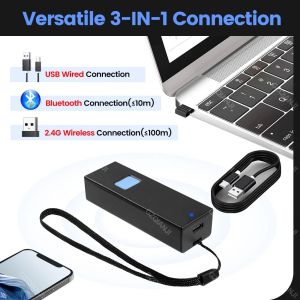
Bluetooth 1D QR 2D Barcode Scanner USB Wired & 2.4G Wireless & Bluetooth Bar Code Reader Portable CCD Screen Scanning PDF417 Data Matrix Image Scanner works with PC Android iOS
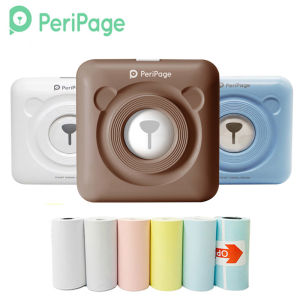
203dpi A6 Peripage Pocket Mini Printer: A Comprehensive Guide

LIOTOG Q5 Mini Photo Printer For IPhone/AndroidChildren Instant Print Camera Kids Video Photography Digital Photo Camera Toy Mini Thermal Printer Boy Girls Birthday Gift
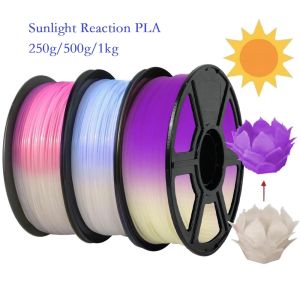
Sunlight Color Change PLA Filament 1kg/500g/250g 1.75mm 3D Printer Material PLA Filament UV Reaction White To Pink Blue Purple
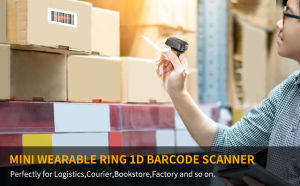
Eyoyo 2D Wireless Ring Scanner: A Portable Barcode Solution
For EPSON L1800 P400 P640 P600 R1800 R1900 R2000 R2400 4800 R3000 R3880 F2000 F2100 F2200 4720 Printer DTF ink For Direct Transfer Film for PET Film Textile Pigment Ink