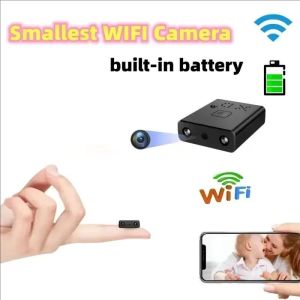
Samsung Dual Lens CCTV Camera Connect Cellphone With Audio and Speaker
Samsung Dual Lens CCTV Camera Connect Cellphone With Audio and Speaker
What is Samsung Dual Lens CCTV Camera?
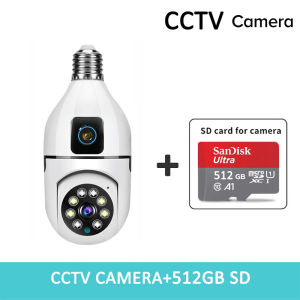
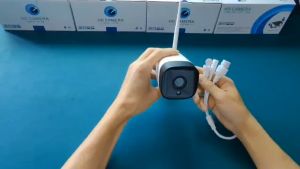
The Samsung Dual Lens CCTV Camera is an outdoor HD wireless CCTV camera that allows you to connect it to your cellphone using WiFi. This camera offers dual lens functionality, enabling you to monitor your surroundings in high definition while also capturing audio and video with built-in speakers.
Key Features & Benefits
Some of the key features and benefits of the Samsung Dual Lens CCTV Camera include:
-
Outdoor HD Wireless CCTV: The camera can be installed outside and provides high-definition video quality, making it easy to monitor your home or business remotely.
-
Connect to Cellphone: Connect the camera to your cellphone using the Samsung SmartThings app, allowing you to access live video feeds and control settings from anywhere.
-
Dual Lens CCTV Camera: With two lenses, this camera provides a wider field of view and better coverage of your property.
-
Night Vision Surveillance Camera: Equipped with night vision technology, the camera can capture clear images even in low-light conditions.
-
Mini IP Security Camera: The camera's compact size makes it easy to install in tight spaces and blend in with your home decor.
-
Auto Tracking: The camera features auto tracking technology, which allows it to follow moving objects automatically.
Comparison with Other Models
Compared to other models on the market, the Samsung Dual Lens CCTV Camera stands out due to its dual lens functionality, night vision capabilities, and easy connectivity with cellphones. It also offers better value for money, considering its features and performance.
How to Install & Set Up Your Outdoor HD Wireless CCTV Camera
Setting up your Samsung Dual Lens CCTV Camera is a straightforward process. Here are the steps to follow:
Connecting to WiFi & Power Adapter
- Unpack the camera and power adapter from the box.
- Connect the power adapter to the camera and plug it into a power outlet.
- Download the Samsung SmartThings app from the App Store or Google Play Store.
- Open the app and follow the prompts to connect the camera to your WiFi network.
Setting Up the App on Your Cellphone
- Once the camera is connected to your WiFi network, open the SmartThings app on your cellphone.
- Select 'Add Device' and follow the prompts to add the camera to your account.
- Configure the camera settings, such as motion detection, sound alerts, and video quality.
Maximizing Security with Dual Lens CCTV Camera
To get the most out of your Samsung Dual Lens CCTV Camera, here are some tips for maximizing security:
Night Vision Surveillance Camera
The camera's night vision capabilities make it an excellent choice for monitoring your property at night. Make sure to position the camera in a location where it can capture clear images even in low-light conditions.
Mini IP Security Camera & Auto Tracking
The camera's compact size and auto tracking technology make it ideal for monitoring smaller areas or following moving objects. Use these features to your advantage by positioning the camera strategically and adjusting the settings to suit your needs.
Troubleshooting Common Issues
If you encounter any issues with your Samsung Dual Lens CCTV Camera, here are some troubleshooting tips:
Connectivity Problems
If you're having trouble connecting the camera to your WiFi network, try restarting the camera and router, checking the signal strength, and making sure there are no other devices interfering with the connection.
Audio & Speaker Issues
If you're experiencing audio or speaker issues, make sure the camera is properly connected to the power adapter and that the volume is turned up on both the camera and your cellphone. Also, check that the microphone and speaker are not blocked or damaged.

Beautiful watch
You May Also Like
HUAWEI V380 Pro CCTV Camera Wifi Connect Cellphone Buy 1 Take 1 Outdoor Waterproof IP Security Cameras 4k Wireless CCTV Camera Connect to Phone with Voice and Speaker HD 8MP Two-Way Audio Night Vision monitor Surveillance

EZVIZ H8c: The Ultimate 2K+ QHD Resolution Outdoor Smart Camera
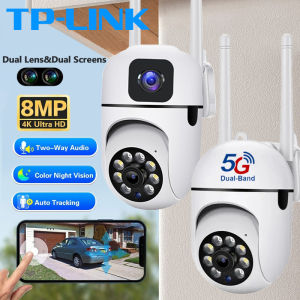
TP-Link BUY 1 TAKE 1 CCTV Camera Wifi Connect 360 Dual cameras 1080P HD Remote Monitoring Auto Tracking Night Vision COD
Tuya Smart Life H.265 Surveillance Camera: A Comprehensive Guide
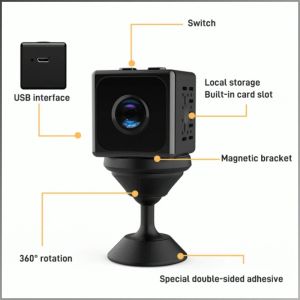
Internet Camera No Need for Cumbersome Threading Lightless Remote Camera Intelligent Human Detection
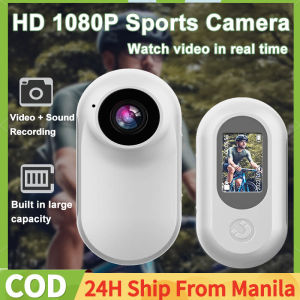
Mini Action Camera For Vlogging 360 Action Anti Shaking Small Camera 1080P Full HD Head Mounted Magnetic Attraction Motion Camera Large Capacity Battery Support OTG Connection Mobile Phone Lightweight Travel Camera For Outdoors Motorcycle Waterproof

A9 1080P Wifi Mini Camera Home Security Camera WiFi Night Vision Wireless Surveillance Camer For Remote Monitor App A9 Mini Camera Wireless WiFi IP Network Monitor Security Cam HD 1080P Home Security P2P Camera WiFi Rox
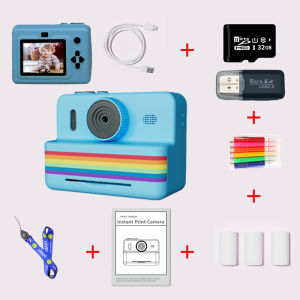
Childrens printable camera toy small camera gift for boys and girls
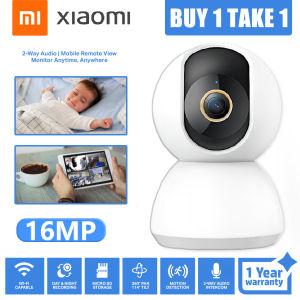
XIAOMI V380 Pro CCTV Camera: A Comprehensive Guide
7artisans 18mm F6.3 II APS-C Ultra-Thin Constant Aperture Camera Lens For Mirrorless Cameras
Action Camera Lens CPL Adjustable ND Lens Aluminum Frame Opticaled Glass For GO3S Camera Cinematic Like Photos