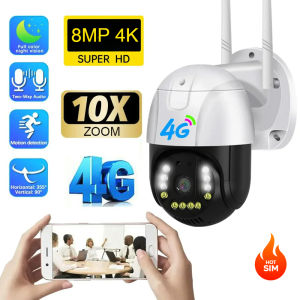
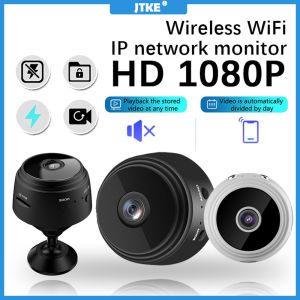
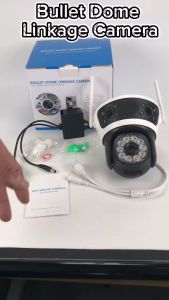
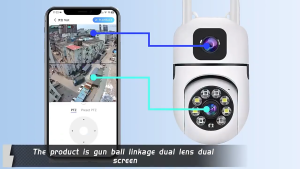
TP-Link BUY 1 TAKE 1 CCTV Camera Wifi Connect 360 Dual cameras 1080P HD Remote Monitoring Auto Tracking Night Vision COD
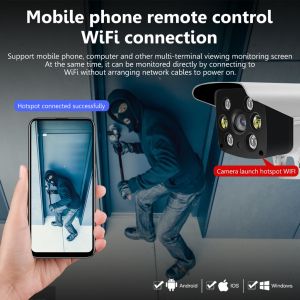
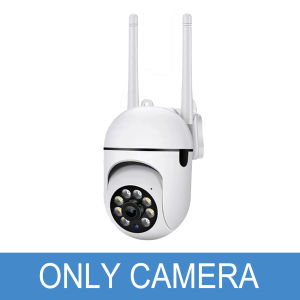
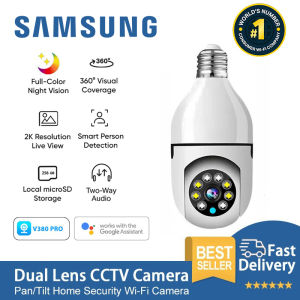
Dual lens 128GB Dual lens 1TB Dual lens 256GB Dual lens 512GB Dual lens 64GB Dual lens NO SD Single lens NO SD. App: V380 Pro. Power supply: DC5V1.5A. Power Consumption: 3-5W. Image Sensor: 720P1080P. Support motion tracking, snapshot function, video flip, image motion detection, microphone, speaker, remote playback, IR-CUT, WIFI, reset button. Video File Size: 2.5-4.5GB/day about 5 days for 64GB TF card recording). Recording Method: manual recording, dynamic detection recording, time recording, alarm recording. Applicable places: homes, stores, schools, supermarkets, factories and other places: flat, wall, waist. Mobile monitoring: support mobile monitoring iOS, Android). Power supply: DC 5V1A micro usb interface. Power consumption: less than 2W excluding infrared light, gimbal and speaker). Temperature: minus 1055. Humidity: 1080%. Features: It can be monitored by turning the head", the real eye-viewing six-way, left and right horizontal 355 ° up and down vertical 90 °. Support two-w

V380 Intelligent CCTV
Review
You May Also Like
JTKE HD 1080P Wireless IP Camera CCTV 2.4G WiFi Camera PTZ Security Protector Surveillance Camera Smart Auto Tracking

Metal Rabbit Cage Metal Camera Housing Action Camera Accessory Photography Video Take Gear for Photograph

【BUY 32G Get 64G】BOBLOV T5 1296P Mini Body Camera Waterproof Sports Action Camera 128GB Video Audio Recorder IR Night Vision Camcorder with Loop Recording

Dahua CCTV 1/8CH 2MP HD With Audio Bullet CCTV Camera Package with HD Cellphone Remote Monitoring IP67 Outdoor Waterproof Security Camera Dahua Nvr Dahua Ip Kamera Daua Camera Camara Dahua - Lazada

80X80 Long Range Binocular HD High Power Telescope Day And Night Vision Waterproof Outdoor binacular

Rover Systems 102.0 - 199.1 x 2.8 x 2.5 cm I-type Pendant Mount Metal CCTV Bracket

HOL Roof Binoculars 20X50 Professional HD Telescope: A Comprehensive Guide

V380 pro S1 Wifi Wireless Outdoor IP CCTV HD Camera connect to cellphon night vision alarm

TAPO C840 Dual-Lens Smart Baby Monitor Camera Baby Cry Detection 2K HD Home Nursery BABY Safety Fence

IMOU 5MP 3MP Wireless PTZ Bulb Camera & IMOU Socket: A Comprehensive Guide\\n\\n Understanding the IMOU 5MP 3MP Wireless PTZ Bulb Camera\\n\\nThe IMOU 5MP 3MP Wireless PTZ Bulb Camera is a top-of-the-line security solution that combines cutting-edge technology with sleek design. With its impressive features, it sets itself apart from other models in the market. \\n\\n Key Features\\n\\n- **Resolution:** 3MP - 5MP\\n- **Night Vision:** Equipped with advanced night vision capabilities, the camera captures clear images even in low-light conditions.\\n- **Pan and Tilt:** The camera offers 360-degree horizontal rotation and 90-degree vertical rotation, allowing for complete coverage of your surroundings.\\n- **Digital Zoom:** With digital zoom, users can zoom in on specific areas without losing image quality.\\n- **Built-in Mic, Speaker, Siren:** Two-way audio communication is made possible with the built-in microphone and speaker, while the siren adds an extra layer of security.\\n- **Motion Detection:** The camera detects motion and sends alerts to your smartphone, helping you stay informed about any activity in your home or business.\\n- **Configurable Region:** Users can set specific regions for monitoring, ensuring that only relevant areas are being watched.\\n- **Human Detection:** The camera can distinguish between humans and other objects, reducing false alarms and increasing accuracy.\\n- **Vehicle Detection:** The camera can detect vehicles, making it ideal for outdoor security.\\n\\n Comparison with Other Models\\n\\nCompared to other models, the IMOU 5MP 3MP Wireless PTZ Bulb Camera offers superior resolution, advanced night vision, and enhanced motion detection capabilities. Its unique design and functionality make it a top choice for both residential and commercial security needs.\\n\\n Installation & Setup\\n\\nSetting up the IMOU 5MP 3MP Wireless PTZ Bulb Camera is straightforward and easy to follow. Here's a step-by-step guide to help you get started.\\n\\n Connecting the IMOU Socket\\n\\nFirst, connect the IMOU Socket to a power outlet. This will provide power to the camera and enable wireless connectivity.\\n\\n Configuring the PTZ Bulb Camera\\n\\nNext, download the IMOU app and follow the on-screen instructions to configure the camera. Once set up, you can control the camera remotely using your smartphone.\\n\\n Enhancing Security with IMOU Lights Sens\\n\\nThe IMOU 5MP 3MP Wireless PTZ Bulb Camera comes with built-in IMOU Lights Sens technology, which enhances security by detecting motion, humans, and vehicles. Here's how it works:\\n\\n Motion Detection & Alerts\\n\\nThe camera detects motion and sends alerts to your smartphone, allowing you to take action immediately. This feature helps deter potential intruders and keeps your property safe.\\n\\n Human & Vehicle Detection\\n\\nThe camera can distinguish between humans and vehicles, reducing false alarms and increasing accuracy. This feature is particularly useful for outdoor security, as it allows you to monitor specific areas and respond accordingly.\\n\\n Maximizing Functionality\\n\\nTo get the most out of your IMOU 5MP 3MP Wireless PTZ Bulb Camera, here are some tips:\\n\\n Digital Zoom & Pan/Tilt Capabilities\\n\\nUse the digital zoom feature to focus on specific areas, and take advantage of the pan and tilt capabilities to cover a wider area. This will help you monitor your surroundings more effectively.\\n\\n Two-Way Audio & Built-in Speaker\\n\\nTake advantage of the two-way audio feature to communicate with people in your home or business. The built-in speaker also allows you to play pre-recorded messages or sounds to deter intruders.\\n\\n Maintenance & Troubleshooting\\n\\nTo ensure your IMOU 5MP 3MP Wireless PTZ Bulb Camera continues to function properly, it's important to perform regular maintenance and address any issues that may arise.\\n\\n Common Issues & Solutions\\n\\nSome common issues include connectivity problems, software bugs, and hardware malfunctions. To resolve these issues, refer to the IMOU app's troubleshooting guide or contact customer support for assistance.\\n\\n Regular Updates & Firmware Upgrades\\n\\nKeep your camera up-to-date by regularly checking for firmware upgrades. These updates often include bug fixes, performance improvements, and new features, ensuring that your camera remains a top choice for security.\n}

eufy By Anker Security Indoor Cam E220 Camera for home Security