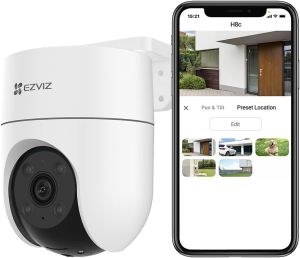
EZVIZ H8c: The Ultimate 2K+ QHD Resolution Outdoor Smart Camera
EZVIZ H8c: The Ultimate 2K+ QHD Resolution Outdoor Smart Camera
Key Features & Benefits
High-Quality 4MP Outdoor Camera
The EZVIZ H8c is a top-of-the-line 2K+ QHD resolution camera that provides exceptional clarity and detail in your home security system. With a 4MP sensor, this camera captures images and videos in stunning quality, making it easy to identify people and objects even from a distance.
Color Night Vision Technology
The EZVIZ H8c features advanced color night vision technology, which allows you to see in color even in low-light conditions. This feature is especially useful for identifying potential threats and intruders, as it provides a clearer view of the scene.
Secure & Reliable Smart Home Security
With EZVIZ H8c, you can enjoy peace of mind knowing that your home is protected with a secure and reliable smart home security system. The camera is designed to withstand harsh weather conditions, making it an ideal choice for outdoor use. Additionally, the camera supports secure data transmission and encryption, ensuring that your privacy is protected at all times.
Installation & Setup Guide
Choosing the Right Location
When installing the EZVIZ H8c, it's important to choose the right location to maximize its effectiveness. Ideally, the camera should be placed in a spot that provides a clear view of the area you want to monitor. It's also important to avoid placing the camera near sources of heat or direct sunlight, as this can affect its performance.
Connecting to Wi-Fi Network
Once you've chosen the right location, the next step is to connect the camera to your Wi-Fi network. This is a simple process that involves downloading the EZVIZ app, creating an account, and following the on-screen instructions to connect the camera to your network.
Setting Up Mobile App
After connecting the camera to your Wi-Fi network, you'll need to set up the mobile app to control and manage your camera. The app allows you to customize alerts and notifications, view live footage, and control the camera remotely.
How to Maximize Your Camera's Potential
Customizing Alerts & Notifications
One of the most useful features of the EZVIZ H8c is its ability to send alerts and notifications when motion is detected. By customizing these settings, you can receive notifications only when you need them, reducing the risk of false alarms.
Utilizing Motion Detection
The EZVIZ H8c comes with built-in motion detection, which automatically triggers recording when movement is detected. This feature is especially useful for monitoring areas that are prone to intruders or suspicious activity.
Sharing Access with Family Members
Another great feature of the EZVIZ H8c is the ability to share access with family members. This allows everyone in your household to view live footage and receive alerts, ensuring that everyone is aware of what's happening in and around your home.
FAQs & Troubleshooting Tips
Common Issues & Solutions
If you're experiencing issues with your EZVIZ H8c, there are several common solutions that may help. These include resetting the camera, checking the Wi-Fi connection, and updating the firmware.
Tips for Optimal Performance
To get the most out of your EZVIZ H8c, it's important to follow some basic tips for optimal performance. These include keeping the camera clean, positioning it correctly, and adjusting the settings to suit your needs.
Contacting Customer Support
If you're still having trouble with your EZVIZ H8c, don't hesitate to contact customer support for assistance. The team at EZVIZ is dedicated to providing excellent customer service and will work with you to resolve any issues you may be experiencing.

VORTEX TLSY CCTV
Review

You May Also Like
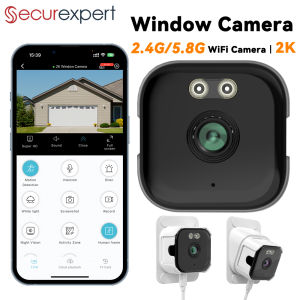
2K Window Camera with AI Human Detection Full Color Night Vision 24/7 Recording 2.4G/5.8G WiFi Two-Way Audio Works with Alexa

ENDURA DC Plug w/ Terminal for CCTV: A Comprehensive Guide (10pcs per pack)

5K30FPS 24MP WiFi Action Camera with Touch Screen EIS 2.0 4X Zoom Remote Control IPX8 30m Underwater Camera with Support External Microphone Vlog Sports Camera
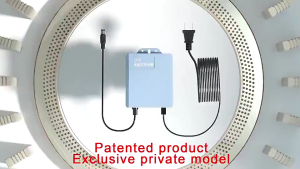
V380 PRO 12V 1.5A Uninterruptible Power Supply Mini UPS Battery Backup WiFi Router Modem Backup Battery Outdoor CCTV Security Camera UPS Monitoring Power Outage Endurance Power Supply Outdoor CCTV Built-in Battery Working System IP Camera Power Cord
New Panasonic dmc-fs9 & Depend 25 Digital Camera: A Comprehensive Guide
♥ Original + FREE Shipping ♥ MD80 Portable Security Camera Digital Camcorder Small Sports Car DV Wireless Aerial Action Camera For Home And Office
Binoculars 80X80 Long Range 15000m HD High Power Telescope Optical Glass Lens Low Light Night Vision for Hunting Sports Scope

Dahua CCTV KIT Full-color With Audio 2/4/8 CH CCTV Kit 1080p HD DVR Complete CCTV Package
MD80 Action Camera sport for Bicycle Outdoor Vlogging Mini Small Camera Body Camera Video Recorder
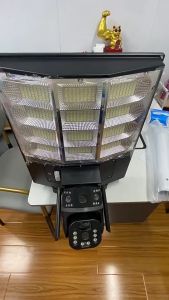
V380 PRO 4G/WIFI Night Vision Solar street light CCTV Camera Outdoor Waterproof Two Way Intercom PIR Human Detection dual Lens Three screen Solar CCTV
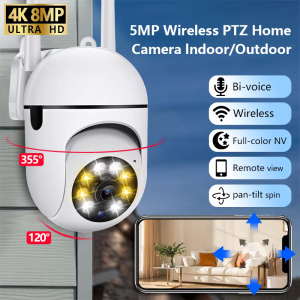
8MP Wifi IP Camera 8X Digital Zoom AI Human Tracking Surveillance Camera Two-Way Audio HD Night Color Home Security Monitor CCTV