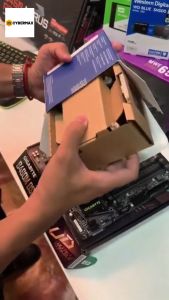
Samsung SSD 870 EVO 500GB & 1TB: V-NAND Internal SSD Performance
Samsung SSD 870 EVO 500GB & 1TB: V-NAND Internal SSD Performance
Introduction to Samsung SSD 870 EVO
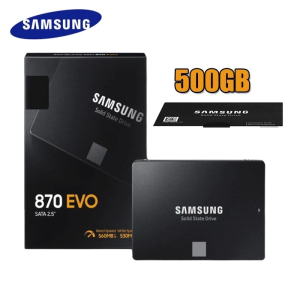
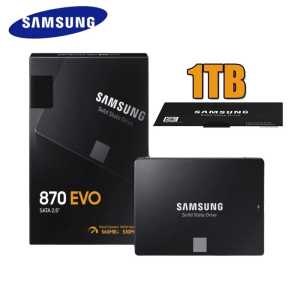
The Samsung SSD 870 EVO series, available in 500GB and 1TB capacities, is a high-performance internal SSD designed for desktops and laptops. This 2.5-inch SATAIII 6GB/s V-NAND SSD (MZ-77E250) is built with cutting-edge technology to deliver reliable and fast storage solutions. The key features and benefits of the Samsung SSD 870 EVO include:
- High-speed performance: With a SATAIII 6GB/s interface, this SSD offers excellent read and write speeds, making it ideal for demanding applications such as gaming and multimedia editing.
- V-NAND technology: The use of V-NAND technology ensures improved reliability, endurance, and longevity compared to traditional NAND flash memory.
- Advanced power loss protection: This feature safeguards data integrity by protecting against sudden power outages during read and write operations.
- Optimized for Windows and macOS: The Samsung SSD 870 EVO is compatible with both Windows and macOS operating systems, providing a seamless experience for users.
In comparison to competitors, the Samsung SSD 870 EVO offers superior performance, reliability, and compatibility, making it an excellent choice for users seeking a high-quality internal SSD.
Understanding the 6GB/s SATAIII Interface
The Samsung SSD 870 EVO series features a SATAIII 6GB/s interface, which enables fast data transfer rates and reliable performance. This interface supports up to 6GB/s data transfer speeds, making it ideal for high-performance applications.
Speed & Performance Analysis
The Samsung SSD 870 EVO delivers exceptional read and write speeds, thanks to its advanced V-NAND technology and optimized firmware. These high-speed capabilities enable users to enjoy faster boot times, quicker application launches, and seamless multimedia experiences.
Compatibility & Integration
The Samsung SSD 870 EVO is compatible with a wide range of desktops and laptops, including those running Windows and macOS operating systems. Its 2.5-inch form factor ensures easy integration into existing systems, making it a versatile storage solution for various devices.
Exploring V-NAND Technology
V-NAND technology is a crucial aspect of the Samsung SSD 870 EVO series, offering several advantages and applications compared to traditional NAND flash memory.
Advantages & Applications
- Improved reliability: V-NAND technology provides better error correction and data protection, resulting in increased reliability and reduced risk of data loss.
- Enhanced endurance: The use of V-NAND technology allows for higher endurance levels, meaning the SSD can withstand more read and write operations over its lifetime.
- Increased longevity: With improved reliability and endurance, V-NAND technology contributes to a longer lifespan for the Samsung SSD 870 EVO, ensuring a durable and long-lasting storage solution.
Reliability & Longevity
The Samsung SSD 870 EVO series is designed to provide reliable and long-lasting performance, thanks to its advanced V-NAND technology. This technology ensures that the SSD can withstand more read and write operations over its lifetime, resulting in increased reliability and longevity.
Installation & Configuration
Installing and configuring the Samsung SSD 870 EVO series is a straightforward process, which can be completed by following these simple steps:
- Prepare your system: Ensure that your computer is turned off and unplugged before beginning the installation process.
- Install the SSD: Carefully insert the Samsung SSD 870 EVO into the appropriate slot in your computer case, securing it in place with screws if necessary.
- Connect the SATA cable: Connect the SATA data cable to both the SSD and the motherboard, ensuring a secure connection.
- Connect the power cable: Attach the SATA power cable to the SSD and the power supply unit.
- Configure the BIOS/UEFI: Power on your computer and enter the BIOS/UEFI settings to configure the SSD as the primary boot device.
- Install the operating system: Follow the instructions provided by your chosen operating system to install it on the Samsung SSD 870 EVO.
Troubleshooting Common Issues
If you encounter any issues during the installation or configuration process, consider the following troubleshooting tips:
- Check connections: Ensure that all cables are securely connected and properly seated.
- Verify BIOS/UEFI settings: Double-check that the SSD is set as the primary boot device in the BIOS/UEFI settings.
- Update firmware: Check for any available firmware updates for your motherboard and install them if necessary.
Real-World Performance & Use Cases
The Samsung SSD 870 EVO series offers excellent real-world performance and is suitable for various applications, including gaming, multimedia editing, and business and enterprise environments.
Gaming & Multimedia
With its high-speed SATAIII 6GB/s interface and advanced V-NAND technology, the Samsung SSD 870 EVO delivers exceptional performance for gaming and multimedia applications. Users can enjoy faster load times, smoother gameplay, and seamless video playback.
Business & Enterprise Applications
The Samsung SSD 870 EVO series is also well-suited for business and enterprise environments, providing reliable and fast storage solutions for demanding applications. Its advanced V-NAND technology ensures improved reliability, endurance, and longevity, making it an ideal choice for mission-critical data storage.

EnterDigital
You May Also Like
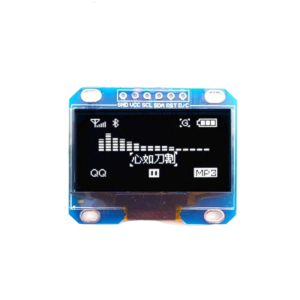
1.3inch LED Module White/Blue Color 128X64 LCD LED Display Module SPI Communicate Driver Board Replacement
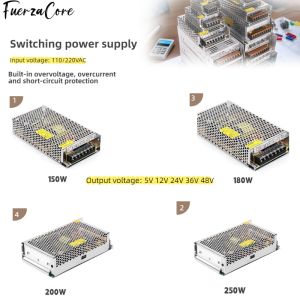
Power Supply 15V 12V 24V 36V 48VDC 150W 180W 200W 250W SMPS Power Transformer 110/220V AC-DC for LED Lights Motors and Displays
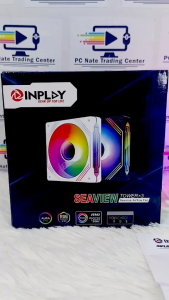
INPLAY Seaview Tower X3 FAN With HUB and REMOTE ARGB Fan
![[Brand New]Lenovo ThinkPad X240 Laptop Intel Quad/Dual-Core i7/i5 8GB RAM 128G SSD+500GB/1T HDD ROM Built-in WEBCAM/Camera Online class/learning Wifi Bluetooth Ms office 365 Windows11 Pro Portable Business Notebook Computer Ultra-thin 12.5 inch Screen](https://img.lazcdn.com/g/p/2460fe22bd6482e1895015418b52de28.jpg_300x300q80.jpg)
[Brand New]Lenovo ThinkPad X240 Laptop Intel Quad/Dual-Core i7/i5 8GB RAM 128G SSD+500GB/1T HDD ROM Built-in WEBCAM/Camera Online class/learning Wifi Bluetooth Ms office 365 Windows11 Pro Portable Business Notebook Computer Ultra-thin 12.5 inch Screen
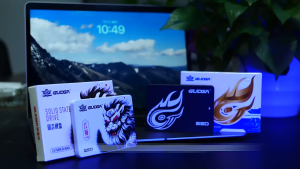
GUDGA 2.5 Inch 7mm SSD 120GB 128GB 240GB 256GB 480GB 512GB 1TB SATA 3 Internal Solid State Drive For Desktop & Notebook & Laptop\\n\\n Introduction to GUDGA SSD\\n\\nGUDGA is a leading manufacturer of high-performance internal solid state drives (SSDs) designed specifically for desktops, laptops, and notebooks. The GUDGA 2.5 Inch SATA 3 SSD offers exceptional speed, reliability, and durability, making it an ideal choice for both personal and professional use. With capacities ranging from 120GB to 1TB, there's a GUDGA SSD to suit every storage need.\\n\\n Key Features & Specifications\\n\\nThe GUDGA 2.5 Inch SATA 3 SSD boasts several key features and specifications:\\n\\n- **Interface Type**: SATAIII, SATA (6Gbps), SATA3(6Gbps)\\n- **Bad Block Management**: Auto Bad Block Management in system\\n- **Size**: 70X100X7mm\\n- **Warranty**: 5 years\\n- **HDD Capacity**: 120GB, 128GB, 240GB, 256GB, 480GB, 512GB, 1TB\\n- **Stock**: Yes\\n- **Color**: Black\\n\\n Benefits of Using GUDGA SSD\\n\\nUpgrading to a GUDGA SSD offers numerous benefits, including:\\n\\n- **Improved Performance**: Faster boot times, quicker file transfers, and smoother multitasking.\\n- **Increased Reliability**: Built-in auto bad block management ensures long-term data integrity.\\n- **Compact Design**: Thin 7mm form factor fits easily into most desktops, laptops, and notebooks.\\n- **Energy Efficiency**: Lower power consumption compared to traditional hard drives.\\n\\n Choosing the Right GUDGA SSD Capacity\\n\\nWhen selecting the right GUDGA SSD capacity, consider the following factors:\\n\\n- **Storage Needs**: Assess how much space you'll need for your operating system, applications, files, and media.\\n- **Budget**: Weigh the cost of different capacities against your storage requirements.\\n- **Future Growth**: Plan for future needs by selecting a capacity that accommodates potential data growth.\\n\\nAvailable SSD Capacities:\\n\\n- 120GB\\n- 128GB\\n- 240GB\\n- 256GB\\n- 480GB\\n- 512GB\\n- 1TB\\n\\n GUDGA SSD Compatibility\\n\\nThe GUDGA 2.5 Inch SATA 3 SSD is compatible with a wide range of devices, including:\\n\\n- Desktops\\n- Laptops\\n- Notebooks\\n\\nTo install the GUDGA SSD, follow these steps:\\n\\n1. Power off your device and unplug any cables.\\n2. Open the case and locate the existing hard drive bay.\\n3. Remove the old hard drive and insert the GUDGA SSD.\\n4. Connect the SATA data and power cables.\\n5. Close the case and power on your device.\\n\\n GUDGA SSD Performance & Reliability\\n\\nThe GUDGA 2.5 Inch SATA 3 SSD offers outstanding performance and reliability through its auto bad block management system, which automatically identifies and isolates faulty sectors to maintain data integrity. With a 5-year warranty, you can trust that your investment in a GUDGA SSD is protected.\\n\\n Conclusion & Final Thoughts\\n\\nIn summary, the GUDGA 2.5 Inch SATA 3 SSD offers exceptional performance, reliability, and durability, making it an ideal choice for desktops, laptops, and notebooks. With capacities ranging from 120GB to 1TB, there's a GUDGA SSD to suit every storage need. Purchase your GUDGA SSD today and experience the speed and efficiency of a high-performance internal solid state drive!\"
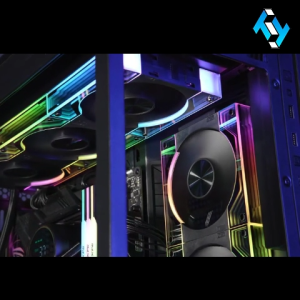
Jungle Leopard Interstellar V3 ARGB 3Pin PWM 12cm Fan / Splicing / Building Block Fan PC Case Fan
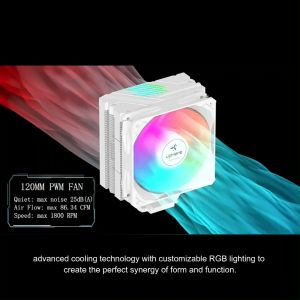
upHere 5V 3Pin ARGB RGB CPU Air Cooling Fan 120mm Computer Fans PWM
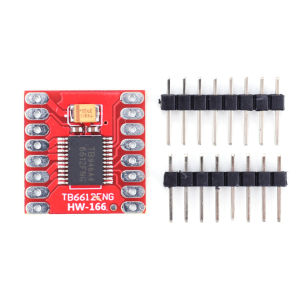
TB6612FNG Stepper Motor Driver Controller Module: A Comprehensive Guide
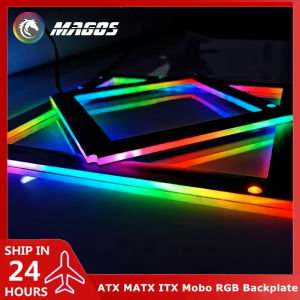
5V ARGB SYNC: A Comprehensive Guide to RGB Backplate Frames

Global Version Xiaomi 1A Redmi Monitor 23.8 Inch 1080p HD IPS 75Hz Computer Display Low Blue Light Ultra Slim
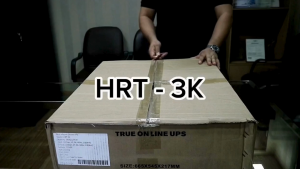
Rack Mount Online UPS - HRT 3K