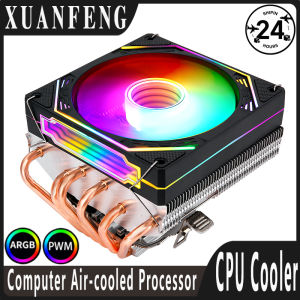
5V ARGB SYNC: A Comprehensive Guide to RGB Backplate Frames
5V ARGB SYNC: A Comprehensive Guide to RGB Backplate Frames
Introduction to RGB Backplate Frames & Their Importance
RGB backplate frames have become increasingly popular among gamers and PC enthusiasts. These frames are designed to enhance the aesthetics of computer motherboards by adding vibrant and customizable RGB lighting. Not only do they provide a visually appealing display, but they also offer practical benefits such as improved heat dissipation and added structural support.
Understanding the Benefits of RGB Backplate Frames
RGB backplate frames come with several advantages that make them a valuable addition to any gaming setup:
- Customizable Lighting: RGB backplate frames allow users to customize the lighting effects, creating a unique and personalized look.
- Improved Heat Dissipation: The design of these frames helps dissipate heat from the motherboard, contributing to better overall system performance.
- Structural Support: RGB backplate frames provide additional support to the motherboard, reducing the risk of damage during installation or transportation.
Exploring the Different Types of RGB Backplate Frames
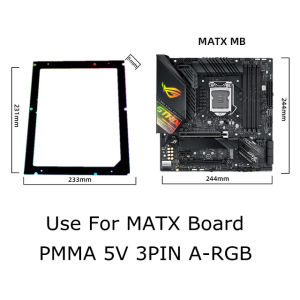
There are various types of RGB backplate frames available on the market, catering to different form factors such as ATX, MATX, and ITX. Each type offers its own set of features and benefits, making it essential to choose the right frame for your specific needs.
How to Choose the Right RGB Backplate Frame for Your Needs
Selecting the appropriate RGB backplate frame requires careful consideration of compatibility requirements and the impact on your gaming experience.
Identifying Your Compatibility Requirements (ATX, MATX, ITX)
Before purchasing an RGB backplate frame, ensure that it is compatible with your motherboard's form factor. The most common types include:
- ATX: Suitable for full-size motherboards, offering extensive customization options.
- MATX: Designed for mid-sized motherboards, providing a balance between functionality and compactness.
- ITX: Ideal for mini-PC builds, maximizing space efficiency while still delivering impressive visuals.
Considering the Impact of RGB Backplate Frames on Your Gaming Experience
An RGB backplate frame can significantly enhance your gaming experience by creating an immersive atmosphere. By synchronizing the lighting effects with your gaming setup, you can enjoy a more engaging and visually appealing environment.
Installation & Setup of RGB Backplate Frames
Installing and setting up an RGB backplate frame is a straightforward process that can be completed in just a few steps.
Step-by-Step Guide to Installing RGB Backplate Frames
- Prepare Your Workspace: Gather all necessary tools and ensure a clean, well-lit workspace.
- Remove the Existing Backplate: Carefully remove the existing backplate from your motherboard.
- Install the RGB Backplate Frame: Align the frame with the mounting holes on the motherboard and secure it using screws.
- Connect the RGB Header: Connect the RGB header from the frame to the corresponding port on your motherboard.
- Power On and Test: Power on your system and test the RGB lighting to ensure proper functionality.
Tips for Customizing Your RGB Backplate Frame for Optimal Performance
To get the most out of your RGB backplate frame, consider these customization tips:
- Adjust Lighting Effects: Experiment with different lighting effects to find the perfect match for your gaming setup.
- Sync with Other Components: Ensure that the RGB lighting on your frame syncs seamlessly with other components in your system.
- Keep Cool: Monitor the temperature of your motherboard to prevent overheating and maintain optimal performance.
Troubleshooting Common Issues with RGB Backplate Frames
While RGB backplate frames offer numerous benefits, they may occasionally encounter compatibility problems or syncing issues.
Addressing Compatibility Problems Between RGB Backplate Frames & Motherboards
If you experience compatibility issues, try the following troubleshooting steps:
- Check Compatibility: Verify that the RGB backplate frame is compatible with your motherboard's form factor.
- Update Firmware: Ensure that your motherboard's firmware is up-to-date to avoid potential compatibility issues.
- Consult Documentation: Refer to the manufacturer's documentation for troubleshooting tips and solutions.
Resolving Syncing Issues with 5V ARGB SYNC
If you encounter syncing issues with 5V ARGB SYNC, try these steps:
- Check Connections: Verify that all connections are secure and properly seated.
- Update Software: Ensure that your RGB software is up-to-date to avoid potential syncing issues.
- Consult Documentation: Refer to the manufacturer's documentation for troubleshooting tips and solutions.
Conclusion: Maximizing Your Gaming Experience with RGB Backplate Frames
By choosing the right RGB backplate frame and following proper installation and customization procedures, you can significantly enhance your gaming experience. Not only will you enjoy a visually appealing display, but you'll also benefit from improved heat dissipation and added structural support. With the right frame and a little bit of effort, you can create a gaming setup that truly stands out.

Global Merch Park
You May Also Like
Circuitrocks Color Sensor TCS3200

15.6 Inch Laptop LCD Touch Screen NV156FHM-T07 R156NWF7 R2 For Lenovo ThinkPad T15p P15v Gen 1 Gen 2 Gen 3 Display Matrix Panel
GreenTouch 15 Inch Plastic Front Shell IR Frame 10 Point Touch IP65 Waterproof for Durable Outdoor Use
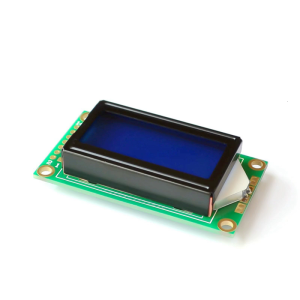
8x2 LCD Character Display Module With Blue Or Green Backlight For Electronics Projects And Industrial Applications
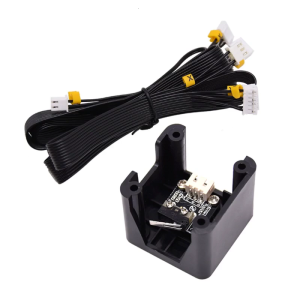
3D Printer X Y Z-Axis Limit Switch & Endstop Cable Line Set for Ender-3 Ender3 Pro CR10 10S 10PRO
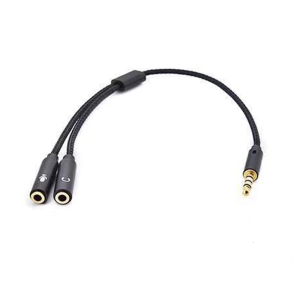
Headsets Microphone Splitter Cable for PC 3.5mm Headphones Sound Adapter Converter 3.5mm Male to Double 3.5mm Female
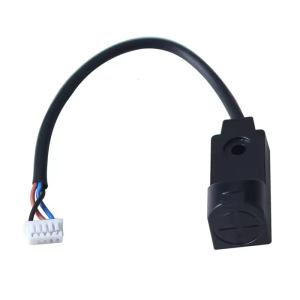
Auto Leveling Extruder Capacitive Normally Closed Proximitys Sensors Switches Replacement for SV08 3D Printer
3D Printer Bed Magnetic PEI Double Sided Printing Textured Spring Steel Platform Sheet for Ender 3/Pro/3/v2/CR20/Pro
Eyoyo 13.3 Inch 2K 1080P HDR Gaming Monitor: Portable Display Solutions
NIKOLATOY USB JetFan Desktop Turbofan Engine Model Fan with Humidifier Red/Blue Light Tail Flame Devices 3D Print Exquisite Toys
【Local delivery】Samsung 4GB 8GB Ram DDR3 DDR3L 1333MHZ 1600MHz 1866MHZ Desktop Memory DIMM PC3 12800 PC Memory