Mini Portable Thermal Printer GOOJPRT PT-210: A Comprehensive Guide
Mini Portable Thermal Printer GOOJPRT PT-210: A Comprehensive Guide
Introduction to GOOJPRT PT-210
What is GOOJPRT PT-210?
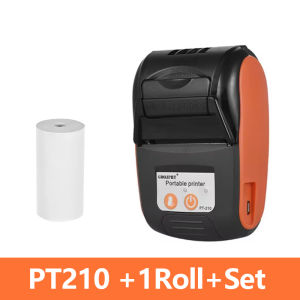
The GOOJPRT PT-210 is a mini portable thermal printer designed for easy use in various industries, including retail, healthcare, and logistics. This handheld barcode printer offers a compact and lightweight design, making it ideal for professionals on-the-go. With a resolution of 203dpi, this electronic labeler provides high-quality prints, ensuring accurate and legible barcodes.
Key Features & Benefits
The GOOJPRT PT-210 boasts several features that make it stand out in the market:
- Compact and portable design
- 203dpi resolution for high-quality prints
- Support for Android and iOS devices
- Easy-to-use interface for quick setup and configuration
- Durable construction for long-lasting performance
Setup & Configuration
Connecting GOOJPRT PT-210 to Android/Ios Devices
Connecting the GOOJPRT PT-210 to your mobile device is a straightforward process. Follow these steps to get started:
- Download the official app from the Google Play Store or Apple App Store.
- Turn on the Bluetooth feature on your device.
- Power on the printer by pressing the power button.
- Open the app and select 'Add Printer.'
- Choose the GOOJPRT PT-210 from the available options.
- Follow the on-screen instructions to complete the pairing process.
Configuring Printer Settings
Once connected, you can customize the printer settings according to your preferences. Access the settings menu within the app to adjust parameters such as print speed, label size, and barcode type. Additionally, you can update the firmware to ensure optimal performance and compatibility with the latest software versions.
Using GOOJPRT PT-210
How to Print Barcode Labels
Printing barcode labels with the GOOJPRT PT-210 is simple and efficient. Follow these steps:
- Open the app and select 'New Label.'
- Choose the desired barcode type and enter the necessary data.
- Customize the label design by adjusting font size, alignment, and other elements.
- Preview the label before printing to ensure accuracy.
- Press 'Print' to generate the barcode label.
Customizing Label Designs
The GOOJPRT PT-210 offers extensive customization options for creating unique label designs. You can choose from various fonts, colors, and shapes to create eye-catching labels that stand out. Additionally, you can add logos, images, and other graphical elements to enhance the visual appeal of your labels.
Maintenance & Troubleshooting
Cleaning & Maintenance Tips
To ensure optimal performance and longevity, it's essential to maintain the GOOJPRT PT-210 properly. Follow these tips:
- Clean the print head regularly using a soft, lint-free cloth.
- Keep the printer free from dust and debris.
- Store the printer in a cool, dry place when not in use.
Common Issues & Solutions
Despite its robust design, the GOOJPRT PT-210 may encounter occasional issues. Here are some common problems and their solutions:
- Printer not printing: Check the paper roll and ensure it's loaded correctly. Also, verify that the printer is connected to your device and has sufficient battery power.
- Print quality issues: Clean the print head and adjust the print speed settings.
- Bluetooth connectivity issues: Restart both the printer and your mobile device. If the problem persists, try resetting the printer's Bluetooth settings.
Conclusion
Recap of Key Takeaways
The GOOJPRT PT-210 is a versatile mini portable thermal printer that offers numerous benefits for professionals in various industries. Its compact design, high-resolution prints, and compatibility with Android and iOS devices make it an ideal choice for businesses looking to streamline their labeling processes.
Final Thoughts
In conclusion, the GOOJPRT PT-210 is a reliable and efficient handheld barcode printer that can help improve productivity and accuracy in your business operations. With its user-friendly interface, extensive customization options, and robust performance, this electronic labeler is sure to meet your labeling needs.

GlobalLifestyle
Review
You May Also Like
EP 003 Premium Ink – High-Quality Refill for Epson Printers (70ml)
Paper Pick up Feed Roller for Use and Compatible in MP1600 MP1900 MP2000 Series
Compatible Toner Cartridge Xerox WorkCentre 7525 7530 7535 7545 7556 7830 7835 7845 7855

Compatible Master Roll DX2430
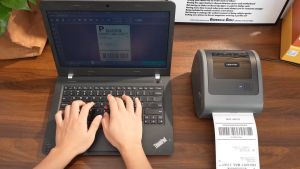
Phomemo D450BT: A Compact Bluetooth Thermal Printer for A6 Waybill Labels
2Set Enhanceds Stability Gears for DDG Voron Extruders High Compatibility and Efficient Speed for 3D Printing
Tatrix W1107A toner 107a W1107A Premium Compatible Black Toner Cartridge for HP 107a 107w MFP 135a 135w 137fnw
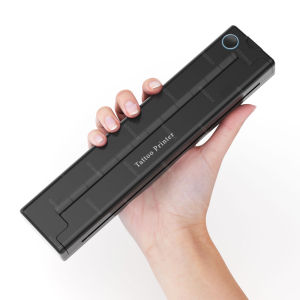
Portable Tattoo Stencil Printer: A Comprehensive Guide
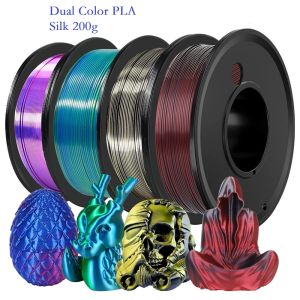
200G Dual Color Filament Silk PLA 1.75mm FDM 3D Printer Plastic Material Shiny Filament PLA Multicolor Black Red Blue Gold

YUWO Typewriter Ribbon Twin Spool Typewriter Ribbon Black Twin Spool Replacement Pack for Most Typewriter
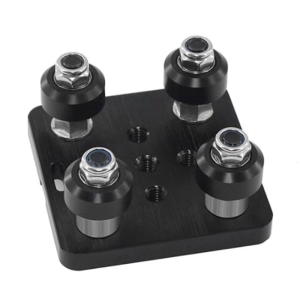
High Precise Aluminum V Slot Plate V-Openbuild Wheel V Gantry Plate for Smooth Movement in 3D Printing Application