Portable Tattoo Stencil Printer: A Comprehensive Guide
Portable Tattoo Stencil Printer: A Comprehensive Guide
What is a Portable Tattoo Stencil Printer?
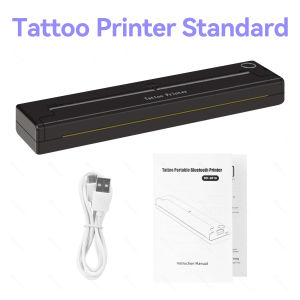
A portable tattoo stencil printer is a compact device that allows tattoo artists to print custom stencils for tattoos on transfer paper using thermal printing technology. This innovative tool streamlines the tattoo creation process by providing a convenient and efficient way to produce high-quality stencils.
Key Features
- Size: 210mm
- Voltage: 100-240V
- Dot Matrix Printer Type: Universal ticket printer
- Max. Resolution: 203dpi
- Black Print Speed: Up to 15mm/s
- Print Speed: 4ppm
- Double-sided Printing: No
- Supports Network Printing: Yes
- Paper Feed Mode: Manual
- Interface Type: USB/Bluetooth
- Origin: Mainland China
- Certification: CE
How It Works
A portable tattoo stencil printer works by using thermal printing technology to transfer designs onto transfer paper. The device heats up specific areas of the paper, causing the ink to adhere and form the desired pattern. This process allows for precise and accurate stencils that can be easily transferred to the skin during the tattooing process.
How to Use a Portable Tattoo Stencil Printer
Using a portable tattoo stencil printer is straightforward and requires minimal setup. Follow these steps to get started:
Setup & Configuration
- Connect the printer to a power source using the included AC adapter.
- Connect the printer to your computer via USB or Bluetooth.
- Install the necessary drivers and software for your operating system.
- Load the transfer paper into the printer according to the manufacturer's instructions.
Printing Process
- Open the tattoo design software and select the desired image or design.
- Adjust the size, orientation, and resolution settings as needed.
- Click the 'Print' button to send the design to the portable tattoo stencil printer.
- Monitor the printing process and ensure that the stencil is printed accurately.
Troubleshooting Common Issues
- If the stencil is not printing correctly, check the ink ribbon and ensure it is properly loaded.
- If the printer is not connecting to your computer, try restarting both devices and re-establishing the connection.
- If the design appears blurry or distorted, adjust the resolution settings and try printing again.
Benefits of Using a Portable Tattoo Stencil Printer
Convenience & Portability
One of the primary advantages of a portable tattoo stencil printer is its compact size and ease of use. This makes it ideal for tattoo artists who need to travel to various locations or work in smaller spaces.
Multiple Working Modes
A portable tattoo stencil printer offers multiple working modes, allowing users to choose the best option for their specific needs. This flexibility ensures that artists can adapt to different environments and projects.
Bluetooth Wireless Transfer
The ability to connect wirelessly via Bluetooth adds another layer of convenience to the portable tattoo stencil printer. This allows artists to transfer designs quickly and easily without the need for physical cables.
Choosing the Right Portable Tattoo Stencil Printer
Considerations for Buyers
When selecting a portable tattoo stencil printer, consider the following factors:
- Print quality and resolution
- Compatibility with different operating systems
- Connectivity options (USB, Bluetooth)
- Size and portability
- Brand reputation and customer support
Top Brands & Models
Some popular brands and models of portable tattoo stencil printers include:
- [Brand A] Model X
- [Brand B] Model Y
- [Brand C] Model Z
Conclusion
A portable tattoo stencil printer is a valuable tool for any tattoo artist looking to streamline their workflow and produce high-quality stencils. With its convenience, portability, and multiple working modes, this innovative device is a must-have for professionals in the industry. By considering the key features, benefits, and top brands, you can find the perfect portable tattoo stencil printer to suit your needs.

GZQIANJI Store
Review

You May Also Like

INKSCRIBED TN3448 TN-3448 TN3478 TN-3478 Compatible Toner Cartridge for Brother HL-L5000D HL-L5100DN MFC-L5900 L5900DW MFC-L5800DW MFC-L6900DW DCP-L5500DN DCP-L5600DN
AOS Compatible Fuji Xerox S1810 paper pickup roller S2010 S2011 S2420 S2220 paper tray feed roller separation pad S2320 S2520 S2110
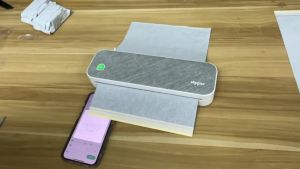
Peripage A4 Thermal Printer Tattoo Stencil Transfer Printer Machine: Features & Benefits

SQUID INK RIBBON ERC-38/ERC-34/ERC-30 Epson RIbbon Ink

Phrozen Sonic Mini 8KS - High-Resolution Compact Resin 3D Printer
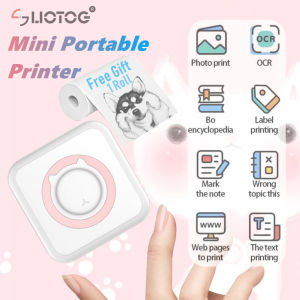
LIOTOG C15 Mini Printer with Bluetooth Portable Thermal Printer 57mm Wireless Inkless Printer for IOS/Android
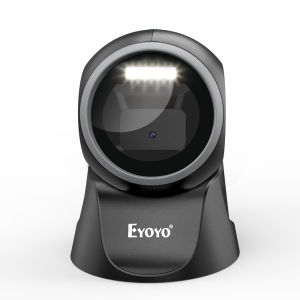
Eyoyo 1D 2D Desktop Barcode Scanner: A Comprehensive Guide

30 Sheets Transparency Film Paper 8.5x11 Inches Transparent Film for Ink Jet Printer 100% Transparencies Printing Transparent Film Sheets for Overhead Projector Silk Screen Printing
PPS XP600 DX11 Printer Head for EPSON XP600 Eco Solvent Printhead
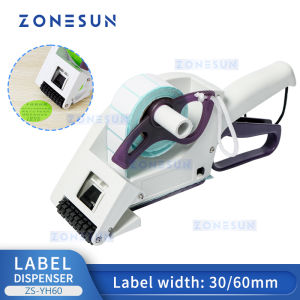
ZONESUN ZS-YH30 Semi-automatic Round Bottle Adhesive Sticker Manual Labeling Machine Price Tag&Flat Labeler

TK1147 Toner Cartridge Compatible with Fs1135 Ecosys M2035 M2535