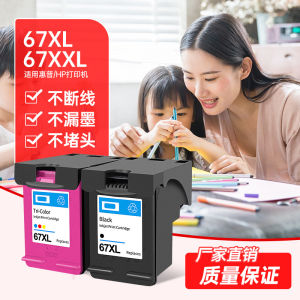
High-Quality Ink Cartridges for HP Printers
High-Quality Ink Cartridges for HP Printers
Introduction to High-Quality Ink Cartridges
What are High-Quality Ink Cartridges?
High-quality ink cartridges are designed to provide superior print quality, longevity, and compatibility with various printer models. They are often more cost-effective compared to original manufacturer's ink cartridges, making them a popular choice among consumers.
Benefits of High-Quality Ink Cartridges
High-quality ink cartridges offer several advantages, including:
- Better print quality: High-quality ink cartridges can produce sharper, more vibrant prints compared to generic or low-quality alternatives.
- Longer-lasting performance: High-quality ink cartridges tend to last longer, providing more pages per cartridge, which helps reduce overall printing costs.
- Compatibility with multiple printer models: High-quality ink cartridges are often designed to work with multiple printer models, making them a versatile choice for consumers.
Which HP Printers Are Compatible?
The Jincainuo H-67XL ink cartridge is compatible with various HP printer models, including the HP 6052, 6055, 6058, 6075, 6020, 6420, and 6452. Additionally, it is suitable for HP 2700, 2723, 2330, 6020, 2320, 2331, and 2332 printers.
Choosing the Right Ink Cartridge
Identifying the Right Model
To choose the right ink cartridge for your HP printer, it is essential to identify the correct model number. This information can usually be found on the printer itself or in the user manual. In this case, the Jincainuo H-67XL ink cartridge is compatible with multiple HP printer models.
Evaluating Quality & Compatibility
When evaluating the quality and compatibility of high-quality ink cartridges, consider the following factors:
- Printer compatibility: Ensure the ink cartridge is compatible with your specific printer model.
- Print quality: Look for ink cartridges that produce sharp, vibrant prints with minimal smudging or bleeding.
- Longevity: Choose ink cartridges that provide a good number of pages per cartridge, reducing overall printing costs.
Comparing Prices & Value
When comparing prices and value of high-quality ink cartridges, consider the following factors:
- Cost per page: Calculate the cost per page by dividing the total price of the ink cartridge by the number of pages it can print.
- Total printing costs: Consider the total printing costs over time, including the cost of ink cartridges and any maintenance required.
Installing & Using High-Quality Ink Cartridges
Step-by-Step Installation Guide
To install the Jincainuo H-67XL ink cartridge in your HP printer, follow these steps:
- Turn off the printer and open the printer lid.
- Locate the empty ink cartridge slot and gently remove the old cartridge.
- Remove the new ink cartridge from its packaging and remove the protective tape.
- Insert the new ink cartridge into the empty slot, pressing down until it clicks into place.
- Close the printer lid and turn on the printer.
Maximizing Printer Performance
To maximize the performance of your HP printer with high-quality ink cartridges, consider the following tips:
- Regularly clean the print head to prevent clogging and ensure consistent print quality.
- Use high-quality paper to achieve the best print results.
- Follow the manufacturer's recommendations for ink cartridge maintenance and replacement.
Troubleshooting Common Issues
If you encounter any issues with your HP printer after installing the Jincainuo H-67XL ink cartridge, consider the following troubleshooting steps:
- Check the ink cartridge for any visible damage or leaks.
- Ensure the ink cartridge is properly installed and securely locked into place.
- Run a print head cleaning cycle to clear any clogs or blockages.
Conclusion
In conclusion, high-quality ink cartridges offer several advantages over original manufacturer's ink cartridges, including better print quality, longer-lasting performance, and compatibility with multiple printer models. When choosing the right ink cartridge for your HP printer, consider factors such as model compatibility, print quality, longevity, and cost-effectiveness. By following the installation guide and maximizing printer performance, you can enjoy high-quality prints and reduce overall printing costs.

HuNanZhiKunJiDianKeJiYouXianGongSi
Review

You May Also Like
C9345 chip Resetter Reset Chip for Epson L18050 L8050 L15150 L15160 L15158 L15168 L6578 L6558 WF-7820 7830 7840 ET-5800 ET-5850 ET-5880 ET-16600 ET-16650 Printer
AP-2142 BRAINBOT WATERCOLOR
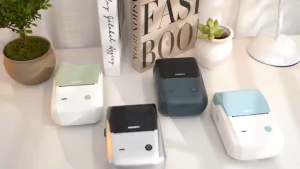
NIIMBOT B1 Label Printer - Thermal Bluetooth Waterproof | Oil-Resistant | Non-Toxic 20-50mm for Home & Kitchen

INKSCRIBED DR261 DR-261 Compatible Toner Brother HL-3140CW MFC-9140CDW MFC-9330CDW MFC-9340CDW

T7411 T7412 T7413 T7414 T741X 1000ml Ink Pack: A Comprehensive Guide

BOSTO Film & Slide Scanner: Transform Your Old Films into Digital Masterpieces

Katun Drum for Ricoh MP2000 AF1015 MP2014 MP 1600 MP2852 MP2501 MP2553 Compatible OPC Drum Long Life
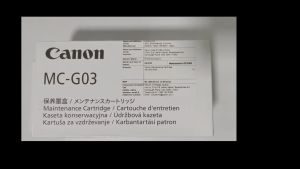
Genuine Canon MC-G03 Maintenance Cartridge: A Comprehensive Guide
CUYI Automatic Digital Mug Press Machine
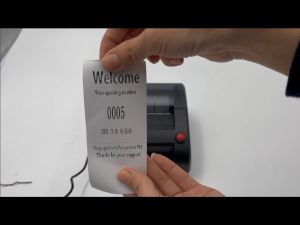
Queue Number Printer Queueing Paper System 57Mm Thermal Paper No Need Internet Content Editable
Metal Textured Bed Plate Cold Plate Strong Adhesion Double Sided Epoxy Coated For H2D 3D Printer Accessories