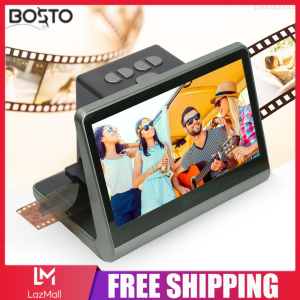
BOSTO Film & Slide Scanner: Transform Your Old Films into Digital Masterpieces
BOSTO Film & Slide Scanner: Transform Your Old Films into Digital Masterpieces
Introduction to BOSTO Film & Slide Scanner
The BOSTO Film & Slide Scanner is a powerful tool designed to convert your old films into digital JPEG photos, making it easier than ever to preserve and share your memories. With built-in 16GB memory, LCD screen with 48W pixels, and compatibility with Windows XP/Vista/7/8/10, this scanner offers a user-friendly experience for both beginners and professionals alike. In this article, we'll explore the key features, compatibility, benefits of digital conversion, and how to use the BOSTO Film & Slide Scanner.
Key Features
The BOSTO Film & Slide Scanner comes equipped with several features that make it stand out from the competition:
- Built-in 16GB Memory: Store your scanned photos directly on the scanner, eliminating the need for external storage devices.
- LCD Screen with 48W Pixels: Preview your scans in stunning detail, making it easy to identify any issues before transferring the images to your device.
- Compatibility: Scan a variety of film formats, including 135 film (36*24mm), 126KPK, 110 film, Super8, monochrome, and slide films.
- Free APP Support: Connect the scanner to your PC, TV, or other devices for seamless image transfer and editing.
Compatibility
The BOSTO Film & Slide Scanner supports a wide range of film formats, making it a versatile choice for users with diverse collections. Some of the supported formats include:
- 135 film (36*24mm)
- 126KPK
- 110 film
- Super8
- Monochrome
- Slide films
In addition, the scanner is compatible with Windows XP/Vista/7/8/10, ensuring compatibility with most modern computers.
Benefits of Digital Conversion
Converting your old films to digital JPEG photos offers several advantages, including:
- Preservation: Digital files are less susceptible to damage and degradation compared to physical film, ensuring your memories remain intact for years to come.
- Ease of Sharing: Share your scanned photos with friends and family via email, social media, or cloud storage services.
- Editing: Edit your digital photos using popular photo editing software, such as Adobe Photoshop or GIMP, to enhance their quality and appearance.
How to Use BOSTO Film & Slide Scanner
To get started with the BOSTO Film & Slide Scanner, follow these steps:
Setting Up the Scanner
- Unbox the scanner and locate the power adapter.
- Connect the power adapter to the scanner and plug it into a power outlet.
- Turn on the scanner using the power button located on the front panel.
Scanning Your Films
- Load your film or slide into the scanner according to the manufacturer's instructions.
- Adjust the scanner settings to optimize the quality of your scans, such as resolution and color balance.
- Press the scan button to begin the scanning process.
Transferring Images to Your Device
- Connect the scanner to your PC, TV, or other devices using the provided USB cable.
- Transfer the scanned images to your device using the built-in 16GB memory or a free APP support.
Enhancing Your Digital Images
Once you've scanned your films and transferred them to your device, there are several ways to enhance their quality and appearance:
Using the Built-in 16GB Memory
Store your scanned photos directly on the scanner, eliminating the need for external storage devices. This built-in memory allows you to quickly and easily transfer images to your device whenever needed.
Leveraging the LCD Screen with 48W Pixels
Preview your scans in stunning detail using the LCD screen with 48W pixels. This high-resolution display makes it easy to identify any issues before transferring the images to your device.
Connecting to PC, TV, or Other Devices
Connect the scanner to your PC, TV, or other devices using the provided USB cable. This allows you to seamlessly transfer and edit your scanned photos using popular photo editing software.
Conclusion & Final Thoughts
The BOSTO Film & Slide Scanner is a powerful tool for converting your old films into digital JPEG photos. With its built-in 16GB memory, LCD screen with 48W pixels, and compatibility with Windows XP/Vista/7/8/10, this scanner offers a user-friendly experience for both beginners and professionals alike. Whether you're looking to preserve your memories or share them with others, the BOSTO Film & Slide Scanner is the perfect choice for your needs.

Dream Painter
Review
You May Also Like
MUIFA C9 Mini Printer Bluetooth Thermal Printer Photo Label Sticker Paper Portable WAYBILL PRINTER
Soonpos 58mm 80mm Desktop POS Thermal Receipt Printer Auto Cutter Wall- Mounted Support Cash Drawer for Restaurant Kitchen Retail Compatible with Loyverse POS Salespaly POS Food Panda UTAK POS Bluetooth WiFi LAN USB
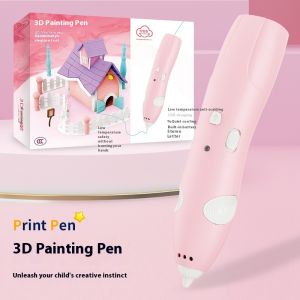
Children's 3D Printing Graffiti Pen: A Safe & Interesting New Choice for Low-Temperature Wireless Operation
LED Light with Magnetic Control DIY 3D Printing Model Part Rings/Single/Y Shape LED Light Accessories For Voron AD5M
58mm Mini Label Maker Portable Thermal Printer Bluetooth Inkless Barcode Sticker Printing 2inch Labeller on Android iOS Home Officee use Similar Niimbot B21 B1
SHENGLONG HP-260Q Hot Selling High Quality Gold Foil Date Pneumatic Coding Machine High Speed Gold Stamping Encoder Ribbon Food Expiry Date Typewriter Batch Number
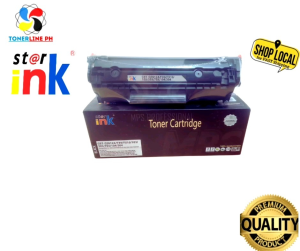
12A HP 12A Q2612A Star Ink Toner Cartridge Compatible with CBT-Q2612A FX9/FX10/103303/703 for use on HP LASERJET 1010/1012/1015/1018/1020/1022/3015/3020/3030/3050 3050Z/3052/3055/M1005/1319 LBP2900/3000/ICMF4010/4012/4120/4150/4270/4320/4322/4330/4340
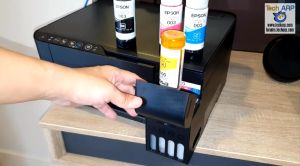
Epson 003 Inks 65ml for Printer (Epson L3110/L3210 L3150/L3250 L5190/L5290 L3256 L3216) Premium High Quality Inks
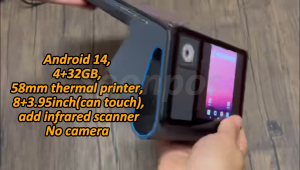
Soonpos 4GB+32GB Android 14 Dual Screen 8+3.95 Inch Handheld POS Terminal with 58mm Thermal Receipt Ticket Label Printer NFC Reader Compatible With Loyverse Salesplay POS Bluetooth & GPS WiFi Can Connect Cash Box Barcode scanner

B3S Niimbot Label Printer: A Must-Have for Small Businesses & Organizers
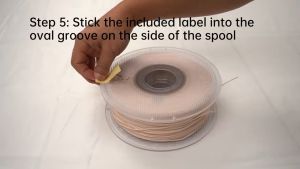
Bambu Lab ABS-GF 3D Printer Filament Enhanced Strength Stiffness Durability & Water Resistance