Queue Number Printer Queueing Paper System 57Mm Thermal Paper No Need Internet Content Editable
Queue Number Printer Queueing Paper System 57Mm Thermal Paper No Need Internet Content Editable
Queue number printers have revolutionized the way businesses manage customer queues, ensuring efficient and organized service delivery. This article will delve into the features and benefits of queue number printers, focusing on the 57mm thermal paper system that doesn't require internet connectivity. We will also explore how to set up and troubleshoot common issues associated with these devices.
What is a Queue Number Printer?
A queue number printer is a device used to manage customer queues by printing out numbered tickets. These tickets are then distributed to customers, who wait their turn to be served. Queue number printers help reduce waiting times, improve customer satisfaction, and streamline business operations.
Key Features & Benefits
Queue number printers offer numerous advantages, including:
-
Efficient Customer Management: Queue number printers ensure that customers are served in the correct order, reducing the chances of skipping lines or disputes over who is next.
-
Improved Customer Satisfaction: By providing an estimated wait time and allowing customers to leave the premises while they wait, queue number printers enhance the overall customer experience.
-
Increased Staff Productivity: Queue number printers enable staff to focus on serving customers rather than managing lines, leading to increased productivity.
-
Scalability: Queue number printers can be easily scaled up or down depending on the size of the business and the volume of customers.
How Queue Number Printer Works
Queue number printers work by printing numbered tickets for customers to collect. Once a customer receives their ticket, they can either wait in line or leave the premises while they wait. When it's time for them to be served, their ticket number is called out, and they can return to the service counter.
Understanding the 57mm Thermal Paper System
The 57mm thermal paper system is a popular choice for queue number printers due to its compact size and low cost. It doesn't require internet connectivity, making it ideal for businesses with limited or unreliable internet access.
How to Use Content Editable Queueing
Content editable queueing allows users to customize the content displayed on the printed tickets. This includes the ticket number, service type, and any other relevant information. Users can easily edit the content through the queue number printer's user interface.
No Internet Required: Offline Printing
One of the key benefits of the 57mm thermal paper system is that it doesn't require internet connectivity. This means that businesses can continue to operate even if their internet connection goes down, ensuring uninterrupted service delivery.
How to Set Up Your Queue Number Printer
Setting up a queue number printer is a straightforward process that can be completed in a few simple steps.
Installation & Setup Process
- Unpack the queue number printer and place it on a flat surface.
- Connect the power adapter to the printer and plug it into an electrical outlet.
- Load the thermal paper roll into the printer according to the manufacturer's instructions.
- Turn on the printer and follow the on-screen prompts to complete the setup process.
Troubleshooting Common Issues
If you encounter any issues while using your queue number printer, here are some common troubleshooting tips:
-
Printer Not Printing: Check that the thermal paper roll is loaded correctly and that there is enough paper remaining. If the issue persists, try restarting the printer.
-
Incorrect Ticket Numbers: If the ticket numbers are incorrect, check the printer settings to ensure that the numbering system is set up correctly.
-
Printer Error Messages: If you receive error messages, consult the printer's user manual or contact the manufacturer's customer support team for assistance.
In conclusion, queue number printers offer numerous benefits for businesses looking to manage customer queues efficiently. The 57mm thermal paper system is a cost-effective and reliable choice that doesn't require internet connectivity, making it ideal for businesses with limited or unreliable internet access. By following the installation and setup process and troubleshooting common issues, businesses can ensure smooth operation and improved customer satisfaction.

Ycall Queue Store

Review
You May Also Like
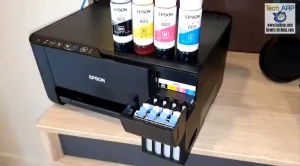
70ml Original Dye Epson 003 Ink Refill Guide

Peripage A6 Original Mini Portable Printer Experience Impeccable Precision Printing at 203dpi/304dpi On-the-Go Unleash Creativity Anywhere Anytime with This Innovative Compact Printing Companion.
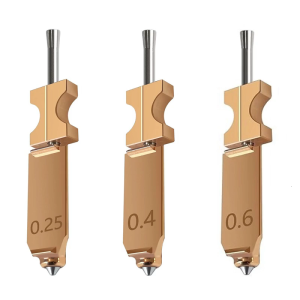
3D Printer Tips Nozzle Assembly 3 Piece Set High Temperature Resistant Steel Enhances Durability For AD5X
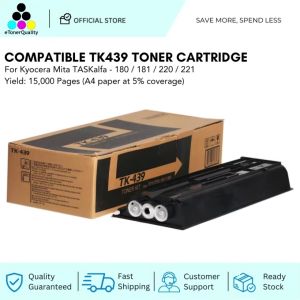
ETQ Compatible TK439 Toner Cartridge for Kyocera Copier
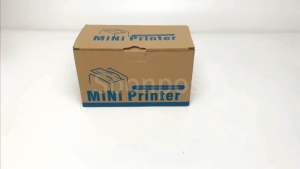
Soonpos 80mm Thermal POS Receipt Printer With Paper Auto Cutter Wall-Mounted USB LAN Bluetooth WiFi Connection Desktop Cashier Compatible with Loyverse POS Salesplay POS Kyte For Restaurant Catering Retail Kitchen
Japan High-Blackness Toner for Toshiba E-Studio 45 Toner Powder E-Studio 230 232 233 280 282 283 1kg 500g
Eyoyo 2D Barcode Scanner: A Comprehensive Guide

Quali-Products - CUYI Cleaning Solution 1L For Eco Solvent Ink

INKSCRIBED W1112A 110A Compatible Toner for Laserjet 108A 108W 136A 136W 136NW 138FNW Printer
Rollo USB Shipping Label Printer - Commercial Grade Thermal Label Printer for Shipping Packages - High Speed Direct Thermal 4x6 Label Printer
Bluetooth Portable Thermal printer POS Printer Handheld 58mm Receipt Printer