V380 Q6 PRO Black CCTV Camera: A Comprehensive Guide
V380 Q6 PRO Black CCTV Camera: A Comprehensive Guide
Introduction to V380 Q6 PRO CCTV Camera
The V380 Q6 PRO Black CCTV Camera is a top-of-the-line security camera that offers unparalleled protection for your home or business. With its 1080P HD360 PTZ control, WiFi connectivity, night vision capabilities, and alarm function, this camera is the perfect choice for anyone looking to enhance their security system.
Key Features
- 1080P HD360 PTZ Control: The V380 Q6 PRO Black CCTV Camera features a high-definition 1080P resolution, providing crystal-clear images even in low-light conditions. The 360-degree pan, tilt, and zoom capabilities allow you to monitor your surroundings from any angle.
- WiFi Connectivity: Connect the camera to your smartphone or tablet using the WiFi connection, allowing you to view live footage and receive alerts anytime, anywhere.
- Night Vision: The camera is equipped with infrared LEDs that provide up to 30 meters of night vision, ensuring your property remains secure even in complete darkness.
- Alarm Function: The built-in alarm function can be triggered manually or automatically when motion is detected, alerting you to potential threats.
Benefits of Using This Camera
The V380 Q6 PRO Black CCTV Camera offers numerous benefits, including:
- Enhanced Security: The camera's high-resolution images and night vision capabilities provide peace of mind, knowing that your property is always under surveillance.
- Convenience: Connect the camera to your smartphone or tablet using WiFi, allowing you to view live footage and receive alerts anytime, anywhere.
- Customization: The PTZ control allows you to monitor your surroundings from any angle, while the alarm function can be customized to suit your specific needs.
Alarm Function & PTZ Control
One of the standout features of the V380 Q6 PRO Black CCTV Camera is its alarm function and PTZ control.
Setting Up Alarm Function
To set up the alarm function, follow these steps:
- Connect the camera to your smartphone or tablet using the WiFi connection.
- Open the camera app and navigate to the settings menu.
- Select the alarm function and customize the settings to suit your needs.
- Save the settings and test the alarm function to ensure it works correctly.
How to Use PTZ Control
The PTZ control allows you to monitor your surroundings from any angle. To use the PTZ control, follow these steps:
- Connect the camera to your smartphone or tablet using the WiFi connection.
- Open the camera app and navigate to the PTZ control menu.
- Use the on-screen controls to pan, tilt, and zoom the camera to your desired angle.
- Save the settings and test the PTZ control to ensure it works correctly.
Night Vision & WiFi Connectivity
The V380 Q6 PRO Black CCTV Camera is equipped with infrared LEDs that provide up to 30 meters of night vision, ensuring your property remains secure even in complete darkness.
Enhancing Security with Night Vision
The camera's night vision capabilities allow you to monitor your surroundings even in low-light conditions. To enhance security with night vision, follow these steps:
- Connect the camera to your smartphone or tablet using the WiFi connection.
- Open the camera app and navigate to the settings menu.
- Select the night vision function and customize the settings to suit your needs.
- Save the settings and test the night vision function to ensure it works correctly.
Connecting to Your Smartphone via WiFi
To connect the camera to your smartphone or tablet using WiFi, follow these steps:
- Ensure your device is connected to the same WiFi network as the camera.
- Open the camera app and navigate to the settings menu.
- Select the WiFi connection option and enter the camera's IP address.
- Save the settings and test the WiFi connection to ensure it works correctly.
Installation & Setup
Installing and setting up the V380 Q6 PRO Black CCTV Camera is easy and straightforward.
Installing the V380 Q6 PRO Camera
To install the camera, follow these steps:
- Choose a suitable location for the camera, such as a corner of a room or a high vantage point.
- Mount the camera securely using the included mounting hardware.
- Connect the power supply to the camera and plug it into a nearby outlet.
- Test the camera to ensure it is working correctly.
Setting Up Alarm Function & PTZ Control
Once the camera is installed, you can set up the alarm function and PTZ control by following the steps outlined in the previous sections.
Conclusion
The V380 Q6 PRO Black CCTV Camera is a top-of-the-line security camera that offers unparalleled protection for your home or business. With its 1080P HD360 PTZ control, WiFi connectivity, night vision capabilities, and alarm function, this camera is the perfect choice for anyone looking to enhance their security system.
Recap of Key Features & Benefits
- 1080P HD360 PTZ Control: High-definition images and 360-degree pan, tilt, and zoom capabilities.
- WiFi Connectivity: Connect the camera to your smartphone or tablet using WiFi.
- Night Vision: Infrared LEDs provide up to 30 meters of night vision.
- Alarm Function: Built-in alarm function can be triggered manually or automatically.
Final Thoughts on V380 Q6 PRO CCTV Camera
The V380 Q6 PRO Black CCTV Camera is a reliable and effective security solution that offers numerous benefits, including enhanced security, convenience, and customization. Whether you're looking to protect your home or business, this camera is the perfect choice for anyone seeking peace of mind.

REDLINK CCTV CAMERA
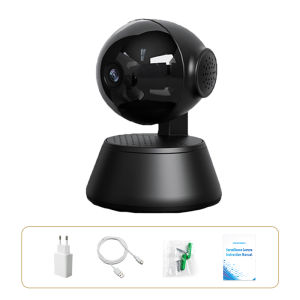
You May Also Like
V380 Q5 1080P CCTV Camera HD Indoor Home IP Smart Wifi Connect to Cellphone Night Vision CCTV Camera
1 PCS Wall Mounted Camera Bracket Half Spherical Drilling Installation Universal Camera Bracket Wire Winding Design
V380 Pro: A Comprehensive Guide to 4G/WiFi Solar-Powered Outdoor CCTV Camera

LIOTOG S7 Kids Instant Print Camera Thermal Printer Camera Children Digital Camera Video Toy Birthday Gift 32G Memory Card
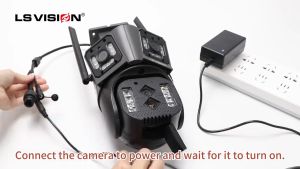
MYHYPERGEAR 8K 16MP Four Lens WIFI CCTV Camera 10X Hybrid Optical Zoom Linkage PTZ Humanoid Tracking Home Security Camera Outdoor Waterproof Full Color Night Vision 24 Hours Video Recording IP Camera

TTArtisan 11mm F2.8 Full Frame Fisheye Wide Angle Lens: A Comprehensive Guide
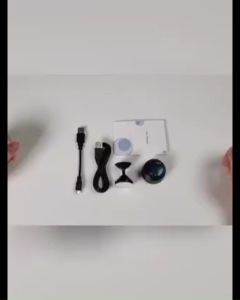
A9 Mini Camera CCTV Camera Connect Cellphone 1080P HD with Night Vision Infrared Security Camera Mini Spy Camera Wifi Wireless Indoor Outdoor Package

IP65 Waterproof CCTV Junction Box Enclosure Outdoor Box
KODAK ULTRA F9 F9S: A Comprehensive Guide to Upgrading Your 35mm Film Camera
Go Pro Camera Action Camera 4K HD with Remote Control Screen Waterproof Sport Camera Drive Recorder for Motorcycle
Hikvision 4/8 Channel CCTV Kit 2MP/5MP HD With Audio Waterproof Complete CCTV Package With Remote Monitoring CCTV Set