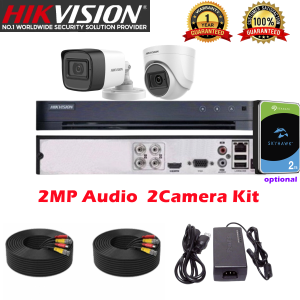
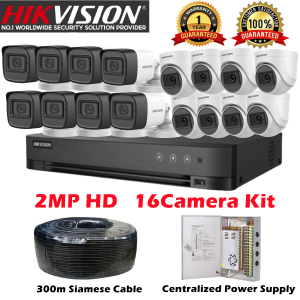
Hikvision 4/8 Channel CCTV Kit 2MP/5MP HD With Audio Waterproof Complete CCTV Package With Remote Monitoring CCTV Set
Hikvision 4/8 Channel CCTV Kit 2MP/5MP HD With Audio Waterproof Complete CCTV Package With Remote Monitoring CCTV Set
Introduction to Hikvision 4/8 Channel CCTV Kit
Welcome to our comprehensive guide on the Hikvision 4/8 Channel CCTV Kit, a top-of-the-line security solution designed to meet the needs of homeowners and businesses alike. This waterproof remote monitoring system offers a complete 2MP/5MP HD security camera package that ensures unparalleled protection for your property.
Key Features of Hikvision 4/8 Channel HD Security Cameras
The Hikvision 4/8 Channel HD Security Cameras boast several notable features:
- High Definition: Equipped with 2MP and 5MP sensors, these cameras deliver crystal-clear images and videos, making it easy to identify potential threats.
- Remote Monitoring: Access live feeds and recorded footage from anywhere using your smartphone, tablet, or computer.
- Audio Functionality: Integrated audio capabilities allow you to communicate with individuals within the camera's range, enhancing situational awareness.
- Waterproof Design: With an IP66 rating, these cameras are built to withstand harsh weather conditions, ensuring continuous operation even during heavy rain or snow.
Benefits of Remote Monitoring & Waterproof Design
Remote monitoring offers numerous advantages, including:
- Real-time Awareness: Stay informed about events happening at your property, no matter where you are.
- Deterrence: Potential intruders are less likely to attempt a break-in if they know they're being monitored.
- Evidence Collection: Record incidents for legal purposes or insurance claims.
A waterproof design provides peace of mind by ensuring that your cameras continue functioning under various weather conditions, reducing the risk of damage and downtime.
Setting Up Your Hikvision 4/8 Channel CCTV Kit
Follow this step-by-step installation guide to set up your Hikvision 4/8 Channel CCTV Kit effortlessly.
Step-by-Step Installation Guide
- Unpack your kit and familiarize yourself with the components.
- Install the power supply and connect the cameras to the DVR.
- Mount the cameras in desired locations, ensuring proper coverage.
- Connect the DVR to your network router for remote access.
- Configure the settings on your DVR, including time zone, date, and video resolution.
Configuring Remote Monitoring Access
To access your cameras remotely, follow these steps:
- Log in to your DVR's web interface using a computer or mobile device.
- Navigate to the remote access settings and enable the feature.
- Configure your router's port forwarding settings to allow remote access.
- Save the settings and test your remote access connection.
Tips for Optimizing Performance
Maximize the performance of your Hikvision 4/8 Channel CCTV Kit by following these tips:
- Regularly Update Firmware: Keep your DVR and cameras up-to-date to ensure optimal performance and security.
- Maintain Clean Lenses: Regularly clean camera lenses to prevent dirt buildup that may affect image quality.
- Secure Network: Protect your network by changing default login credentials and enabling strong encryption.
Maximizing Security with Hikvision 4/8 Channel HD Cameras
Implement these best practices to enhance the security provided by your Hikvision 4/8 Channel HD Cameras.
Best Practices for Camera Placement
- Coverage: Place cameras strategically to cover all critical areas, such as entry points, parking lots, and valuable assets.
- Angles: Position cameras at angles that minimize blind spots and avoid glare from windows or lights.
- Height: Install cameras at appropriate heights to deter tampering and ensure optimal coverage.
Integrating Audio Functionality
Take advantage of the built-in audio capabilities of your Hikvision 4/8 Channel HD Cameras by:
- Monitoring Conversations: Listen in on conversations happening within the camera's range to stay informed about potential threats.
- Communicating with Individuals: Speak to individuals within the camera's range to deter intruders or gather information.
Enhancing Video Quality & Resolution
Improve the video quality and resolution of your Hikvision 4/8 Channel HD Cameras by:
- Adjusting Settings: Customize settings such as brightness, contrast, and sharpness to optimize image clarity.
- Upgrading Storage: Increase storage capacity to accommodate higher-resolution recordings and longer retention periods.
In conclusion, the Hikvision 4/8 Channel CCTV Kit is an excellent choice for those seeking a comprehensive security solution. With its high-definition cameras, remote monitoring capabilities, and waterproof design, this kit offers unparalleled protection for your property. By following the installation guide and best practices outlined in this article, you'll be well-equipped to maximize the security benefits of your Hikvision 4/8 Channel HD Cameras.

Hikvision-Dimoon Online Store
You May Also Like

EZVIZ H8x 2K+ Pan & Tilt Wi-Fi Security Camera with Color Full Pan & Tilt IP67 Waterproof 360° View Two-Way Talk High Resolution Surveillance System
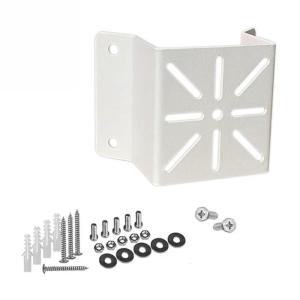
CCTV Camera Wall Mount Bracket External Wall Corner Bracket Outdoor Security Camera Mounting Accessory Easy Installation
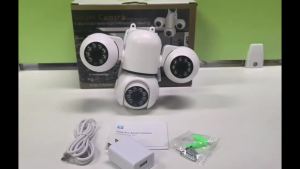
V380 PRO Outdoor Triple Lens CCTV Camera Full HD 15MP Waterproof IP67 Night Vision two-way audio Auto Tracking APP Control remote Video Surveillance

GoPro HERO13 Black: A Comprehensive Guide
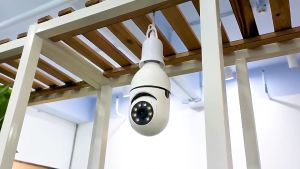
【Free Shipping】E27 bulb Surveillance camera V380 bulb camera 1080P HD rotatable 360° night vision full-color 8MP tracking camera Automatic wireless outdoor indoor camera bulb App

Vintage Opera Glasses Binocular Portable Telescopes for Theater Concerts Compact Metal Theater Viewing Mirrors Retro
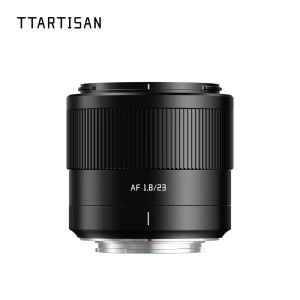
TTArtisan AF 23mm F1.8 Large Aparture Autofocus Prime Lens for Camera Humanities Photography with Fujifilm XF/Sony E/Nikon Z Mount
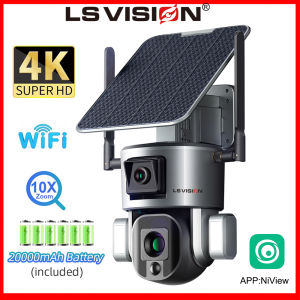
LS VISION 8MP Dual Lens Wifi Solar CCTV Camera: A Comprehensive Guide

BEST SELLING WIRELESS SURVEILLANCE CAMERA | Portable Hidden Security Gadget Offering Discreet Video Capture Everywhere | Long Recording Batteries With Mini Motion Detection Night Vision | Wifi Connect To Cellphone Spy Camera Hidden Camera
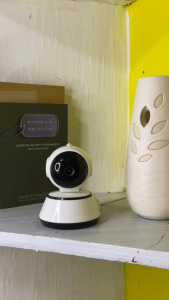
V380 Q6 CCTV Camera WiFi Connect To Cellphone With Voice Wireless Smart Security 1080P Night Vision
Go Pro Camera Action Camera 4K HD with Remote Control Screen Waterproof Sport Camera Drive Recorder for Motorcycle