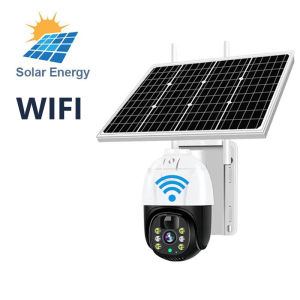
V380 Pro: A Comprehensive Guide to 4G/WiFi Solar-Powered Outdoor CCTV Camera
V380 Pro: A Comprehensive Guide to 4G/WiFi Solar-Powered Outdoor CCTV Camera
Introduction to V380 Pro & Its Features
What is V380 Pro?
The V380 Pro is a state-of-the-art 4G/WiFi solar-powered outdoor CCTV camera designed to provide unparalleled surveillance capabilities. This cutting-edge device combines advanced technology with eco-friendly features, making it an excellent choice for homeowners and businesses alike.
Key Features of V380 Pro
Here are some of the key features that make the V380 Pro stand out:
- 8MP Ultra HD Security Camera: Capture crystal-clear images and videos in stunning detail.
- Motion Detection IP Camera: Detect motion and send alerts to your smartphone or tablet.
- Solar Powered Home Surveillance: Harness the power of the sun to keep your camera running without the need for electricity.
- 360 Panorama Night Vision Camera: Monitor your surroundings day and night with 360-degree coverage and infrared night vision.
How Does V380 Pro Work?
The V380 Pro works by using advanced sensors to detect motion and capture high-quality video footage. It can be connected to either WiFi or 4G networks, allowing you to view live feeds and receive alerts on your smartphone or tablet. Additionally, the solar panel on top of the camera harnesses energy from the sun to power the device, making it an eco-friendly choice for outdoor surveillance.
Setting Up Your V380 Pro Camera
Installing the V380 Pro Camera
Installing the V380 Pro camera is easy and straightforward. Follow these steps to get started:
- Choose a suitable location for your camera, ensuring it has a clear view of the area you want to monitor.
- Mount the camera securely using the included hardware.
- Connect the solar panel to the camera and position it to receive maximum sunlight.
- Connect the camera to either WiFi or 4G networks following the instructions in the user manual.
Connecting V380 Pro to WiFi/4G
Connecting your V380 Pro camera to WiFi or 4G networks is simple. Follow these steps:
- Download the V380 Pro app from the App Store or Google Play Store.
- Open the app and select the appropriate network type (WiFi or 4G).
- Follow the on-screen instructions to connect your camera to the network.
- Once connected, you can view live feeds and receive alerts on your smartphone or tablet.
Configuring Motion Detection
Configuring motion detection on your V380 Pro camera is easy. Here's how to do it:
- Open the V380 Pro app and select the camera you want to configure.
- Navigate to the settings menu and select 'Motion Detection'.
- Adjust the sensitivity settings to your desired level.
- Save your changes and start monitoring your surroundings.
Maximizing Your V380 Pro Experience
Exploring V380 Pro's Night Vision Capabilities
The V380 Pro camera features infrared night vision technology, allowing you to monitor your surroundings even in low-light conditions. Here's how to take advantage of this feature:
- Adjust the sensitivity settings: Fine-tune the sensitivity settings to ensure the camera detects motion accurately in low-light conditions.
- Position the camera correctly: Make sure the camera is positioned to capture the area you want to monitor.
Using V380 Pro's Audio & Speaker Functionality
The V380 Pro camera features built-in audio and speaker capabilities, allowing you to communicate with people in the monitored area. Here's how to use these features:
- Enable audio recording: Turn on audio recording in the app settings to capture audio along with video footage.
- Use the speaker functionality: Speak through the camera's speaker to communicate with people in the monitored area.
Enhancing Surveillance with Solar Power
The V380 Pro camera harnesses energy from the sun to power the device, making it an eco-friendly choice for outdoor surveillance. Here's how to maximize the benefits of solar power:
- Position the solar panel correctly: Ensure the solar panel is positioned to receive maximum sunlight.
- Monitor battery levels: Check the battery levels regularly to ensure the camera has enough power to operate.
Troubleshooting Common Issues
Solving Connectivity Problems
If you're experiencing connectivity issues with your V380 Pro camera, try these troubleshooting steps:
- Restart the camera: Turn off the camera and restart it to resolve any connectivity issues.
- Check network settings: Verify that the camera is connected to the correct network and that the network settings are configured correctly.
Addressing Night Vision Limitations
If you're experiencing limitations with the night vision capabilities of your V380 Pro camera, try these troubleshooting steps:
- Adjust the sensitivity settings: Fine-tune the sensitivity settings to ensure the camera detects motion accurately in low-light conditions.
- Position the camera correctly: Make sure the camera is positioned to capture the area you want to monitor.
Handling Audio & Speaker Issues
If you're experiencing issues with the audio and speaker functionality of your V380 Pro camera, try these troubleshooting steps:
- Check the app settings: Verify that the audio recording and speaker functionality are enabled in the app settings.
- Restart the camera: Turn off the camera and restart it to resolve any audio and speaker issues.

V380 Store-2
Review

You May Also Like
![Kodak GC/UltraMax 400 35mm Film (36 Shots) [GRAB/COD]](https://img.lazcdn.com/collect/social-img/9b7b7bc533aa435ba91b08b338b96fb8_46bcc0ab57df4b9894f063f8b738846c.png_300x300q80.png)
Kodak GC/UltraMax 400 35mm Film (36 Shots) [GRAB/COD]

CCTV Bulb Camera Dual Lens 360° Panorama 1080P HD Wireless Auto Tracking With Audio And Speaker Outdoor Smart Cameras
6.2mm/8.5mm Articulating Borescope 1080P 2-Way 180° Steering Hand-held Industrial Endoscope Inspection Camera for iOS/Type C
V380 Pro CCTV Camera Outdoor With Wifi Connect Cellphone Auto Tracking Night Vision Audio

2025 Cinnamoroll Babycinnamoroll Camera Student Carry-on Mobile Phone Children Japanese Digital Mini Camera High Pixel Clow M
AI Auto Tracking 4K PTZ Camera 8MP with USB3.0 HDMI and IP Live Streaming Outputs Support POE 12X Zoom for Broadcast Live Streaming Camera for Conference Church work with OBS ZOOM Teams Google Meet
Detector Signal Infrared Scanner Spy Camera Detector Infrared Scanner Signal Detector With Telescopic Antenna For Office Bedroom Cars Indoor 探测器信号红外扫描仪
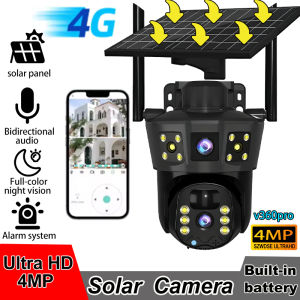
2025 NEW V360 Pro IP Solar Camera HD 4 MP Outdoor Waterproof CCTV Night Vision Two-Way Audio Camera Mobile Tracking 4G IP Camera
![[Vktech]16x52 Handheld Monocular HD Optical Telescope 66M/8000M Zoom Long Range Spyglass Outdoor Binoculars for Birdwatcher](https://img.lazcdn.com/g/ff/kf/Se7506da97d06461fac7e549a31592666I.jpg_300x300q80.jpg)
[Vktech]16x52 Handheld Monocular HD Optical Telescope 66M/8000M Zoom Long Range Spyglass Outdoor Binoculars for Birdwatcher
Dahua CCTV Camera: HAC-HDW1239TL-A-LED 2MP/5MP Full-color With Audio IR20m Eyeball Indoor/Outdoor Waterproof Analog Camera
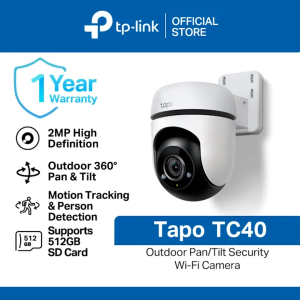
TP-Link Official Store | Tapo TC40 1080p | Indoor Outdoor 360 Degrees Pan and Tilt Waterproof WiFi IP Home Security Cctv Sale Camera Connect to Cellphone with Audio Mic and Speaker