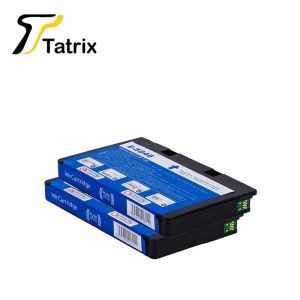
Quality Compatible Ink Cartridge For T5846 & E-5846 For Epson PictureMate PM200, PM240, PM260, PM280, PM290, PM225, PM300 etc
Quality Compatible Ink Cartridge For T5846 & E-5846 For Epson PictureMate PM200, PM240, PM260, PM280, PM290, PM225, PM300 etc
Introduction to Tatrix International Compatible Ink Cartridges
Overview of Tatrix International Ink Cartridges
Tatrix International is a leading manufacturer of high-quality compatible ink cartridges, including the T5846 and E-5846 models specifically designed for Epson PictureMate printers. With a strong focus on quality and performance, Tatrix International has earned a reputation for producing reliable ink cartridges that meet the needs of customers in the United States and beyond.
Benefits of Choosing Compatible Ink Cartridges
Choosing compatible ink cartridges like Tatrix International's T5846 and E-5846 offers numerous benefits over using original ink cartridges from Epson. These include:
- Cost savings: Compatible ink cartridges often cost significantly less than their original counterparts, making them an attractive option for budget-conscious consumers.
- High-quality printing: Tatrix International's ink cartridges are designed to produce high-quality prints with excellent color accuracy and resolution.
- Compatibility: These compatible ink cartridges are specifically engineered to work seamlessly with Epson PictureMate printers, ensuring reliable performance and compatibility.
Choosing the Right Compatible Ink Cartridge for Your Epson PictureMate Printer
Identifying Your Printer Model & Ink Cartridge Requirements
Before purchasing a compatible ink cartridge, it's essential to identify your printer model and determine the specific ink cartridge requirements. For example, if you own an Epson PictureMate PM200, PM240, PM260, PM280, PM290, PM225, or PM300 printer, the T5846 and E-5846 compatible ink cartridges from Tatrix International are ideal choices.
Understanding the Differences Between Original & Compatible Ink Cartridges
It's important to understand the differences between original and compatible ink cartridges before making a purchase decision. While original ink cartridges come directly from the printer manufacturer, compatible ink cartridges like those from Tatrix International are third-party alternatives that offer similar performance at a lower cost. Both types of ink cartridges can produce high-quality prints, but compatible ink cartridges often provide better value for money.
Evaluating the Quality of Compatible Ink Cartridges
When evaluating the quality of compatible ink cartridges, consider factors such as print quality, reliability, and compatibility. Tatrix International's T5846 and E-5846 ink cartridges have earned a reputation for producing excellent prints with consistent color accuracy and resolution. They also feature a built-in chip that ensures seamless integration with Epson PictureMate printers.
Installing & Using Compatible Ink Cartridges in Your Epson PictureMate Printer
Step-by-Step Guide to Installing Compatible Ink Cartridges
Installing compatible ink cartridges in your Epson PictureMate printer is straightforward. Follow these steps:
- Turn off your printer and unplug it from the power source.
- Open the printer's cartridge access door and remove the old ink cartridge.
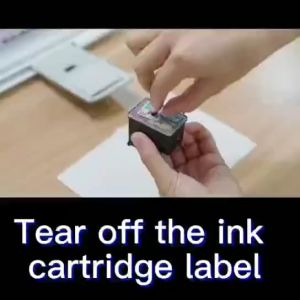
- Carefully remove the new compatible ink cartridge from its packaging and peel off any protective tape.
- Insert the new ink cartridge into the designated slot and close the cartridge access door.
- Turn on your printer and allow it to initialize.
Troubleshooting Common Issues with Compatible Ink Cartridges
If you encounter issues with your compatible ink cartridges, try the following troubleshooting steps:
- Ensure that the ink cartridge is properly installed and seated in the printer.
- Check for any obstructions or blockages in the print head or ink cartridge.
- Clean the print head using the printer's built-in cleaning function.
- Replace the ink cartridge if it appears to be empty or damaged.
Maintaining Optimal Performance with Compatible Ink Cartridges
To maintain optimal performance with compatible ink cartridges, follow these tips:
- Store ink cartridges in a cool, dry place away from direct sunlight.
- Keep the printer clean and free from dust and debris.
- Regularly clean the print head using the printer's built-in cleaning function.
- Replace ink cartridges when they run low to avoid clogging or damage to the print head.

ColoWorld
Review

You May Also Like
EKLEVA Portable Thermal Printer MINI Wirelessly BT 203dpi Photo Label Memo Wrong Question Printing With USB Cable Imprimante Portable
Epson 001 Original Ink Bottle for L4150 L4160 L6160 L6170 L6190 Printer - BK/CY/MG/YW
Canon PG445 & CL446S Refillable Ink Cartridge: Guide for Canon PIXMA MX494, MG2440, MG2540, MG2940, MG2942, MG2944, IP2840 Printers
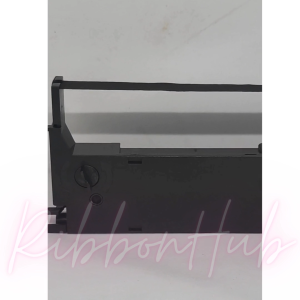
Epson LQ-350 & LQ-100 Ribbon Cartridge S015633 Explained

Xiaomi MiJia Photo Printer 1S Special Photo Paper Suit & Ribbon

NIIMBOT B21S Bluetooth Thermal Label Printer - Portable Waterproof Sticker Maker for Food Packaging Shipping Retail
3D Printing And 3D Design Service For Any Project
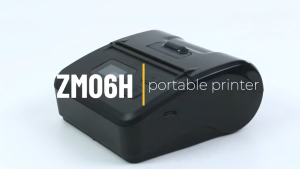
Soonpos Portable POS Receipt Printer with Screen58 80mm USB Bluetooth Thermal Order Bills Printer Compatible with Loyverse POS Salesplay POS UTAK POS
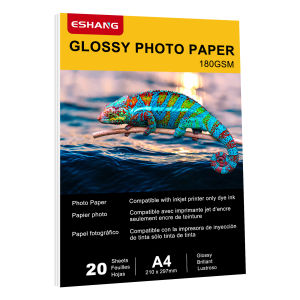
20 Sheets A4 Glossy Photo Paper 180gsm High Resolution 5760dpi Inkjet Printing Material Paper for Wedding Albums Art Prints
TN3608XL TN-3608XL Toner Powder 500g Chip Toner Cartridge DR3608 Drum unit Compatible for Brother HL-5210DN L6210DWT L6415DW L5510DN MFC-5710D MFC-L5915DW L6915DW DCP-L5510DN
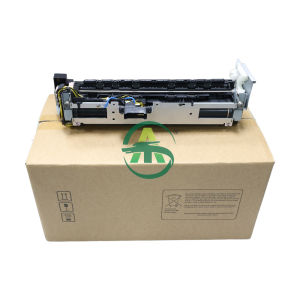
1pcs IR4025 Fuser Unit Assy For Canon NPG-56 57 GPR42 43 EXV-38 39 Fuser Assembly Fuser Kit