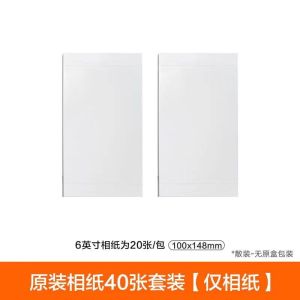
Xiaomi MiJia Photo Printer 1S Special Photo Paper Suit & Ribbon
Xiaomi MiJia Photo Printer 1S Special Photo Paper Suit & Ribbon
Introduction to Xiaomi MiJia Photo Printer 1S
The Xiaomi MiJia Photo Printer 1S is a high-quality photo printer designed to offer users an easy and convenient way to print their favorite photos. This compact and portable device is perfect for printing memorable moments captured through your smartphone or camera.
Product Overview
The Xiaomi MiJia Photo Printer 1S is a compact, wireless photo printer that allows users to print 6-inch photos directly from their smartphones. It features Bluetooth connectivity, making it easy to pair with your device and start printing instantly.
Key Features
- Compact Size: The printer is small and portable, making it easy to carry around.
- Bluetooth Connectivity: Connect your smartphone or tablet to the printer via Bluetooth for seamless printing.
- 6-inch Photo Printing: Print 6-inch photos directly from your device.
- High-Quality Photos: The printer produces high-resolution photos with vivid colors.
- Easy Setup: Simply download the Mi Home app, connect the printer via Bluetooth, and start printing.
Where to Purchase
The Xiaomi MiJia Photo Printer 1S can be purchased from authorized retailers in Beijing and Hebei Province, China. For international customers, the product is available through online marketplaces such as Amazon and eBay.
Understanding the Special Photo Paper Suit
The Special Photo Paper Suit is specifically designed for use with the Xiaomi MiJia Photo Printer 1S. It includes 80 sheets of high-quality photo paper and a ribbon for printing.
Paper Type & Size
The photo paper included in the Special Photo Paper Suit is designed to produce vivid, high-resolution photos. Each sheet measures 6 inches, allowing users to print photos directly from their smartphones or cameras.
Compatibility with Printer
The Special Photo Paper Suit is compatible with the Xiaomi MiJia Photo Printer 1S, ensuring optimal performance and high-quality prints. The paper is designed to work seamlessly with the printer's ink system, producing vibrant and long-lasting photos.
How to Install the Paper
To install the photo paper in the printer, simply open the printer lid and load the paper into the designated slot. Make sure the paper is aligned correctly before closing the lid and starting the print process.
Printer Consumables: Ribbon & Photographic Paper
The Xiaomi MiJia Photo Printer 1S requires both ribbon and photographic paper to produce high-quality prints. Proper usage and maintenance of these consumables will ensure optimal performance and longevity of the printer.
Ribbon Usage & Maintenance
The ribbon is an essential component of the printer, providing the ink necessary for printing photos. To ensure optimal performance, it is important to use the ribbon correctly and maintain it properly. Always store the ribbon in a cool, dry place to prevent damage.
Photographic Paper Quality
The photographic paper included in the Special Photo Paper Suit is designed to produce high-resolution photos with vivid colors. The paper is made from high-quality materials, ensuring long-lasting prints that will last for years.
How to Replace Consumables
To replace the ribbon or photographic paper, simply open the printer lid and remove the old consumables. Insert the new ribbon or paper into the designated slot and close the lid before starting the print process.
Customer Service & Support
Xiaomi offers excellent customer service and support for the MiJia Photo Printer 1S. Customers can contact the company through various channels, including phone, email, and live chat.
Order Confirmation & Delivery
Once an order has been placed, customers will receive a confirmation email with details about their order and expected delivery date. Orders are typically shipped within 24 hours and delivered within 3-5 business days.
Product Warranty & Returns
The Xiaomi MiJia Photo Printer 1S comes with a one-year warranty, covering any defects in materials or workmanship. Customers can return the product within 30 days of purchase if it does not meet their expectations.
Customer Feedback & Reviews
Xiaomi encourages customers to provide feedback and reviews about the MiJia Photo Printer 1S. This helps the company improve its products and services, ensuring that customers have a positive experience with their purchases.

izhanquermckjasd
Review

You May Also Like
LED Mini Digital Name Message Tag Sign Programmable Scrolling Rechargeable Trade Show Business Screen
BrotherR TN 263 (TN-263) MAGENTA TONER CARTRIDGE
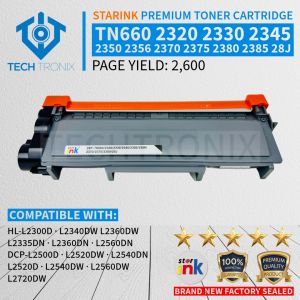
TN660 & Compatible Toner Cartridges: A Comprehensive Guide
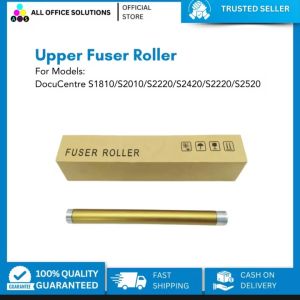
Compatible Upper Fuser Roller/ Fusing Roller for Fuji Xerox DC S1810/ S2010/ S2011/ S2220/ S2420 S2320
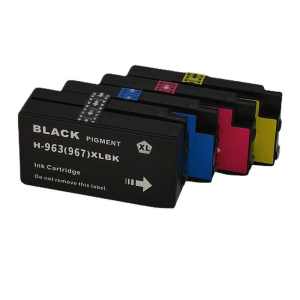
For HP 963 963XL Combo Ink Cartridge for OfficeJet Pro 9010 9010e 9012 9012e 9014 9014e 9020 9025 9022
250g Ricoh Color Universal Toner Powder Refill for Compatible and For Use in Ricoh For All Colored Copier Model All Series MPC and IMs
Ricoh MP1350, MP1356, MP1357, MP1100, MP9000, MP1106, MP1107 Pager Cardboard
Original ink cartridge LC539XL black or LC535XL colored
Heat Insertion Tool for Voron 2.4/MK4 Brass Hot Melt Inset Iron Tip Heat Insertion Nuts 3D Printing Parts Accessories
FANTASY E LIFE PeriPage A40 203DPI GIFTSET MINI Printer Portable Thermal Wireless Mini Printer USB Android Bluetooth Home Office A4 Paper Document Printing PDF Mini Impresoras Mini Printers - Lazada
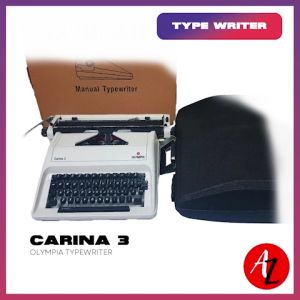
Olympia Typewriter Carina 3