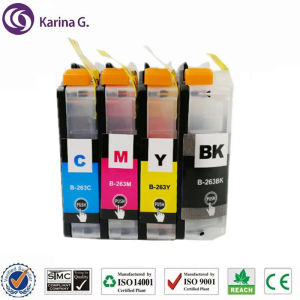
Compatible for Brother LC263 LC261 Ink Cartridges: Suitable for Brother MFC-J480DW, DCP-J562DW, MFC-J680DW, MFC-J880DW Printers
Compatible for Brother LC263 LC261 Ink Cartridges: Suitable for Brother MFC-J480DW, DCP-J562DW, MFC-J680DW, MFC-J880DW Printers
Introduction to Karina G. Ink Cartridges
Brand Overview
Karina G. is a reputable brand specializing in producing high-quality replacement ink cartridges for various printer models. With a strong focus on innovation and customer satisfaction, their products have gained recognition in the market. In this article, we will discuss the compatibility of Karina G.'s ink cartridges with Brother printers, specifically the MFC-J480DW, DCP-J562DW, MFC-J680DW, and MFC-J880DW.
Key Features
The Karina G. ink cartridges are compatible with Brother LC263 and LC261 ink cartridges, providing a cost-effective alternative for users. They come in bulk packaging and are available in different colors, including cyan (C), magenta (M), yellow (Y), and black (K). The ink cartridges are designed to meet the quality standards expected by users and deliver optimal print performance.
Certifications & Shelf Life
Karina G. ink cartridges are certified by ISO9001, ISO14001, SGS, STMC, and CE, ensuring their reliability and environmental compliance. The products have a shelf life of 36 months, giving customers peace of mind regarding their longevity.
How to Choose the Right Replacement Ink Cartridges
Identifying Printer Model
Before purchasing replacement ink cartridges, it is essential to identify the printer model. For this article, we will focus on Brother MFC-J480DW, DCP-J562DW, MFC-J680DW, and MFC-J880DW printers. To ensure compatibility, check the printer manual or manufacturer's website for specific information on the required ink cartridge models.
Checking Compatibility
When selecting Karina G. ink cartridges, verify their compatibility with your printer model. The LC263 and LC261 ink cartridges are compatible with the mentioned Brother printer models, providing a reliable alternative to the original Brother ink cartridges.
Evaluating Quality & Performance
To determine the quality and performance of Karina G. ink cartridges, consider the following factors:
- Color accuracy: Ensure that the ink cartridges produce accurate colors, avoiding color shifts or bleeding.
- Print quality: Assess the print quality by comparing the output with the original Brother ink cartridges. Karina G. ink cartridges should deliver sharp, crisp prints with minimal smudging or streaking.
- Page yield: Compare the page yield of Karina G. ink cartridges with the original Brother ink cartridges. A higher page yield indicates better value for money.
Installation & Usage Guide
Preparing for Installation
Before installing the Karina G. ink cartridges, ensure that the printer is powered off and unplugged from the power source. Remove any used ink cartridges and dispose of them properly. Follow the manufacturer's guidelines for safe disposal of ink cartridges.
Installing Ink Cartridges
To install the Karina G. ink cartridges, follow these steps:
- Open the printer's front cover and locate the empty ink cartridge slots.
- Remove the protective tape from the Karina G. ink cartridges.
- Insert the ink cartridges into their respective slots, ensuring they are seated firmly.
- Close the printer's front cover and power on the printer.
- Follow the printer's instructions to initialize the ink cartridges and perform a test print.
Maintaining Optimal Performance
To maintain optimal performance of Karina G. ink cartridges, follow these tips:
- Regular cleaning: Clean the printer's printhead regularly to prevent clogging and ensure consistent print quality.
- Proper storage: Store unused ink cartridges in a cool, dry place away from direct sunlight and moisture.
- Monitor ink levels: Keep track of ink levels and replace cartridges before they run out to avoid disrupting your workflow.
Troubleshooting Common Issues
Ink Cartridge Not Recognized
If the printer does not recognize the Karina G. ink cartridges, try the following solutions:
- Reinsert the ink cartridges: Ensure that the ink cartridges are properly seated in their slots.
- Clean the ink cartridge contacts: Use a soft, lint-free cloth to clean the ink cartridge contacts.
- Reset the printer: Reset the printer to its default settings and attempt to install the ink cartridges again.
Print Quality Issues
If you experience print quality issues with Karina G. ink cartridges, consider the following troubleshooting steps:
- Check ink levels: Ensure that the ink cartridges are not running low on ink.
- Clean the printhead: Perform a printhead cleaning cycle to remove any clogs or debris.
- Adjust print settings: Modify the printer's settings to optimize print quality, such as adjusting the resolution or ink density.
Printer Malfunctions
If your printer malfunctions after installing Karina G. ink cartridges, try the following solutions:
- Uninstall the ink cartridges: Remove the ink cartridges and reinstall them to ensure proper seating.
- Reset the printer: Reset the printer to its default settings and attempt to install the ink cartridges again.
- Contact customer support: If the issue persists, contact Karina G.'s customer support for assistance.

ColoWorld
Review

You May Also Like
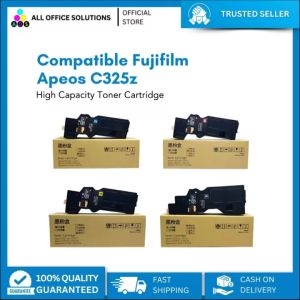
AOS Compatible Fujifilm Apeos C325z Printer CT203486 & CT203489 Printer Toner Cartridges
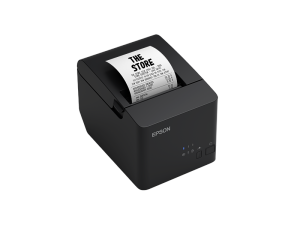
Brand New! Epson TM-T100 Thermal Receipt Printer USB and Serial
Premium Seiko TP10/20 & Davidlink S8000 & Iwata SP900 Stock: Elevate Your E-commerce Business

T7411 T7412 T7413 T7414 T741X 1000ml Ink Pack: A Comprehensive Guide
Cleaning Blade+ OPC Drum for Use and Compatible With KM1620 KM1650 KM1635 KM2020 KM2035 KM2050
ETQ CMYK 1 Set Compatible Toner Cartridge for Fuji Xerox DocuPrint CM115w
ECILY Mini Thermal Label Printer: A Smart & Portable Solution for Your Phone
MX-H813 Universal Price Tag Labeller Supermarket Price Tag Sticker Labelling Machine

Portable Mini Thermal Printer Paper Photo Pocket Thermal Printer 58mm Printing DIY Printer Home Office Use
ETQ TK-5144 Compatible Toner Cartridge for Kyocera P6130CDN M6030CDN M6530CDN models
Compatible Xerox DocuCentre SC2022 for Copier Toner Cartridge DCC2022 DSCC2022N SC-2022NW