



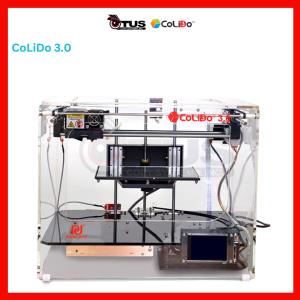
CoLiDo 3.0 3D Printer: A Comprehensive Guide
CoLiDo 3.0 3D Printer: A Comprehensive Guide
Introduction to 3D Printing Technology
Overview of 3D Printing Technology
3D printing technology, also known as additive manufacturing, has revolutionized various industries by enabling the creation of complex objects from digital designs. This innovative process involves layer-by-layer deposition of materials to build physical objects based on computer-generated models. With its ability to produce intricate geometries and customized products, 3D printing has become increasingly popular among manufacturers, designers, and hobbyists alike.
Benefits of 3D Printing Technology
The advantages of 3D printing technology extend beyond just its creative potential. Some notable benefits include:
- Cost-effective production: 3D printing reduces material waste and enables rapid prototyping, making it a cost-efficient alternative to traditional manufacturing methods.
- Customization: Users can easily modify digital designs to create personalized products tailored to their specific needs.
- Accessibility: 3D printers are becoming more affordable and user-friendly, allowing individuals and small businesses to access this powerful technology.
CoLiDo 3D Printer Specifications
Build Volume & Print Resolution
The CoLiDo 3D printer boasts a generous build volume of 220 x 220 x 250 mm, providing ample space for printing larger objects. Additionally, it offers a print resolution of up to 100 microns, ensuring high-quality prints with fine details.
Print Speed & Filament Compatibility
Equipped with a dual extruder system, the CoLiDo 3D printer can achieve print speeds of up to 150 mm/s, making it a fast and efficient choice for both hobbyists and professionals. It supports a wide range of filaments, including PLA, ABS, PETG, and more, giving users the flexibility to choose the best material for their projects.
Connectivity & Software Integration
The CoLiDo 3D printer features easy connectivity options, such as USB and Wi-Fi, allowing users to transfer files directly from their computers or mobile devices. It also integrates seamlessly with popular slicing software like Cura, Simplify3D, and PrusaSlicer, making it simple to prepare and optimize designs for printing.
Designing for 3D Printing
Understanding 3D Modeling Basics
Before diving into 3D printing, it's essential to understand the fundamentals of 3D modeling. Users can create their own designs using software like Tinkercad, Blender, or Fusion 360, or download pre-made models from online repositories like Thingiverse or MyMiniFactory.
Preparing Files for 3D Printing
Once a design is ready, it needs to be prepared for printing using slicing software. This process involves converting the 3D model into a series of layers that the printer can understand, along with specifying print settings such as layer height, infill density, and support structures.
Tips for Optimizing 3D Prints
To ensure successful prints, consider the following tips:
- Choose the right material: Select a filament that suits the intended use and environment of the printed object.
- Adjust print settings: Fine-tune parameters like temperature, speed, and layer height to optimize print quality.
- Use supports wisely: Add support structures where necessary to prevent warping or sagging.
CoLiDo 3D Printer Performance
Print Quality & Reliability
The CoLiDo 3D printer consistently delivers high-quality prints with minimal defects. Its robust build quality and precise mechanics ensure reliable performance, even when printing complex designs.
Maintenance & Troubleshooting
Regular maintenance is essential to keep the CoLiDo 3D printer running smoothly. This includes cleaning the print bed, lubricating moving parts, and replacing worn-out components. For troubleshooting common issues like clogged nozzles or uneven layers, refer to the user manual or online resources.
User Experience & Support
The CoLiDo 3D printer is designed with user-friendly features, such as an intuitive interface and clear instructions. Additionally, the company provides comprehensive support through their website, including FAQs, video tutorials, and a dedicated customer service team.

OTUS COPY SYSTEMS INCORPORATED
Review

You May Also Like
Portable iScan Document Scanner: A Comprehensive Guide
BrotherR 2380 / tn 2380 Original toner
Original Epson Ink T664 Series: Black, Cyan, Magenta & Yellow
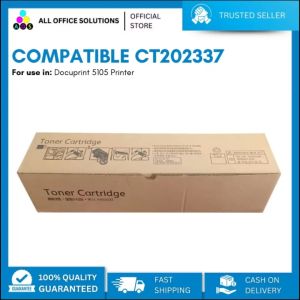
AOS Compatible Fuji CT202337 for Xerox 5105D Compatible Toner Cartridge
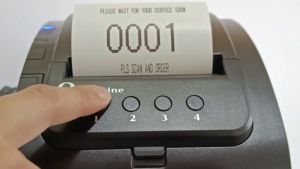
Soonpos One-Click Thermal Queue Number POS Receipt Printer 80mm Auto Cutter No need Internet PC or Laptop With USB LAN Serial Information 3 Inch Queue Ticket Printer For Economic Clinic Restaurant Hair salon Office store
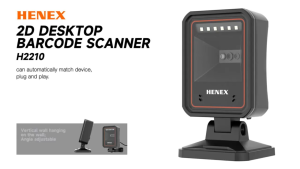
Henex USB Wired Desktop Barcode Scanner 1D/2D Qr Code Reader with LED Light for A4 Size Paper CMOS Source POS System Scanner

Thermistor Original Ricoh AF1027/1022AF1035 MP3350 MP2850 MP2550 MP2852 MP2045 MP2035
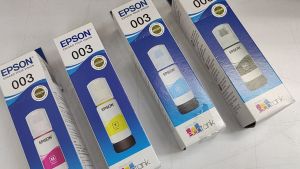
1 SET EPSON 003 GENUINE INK T00V100 BLACK INK / EPSON T00V200 CYAN INK CART / T00V300 MAGENTA INK / T00V400 YELLOW INK
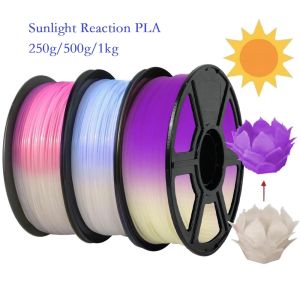
Sunlight Color Change PLA Filament 1kg/500g/250g 1.75mm 3D Printer Material PLA Filament UV Reaction White To Pink Blue Purple

Samsung Compatible Black Toner Powder 1kg
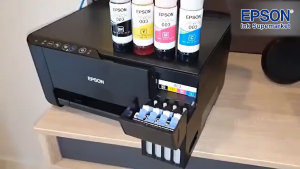
100% Original Epson 003 Ink Refill Ink 003 Bote ng Epson Inks L3210/L1110/L1210/L3110/L3120/L3150



















