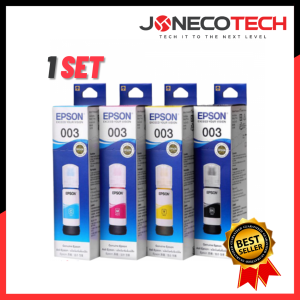
1 SET EPSON 003 GENUINE INK T00V100 BLACK INK / EPSON T00V200 CYAN INK CART / T00V300 MAGENTA INK / T00V400 YELLOW INK
1 SET EPSON 003 GENUINE INK T00V100 BLACK INK / EPSON T00V200 CYAN INK CART / T00V300 MAGENTA INK / T00V400 YELLOW INK
Introduction to EPSON 003 GENUINE INK Cartridges
Epson Genuine Ink Cartridges, including the T00V100 black ink, T00V200 cyan ink, T00V300 magenta ink, and T00V400 yellow ink, are designed specifically for Epson printers. These high-quality cartridges provide vibrant colors and crisp black prints, making them ideal for both personal and professional use. In this article, we'll explore how to get the most out of your EPSON 003 GENUINE INK cartridges, covering storage techniques, cleaning and maintenance tips, and troubleshooting common issues.
Understanding the Ink Capacity
Each ink cartridge has a capacity of 65ml, which translates to an approximate yield of 4,500 pages at 5% coverage. This means that these cartridges offer a cost-effective solution for printing large volumes of documents, photos, and other materials.
Key Features of EPSON 003 GENUINE INK
Epson Genuine Ink Cartridges are known for their superior quality and reliability. Here are some of the key features:
- High yield capacity: Each cartridge can print up to 4,500 pages, making them ideal for high-volume printing needs.
- Vibrant colors and crisp black prints: These cartridges deliver excellent color accuracy and sharpness, ensuring that your prints look professional and visually appealing.
- Easy installation: The cartridges are designed to fit seamlessly into Epson printers, making it easy to replace them when needed.
How to Maximize the Yield of Your EPSON 003 GENUINE INK
To get the most out of your EPSON 003 GENUINE INK cartridges, it's essential to follow proper storage techniques, cleaning and maintenance tips, and troubleshoot common issues.
Proper Storage Techniques
Storing your ink cartridges correctly can help extend their lifespan and ensure optimal performance. Here are some tips:
- Store cartridges in a cool, dry place away from direct sunlight.
- Keep cartridges upright to prevent ink leakage.
- Seal unused cartridges in their original packaging to protect them from dust and moisture.
Cleaning and Maintenance Tips
Regular cleaning and maintenance can help keep your printer running smoothly and ensure that your ink cartridges last longer. Here are some tips:
- Clean the print head regularly using the cleaning function in your printer's software.
- Replace the ink cartridges when they reach their end-of-life indicator to avoid damaging your printer.
- Check the ink levels regularly and replace cartridges before they run out completely.
Troubleshooting Common Issues
If you're experiencing issues with your EPSON 003 GENUINE INK cartridges, here are some troubleshooting tips:
- If the printer is not recognizing the new cartridge, try removing and reinserting it.
- If the print quality is poor, check that the ink levels are sufficient and clean the print head.
- If the cartridge is leaking, replace it immediately and clean any spilled ink from the printer.
Choosing the Right Ink for Your Needs
When selecting ink cartridges for your Epson printer, it's important to consider your specific needs. Here are some factors to consider:
Black T00V100 vs. Color T00V200, T00V300, and T00V400
If you primarily print black-and-white documents, the T00V100 black ink cartridge may be sufficient for your needs. However, if you require vibrant colors for photos or graphics, the color cartridges (T00V200 cyan, T00V300 magenta, and T00V400 yellow) will provide better results.
Comparing EPSON Genuine Ink with Alternatives
While there are many alternative ink cartridges available on the market, it's important to consider the quality and reliability of these products. EPSON Genuine Ink Cartridges are designed specifically for Epson printers and provide superior performance and longevity compared to generic alternatives.
Conclusion and Final Thoughts
In conclusion, EPSON 003 GENUINE INK Cartridges offer a high-quality solution for printing large volumes of documents, photos, and other materials. By following proper storage techniques, cleaning and maintenance tips, and troubleshooting common issues, you can maximize the yield of these cartridges and ensure optimal performance. When selecting ink cartridges for your Epson printer, consider your specific needs and choose the right combination of black and color cartridges to meet your requirements. Remember to always opt for EPSON Genuine Ink Cartridges for the best results.

JONECO TECH
You May Also Like

JIANYINGCHEN compatible drum unit DR660 DR2355 for TN660 TN2380 for Brother MFC-2700 printer Promotion

Transparent NIIMBOT D11 / D110 / D101 / H1 / H1S Label Machine Printing Paper Thermal Waterproof Oil Proof Tear Proof Clothing Tag Commodity Price Food Adhesive Label Paper Label Printer Sticker Barcode Paper
EKLEVA Thermal Label Printer Thermal Label Maker Bluetooth-Compatible Handheld Pocket Printer Pocket Sticker Printer for Phone & PC

ERIKC L222PBC Applicable to Delphi Nozzle L222 PBC
3D Printing Hot End Nozzle Adapter Board Breakouts Module for 3D Printer Head Parts Replacement Part Accessories
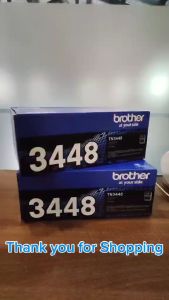
BrotherR TN 3448 (TN-3448) Black Original Toner Cartridge
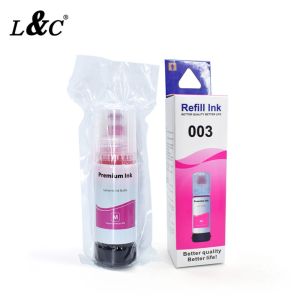
EP003 003 Refill Ink For Epson Printer L3118 L3119 L3108 L3110/L3150/L3101/L3100 Epson L3110 Ink Cartridge Canon G3110 - Lazada
Eyoyo USB Wired 2D Barcode Scanner with Adjustable Stand and Auto Sensing 1D QR Screen Image Scanner PDF417 Data Matrix Code Scanning Handheld Barcode Reader work with Windows Mac OS Linux Computer
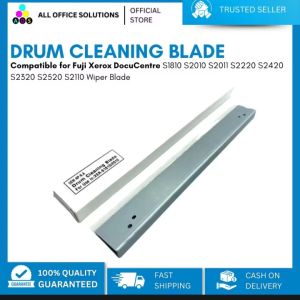
AOS Compatible drum cleaning blade for use in Fuji Xerox S1810 S2010 S2420 S2220 S2011 S2320 S2520 cleaning blade
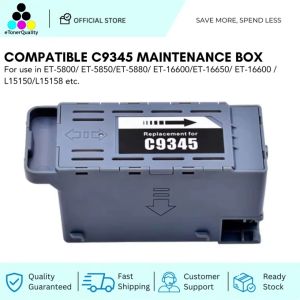
ETQ Compatible C9345 Waste Ink Tank Maintenance Box for Epson ET-5800 L15150 L15160 M15140 Printer
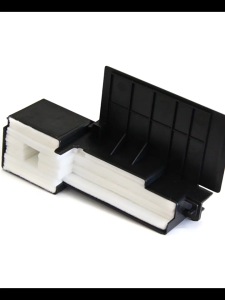
Waste Ink Tank Sponge Pad Set for Epson L110 L120 L130 L121 L210 L220 L360 L380 L385 L350 L355 Mini Printer Accessories