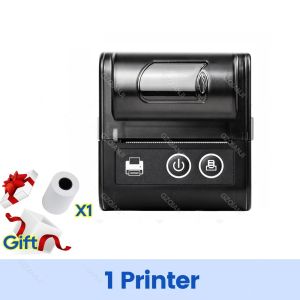
Mini Bluetooth Thermal Printer Wireless Portable 58mm Receipt Bill POS System Printer Loyverse POS Free App on Android FREE 1 Roll
Mini Bluetooth Thermal Printer Wireless Portable 58mm Receipt Bill POS System Printer Loyverse POS Free App on Android FREE 1 Roll
Introduction
A Mini Bluetooth Thermal Printer is a compact, wireless device designed for printing receipts, bills, and other documents. This versatile printer is compatible with Android devices and integrates seamlessly with the Loyverse POS Free App, offering a convenient solution for small businesses and personal work management.
Key Features of the Mini Bluetooth Thermal Printer
-
Wireless Connectivity: Connect your printer wirelessly via Bluetooth, eliminating the need for cables and providing greater mobility.
-
Compact Size: With its portable design, this printer is perfect for businesses with limited space or those who require a mobile solution.
-
High-Quality Printing: Print receipts and bills with a resolution of up to 203dpi, ensuring clear and legible output.
-
Fast Printing Speed: Achieve a print speed of 50-80mm/s, allowing you to handle high-volume transactions efficiently.
-
Thermal Paper Compatibility: Utilize 1 Roll Thermal Paper for easy and cost-effective printing.
Loyverse POS Free App Overview
Loyverse POS Free App is a powerful point-of-sale (POS) system designed specifically for small businesses. It offers a wide range of features, including inventory management, customer loyalty programs, and real-time sales analytics. Integrating this app with the Mini Bluetooth Thermal Printer allows users to streamline their workflow and improve overall efficiency.
Setting Up Your Mini Bluetooth Thermal Printer
To get started with your new printer, follow these steps:
Connecting the Printer to Your Device
-
Power on your Mini Bluetooth Thermal Printer.
-
Turn on Bluetooth on your Android device.
-
Navigate to the Bluetooth settings and search for available devices.
-
Select the printer from the list of available devices and pair it with your Android device.
Installing the Loyverse POS Free App
-
Visit the Google Play Store on your Android device.
-
Search for "Loyverse POS Free App".
-
Click on the app and select "Install".
-
Wait for the installation process to complete.
Configuring Printer Settings
Once the printer is connected and the Loyverse POS Free App is installed, follow these steps to configure the printer settings:
-
Open the Loyverse POS Free App.
-
Navigate to the "Settings" menu.
-
Select "Printer Settings".
-
Choose your Mini Bluetooth Thermal Printer from the list of available printers.
-
Adjust any necessary settings, such as paper size and print quality.
Using Your Mini Bluetooth Thermal Printer
With your printer set up and connected to the Loyverse POS Free App, you're ready to start printing receipts and managing your workflows.
Printing Receipts & Bills
To print a receipt or bill using the Loyverse POS Free App, follow these steps:
-
Complete a transaction within the app.
-
Click on the "Print" button.
-
Select your Mini Bluetooth Thermal Printer from the list of available printers.
-
Review the receipt or bill before printing.
-
Click "Print" to generate the document.
Managing Workflows with Loyverse POS Free App
The Loyverse POS Free App offers a wide range of features to help you manage your workflows efficiently. Some of the key features include:
-
Inventory Management: Track your stock levels and set up automatic alerts when items are running low.
-
Customer Loyalty Programs: Reward loyal customers with discounts, promotions, and personalized offers.
-
Real-Time Sales Analytics: Monitor your sales performance and identify trends to optimize your business strategy.
After-Sale Service & Shop's Three Guarantees
Rest assured that your purchase comes with the Shop's Three Guarantees, which include:
-
Free Returns: Return your product within 30 days if you're unsatisfied.
-
Free Replacement: If your product is defective, we'll replace it free of charge.
-
Free Support: Our dedicated support team is available to assist you with any issues or questions.
Conclusion
The Mini Bluetooth Thermal Printer and Loyverse POS Free App offer a comprehensive solution for small businesses and personal work management. With its compact size, wireless connectivity, and high-quality printing capabilities, this printer is the perfect companion for your business needs. Combined with the powerful features of the Loyverse POS Free App, you can streamline your workflows and improve overall efficiency.
Final Thoughts on Mini Bluetooth Thermal Printer & Loyverse POS Free App
If you're looking for a reliable and efficient solution for your business, consider investing in the Mini Bluetooth Thermal Printer and Loyverse POS Free App. With its user-friendly interface and robust features, this combination is sure to meet your needs and exceed your expectations.
Additional Resources for Further Reading
For more information on the Mini Bluetooth Thermal Printer and Loyverse POS Free App, visit our website or contact our support team. We're here to help you make the most of your purchase and ensure your success.

GZQIANJI Store
Review

You May Also Like

Instant Photo Printer Camera: The Ultimate Gift for Photography Enthusiasts
Genuine Canon MC-G04 Maintenance Cartridge: Essential Printer Supplies
ATO C9 Thermal Printer Wireless Bluetooth Thermal Receipt Printer 1000mAh Printer Paper Photo Pocket Thermal Printer
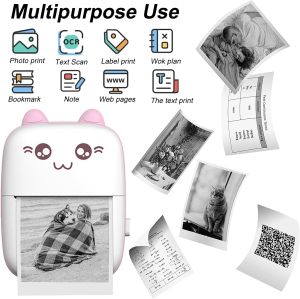
LIOTOG C9 Mini Thermal Printer for Student 1000mAh Rechargeable Portable Bluetooth Thermal Receipt Printer 57mm Inkless Sticker Printer Mini Photo Printer Label Sticker Paper Portable Waybill Printer with Free 1 Thermal Paper
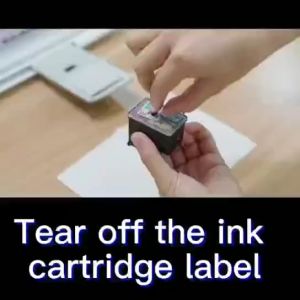
Canon 445 446 ink PG445XL CL446XL ink cartridge compatible for MX494 MG2440 MG2540 MG2940 MG2942.
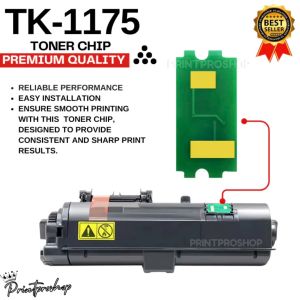
TK1175 Toner Chip for Kyocera Printers: A Comprehensive Guide
800°C Heat Resistant 3D Printer Hot End Base Synthetic Stone Low Thermal Transmission 500°C Thermal Gravimetric Analysis
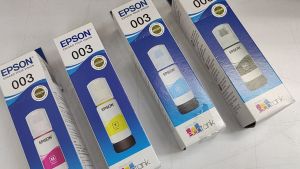
1 SET EPSON 003 GENUINE INK T00V100 BLACK INK / EPSON T00V200 CYAN INK CART / T00V300 MAGENTA INK / T00V400 YELLOW INK
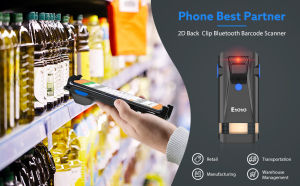
【🔥Limited Time Offer🔥】【🔥Hot sale & Local stocks & 1~2 days delivery🔥】Eyoyo Portable 1D 2D Wireless Barcode Scanner Phone Back Clip On Via Bluetooth USB Wired Bar Code QR Scan Reader Compatible with iPhoneAndroid iOS
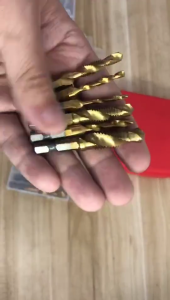
Hexagonal Handle Composite Ribbon Crafting Tool 6pcs Per Pack High Speed Steel Materials Ergonomic Grip For Precise Work

Battlegeus Galactus PREMIUM 3D Model™ (FILE ONLY not actual toy) with FREE 16GB USB Flash Drive for 3d printing 3d printer