LIOTOG Portable Mini Printer: A Compact Solution for Students & Offices 🌼
LIOTOG Portable Mini Printer: A Compact Solution for Students & Offices 🌼
Welcome to MOOKA Store! 🍂 Follow our store and ❤️ to get big discount coupons. In this article, we will discuss the LIOTOG Portable Mini Printer, a compact solution for students and offices.
What is the LIOTOG Portable Mini Printer?
The LIOTOG Portable Mini Printer is a compact, Bluetooth thermal printer designed specifically for students and office workers. It offers a convenient and efficient way to print labels, photos, and documents on-the-go. With its small size and lightweight design, this printer is perfect for anyone who needs a portable printing solution.
Key Features & Benefits
- Compact and lightweight design
- Bluetooth connectivity for easy pairing with smartphones, tablets, and computers
- Fast printing speed and high-quality print resolution
- Easy-to-use interface and intuitive setup process
- Durable construction and long-lasting battery life
Target Users & Applications
The LIOTOG Portable Mini Printer is ideal for students who need to print labels for organization, photos for personal projects, or documents for school assignments. It is also perfect for office workers who require a portable printing solution for meetings, presentations, or on-the-go tasks.
How to Choose the Right Portable Mini Printer
When selecting a portable mini printer, consider the following factors:
- Size & Portability: Look for a printer that is compact and lightweight, making it easy to carry around.
- Connectivity Options: Ensure the printer has Bluetooth connectivity for seamless pairing with your devices.
- Print Quality & Speed: Choose a printer that offers high-quality print resolution and fast printing speed.
LIOTOG Portable Mini Printer: Setting Up & Getting Started
Installation & Setup Guide
- Charge the printer using the included USB cable.
- Download the LIOTOG app from the App Store or Google Play Store.
- Pair the printer with your device via Bluetooth.
- Follow the on-screen instructions to complete the setup process.
First-Time User Tips
- Familiarize yourself with the LIOTOG app interface to easily navigate through the various features.
- Experiment with different print settings to achieve the desired results.
- Keep the printer clean and well-maintained for optimal performance.
Troubleshooting Common Issues
If you encounter any issues with the LIOTOG Portable Mini Printer, refer to the troubleshooting guide in the user manual or contact customer support for assistance.
Enhancing Productivity with LIOTOG Portable Mini Printer
Label Printing for Organization
Use the LIOTOG Portable Mini Printer to print custom labels for organization, such as labeling files, folders, or storage containers.
Photo Printing on-the-go
Print high-quality photos on-the-go using the LIOTOG Portable Mini Printer, perfect for personal projects or sharing memories with friends and family.
Office Document Printing
The LIOTOG Portable Mini Printer is an ideal solution for printing office documents, such as meeting agendas, memos, or presentations, making it easy to stay productive on-the-go.
Conclusion: LIOTOG Portable Mini Printer - A Must-Have for Students & Offices
The LIOTOG Portable Mini Printer is a compact and efficient solution for students and office workers who need a portable printing solution. With its Bluetooth connectivity, high-quality print resolution, and easy-to-use interface, this printer is perfect for printing labels, photos, and documents on-the-go. Don't miss out on this must-have product - visit MOOKA Store today to learn more about the LIOTOG Portable Mini Printer!
[Keywords: Portable Mini Printer, Label Printer for Students, Compact Photo Printer, Bluetooth Thermal Printer, Genuine Pocket Printer]"

MOOKA
Review

You May Also Like
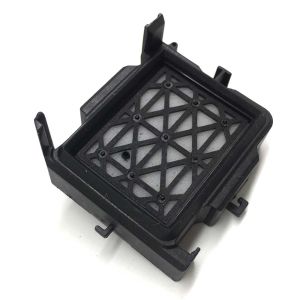
In Stock Dx11 Xp600 Printhead Cap Top Capping for Eco Solvent Printer Machine
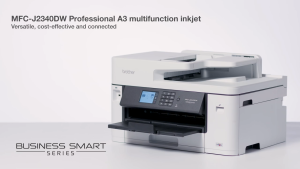
Brother MFC-J2340DW | MFC-J3540DW | MFC-J3940DW Inkjet Printer A3 Multifunction J2340DW J3540DW J3940DW J2340 J3540 J3940
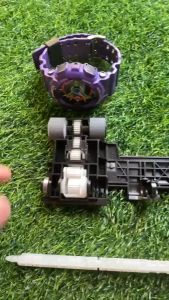
Brother Printer Pickup Roller Rubber Set DCP T300 T500 T700 T800 Shaft Included. Refurbished
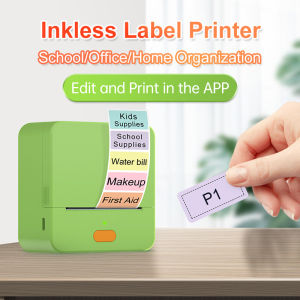
【Super low price】P1 Label Maker Machine 57mm Pocket Thermal Sticker Printer for Organizing Adhesive Tag DIY Date Journal Study Stickers 20-50mm label Width Support Wireless BT Connect Compatible with iOS Android
Compatible Konica-Minolta TN-118 Toner Cartridge
AOS Compatible Laser Drum Ricoh SP 230series
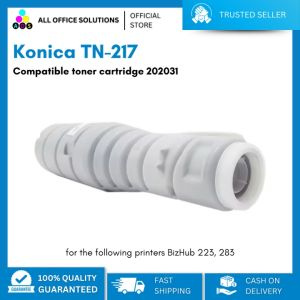
Konica TN-217 Compatible Toner Cartridge 202031: A Comprehensive Guide
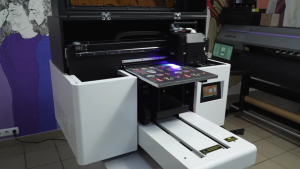
AGP UV-3040 Flatbed UV Printer
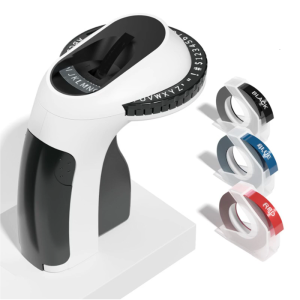
Portable Mechanical Label Printer With 3Rolls Tape Handheld Labels Sticker Maker For Home Kitchen Storage Labeling

LIOTOG C22 Mini Thermal Printer for Student Portable Bluetooth RGB Printer with 1 Roll Paper Compatible with Phone System for Office/Home/Kitchen Storage
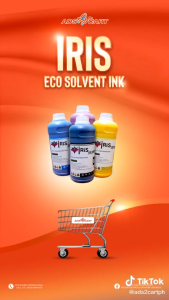
ADS IRIS & Galaxy Eco Solvent Ink CMYK 1 Liter for DX5/DX7/DX11/XP600 Inkjet Printers