WYZE Cam OG: A Comprehensive Guide to Your New Smart Home Security Camera
WYZE Cam OG: A Comprehensive Guide to Your New Smart Home Security Camera
The WYZE Cam OG is a highly versatile and affordable indoor/outdoor smart home security camera that boasts an impressive array of features. This article aims to provide a comprehensive guide to help you get the most out of your new WYZE Cam OG.
What is the WYZE Cam OG?
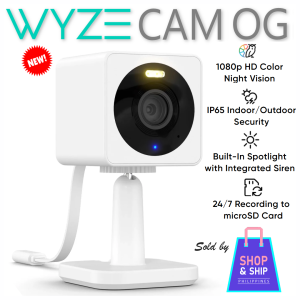
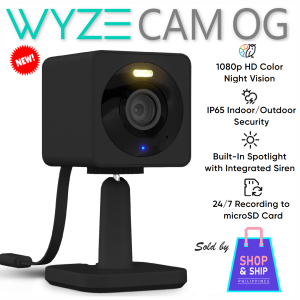
The WYZE Cam OG is a 1080p Wi-Fi smart home security camera that offers color night vision, built-in spotlight motion detection, and 2-way audio home security. It is compatible with both Alexa and Google Assistant, making it easy to integrate with your existing smart home ecosystem.
Key Features of the WYZE Cam OG
- Upgraded from Wyze Cam v3 with better wifi performance
- More sensitive, better and louder audio and audio 2-way talk
- Faster streaming of video feeds with wifi or even with mobile data
- Built-in LED spotlight (can be enabled/disabled manually or set to automatic "on" when motion is detected)
- Built-in siren alarm (can be enabled/disabled manually or set to automatic "on" when motion is detected)
- MicroSD card slot for local recording (MicroSD card not included and is sold separately)
- Faster app notifications on your phone
- A lot cheaper than Wyze Cam V3
- Stackable with Wyze Cam OG Telephoto (Wyze Cam OG Telephoto and stacking kit sold separately)
- Optional bundles with Sandisk Ultra or Kingston Canvas Select MicroSD 32GB to 128GB cards
Compatibility with Alexa & Google Assistant
The WYZE Cam OG is compatible with both Alexa and Google Assistant, making it easy to integrate with your existing smart home ecosystem. Simply connect your camera to Wi-Fi and download the WYZE app to get started.
How to Set Up Your WYZE Cam OG
Setting up your WYZE Cam OG is easy and straightforward. Follow these steps to get started:
- Connect your camera to Wi-Fi
- Download the WYZE app and set up your account
- Follow the prompts in the app to connect your camera
Connecting Your Camera to Wi-Fi
To connect your WYZE Cam OG to Wi-Fi, simply press and hold the button on the back of the camera until the LED light turns blue. Then, open the WYZE app and follow the prompts to connect your camera to your Wi-Fi network.
Setting Up the WYZE App
To set up the WYZE app, download it from the App Store or Google Play and create an account. Once you have created an account, follow the prompts to connect your camera to the app.
Enhancing Your Home Security with WYZE Cam OG
The WYZE Cam OG comes with several features that can enhance your home security, including built-in spotlight motion detection, 2-way audio home security, and local recording with a MicroSD card slot.
Utilizing Built-in Spotlight Motion Detection
The built-in spotlight motion detection feature allows you to set the LED spotlight to automatically turn on when motion is detected. This can help deter potential intruders and provide better visibility in low-light conditions.
Leveraging 2-Way Audio Home Security
The 2-way audio home security feature allows you to communicate with anyone who is within range of the camera. This can be useful if you need to speak to someone who is at your door or if you want to hear what is happening in your home while you are away.
Local Recording with MicroSD Card Slot
The WYZE Cam OG comes with a MicroSD card slot that allows you to record video footage locally. This can be useful if you want to keep a record of what happens in your home, even if you lose internet connectivity.
Maximizing the Benefits of WYZE Cam OG
There are several ways to maximize the benefits of your WYZE Cam OG, including customizing alerts and notifications, pairing with other WYZE devices, and taking advantage of optional bundles with MicroSD cards.
Customizing Alerts and Notifications
You can customize the alerts and notifications that you receive from your WYZE Cam OG to suit your needs. For example, you can set up alerts to notify you when motion is detected or when someone speaks through the camera's 2-way audio feature.
Pairing with Other WYZE Devices
The WYZE Cam OG can be paired with other WYZE devices to create a comprehensive smart home security system. This can include other cameras, doorbells, and sensors.
Optional Bundles with MicroSD Cards
The WYZE Cam OG comes with optional bundles that include MicroSD cards from Sandisk Ultra or Kingston Canvas Select. These cards come in sizes ranging from 32GB to 128GB and offer a 1-year seller warranty plus 4 years of official Sandisk and Kingston Philippine distributor warranty.

SHOP N SHIP PH
You May Also Like
V380 Q5 1080P CCTV Camera HD Indoor Home IP Smart Wifi Connect to Cellphone Night Vision CCTV Camera
1 PCS Wall Mounted Camera Bracket Half Spherical Drilling Installation Universal Camera Bracket Wire Winding Design
V380 Pro: A Comprehensive Guide to 4G/WiFi Solar-Powered Outdoor CCTV Camera
LIOTOG S7 Kids Instant Print Camera Thermal Printer Camera Children Digital Camera Video Toy Birthday Gift 32G Memory Card
MYHYPERGEAR 8K 16MP Four Lens WIFI CCTV Camera 10X Hybrid Optical Zoom Linkage PTZ Humanoid Tracking Home Security Camera Outdoor Waterproof Full Color Night Vision 24 Hours Video Recording IP Camera

TTArtisan 11mm F2.8 Full Frame Fisheye Wide Angle Lens: A Comprehensive Guide
A9 Mini Camera CCTV Camera Connect Cellphone 1080P HD with Night Vision Infrared Security Camera Mini Spy Camera Wifi Wireless Indoor Outdoor Package

IP65 Waterproof CCTV Junction Box Enclosure Outdoor Box
KODAK ULTRA F9 F9S: A Comprehensive Guide to Upgrading Your 35mm Film Camera
Go Pro Camera Action Camera 4K HD with Remote Control Screen Waterproof Sport Camera Drive Recorder for Motorcycle
Hikvision 4/8 Channel CCTV Kit 2MP/5MP HD With Audio Waterproof Complete CCTV Package With Remote Monitoring CCTV Set