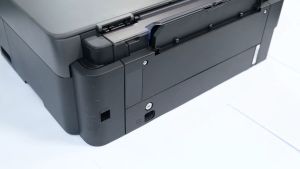
Canon 580 & 581 Ink Cartridges: A Comprehensive Guide
Canon 580 & 581 Ink Cartridges: A Comprehensive Guide
Understanding Canon 580 & 581 Ink Cartridges
Introduction to Canon 580 & 581 Ink Cartridges
Canon 580 and 581 ink cartridges are designed specifically for Canon PIXMA TR7550, TR8550, TS6150, and TS6151 printers. These ink cartridges ensure optimal print quality and performance for these models. They come in a full bulk packaging, which means they are filled with ink ready for use right out of the box.
Key Features of Canon 580 & 581 Ink Cartridges
- Compatibility: Compatible with Canon PIXMA TR7550, TR8550, TS6150, and TS6151 printers
- Full Bulk Packaging: Comes pre-filled with ink
- Quality & Warranty: A+ quality, 24-month warranty
- Chip & Ink Availability: With chip and ink
- Colors: BK (black), C (cyan), M (magenta), Y (yellow)
Compatible Printers for Canon 580 & 581 Ink Cartridges
PIXMA TR7550 & TR8550 Printers
Canon 580 and 581 ink cartridges are compatible with the PIXMA TR7550 and TR8550 printers. These printers are designed for home and small office use, offering excellent print quality and efficiency.
TS6150 & TS6151 Printers
Canon 580 and 581 ink cartridges are also compatible with the TS6150 and TS6151 printers. These printers are ideal for home and small office use, providing high-quality prints and efficient performance.
Choosing the Right Canon 580 & 581 Ink Cartridge
Full Bulk Packaging Options
When choosing Canon 580 and 581 ink cartridges, it's important to consider the full bulk packaging options. This means the cartridges come pre-filled with ink, ready for use right out of the box.
Quality & Warranty Considerations
When selecting Canon 580 and 581 ink cartridges, it's important to consider the quality and warranty offered by the manufacturer. Look for cartridges with A+ quality and a 24-month warranty.
Chip & Ink Availability
Make sure the Canon 580 and 581 ink cartridges you choose come with both chip and ink. This ensures optimal print quality and performance.
Installing Canon 580 & 581 Ink Cartridges
Preparing Your Printer
Before installing Canon 580 and 581 ink cartridges, make sure your printer is turned on and connected to power. Remove any old ink cartridges and clean the print head if necessary.
Inserting the Ink Cartridge
Carefully insert the new Canon 580 or 581 ink cartridge into the appropriate slot in your printer. Make sure the cartridge is securely seated and the chip is aligned with the printer's contacts.
Finalizing Installation
Once the new ink cartridge is inserted, close the printer cover and turn on the printer. The printer will automatically detect the new cartridge and begin the installation process.
Troubleshooting Common Issues with Canon 580 & 581 Ink Cartridges
Resolving Ink Cartridge Errors
If you encounter ink cartridge errors, make sure the cartridge is properly inserted and the chip is aligned with the printer's contacts. Clean the print head if necessary and try again.
Addressing Low Ink Warnings
If you receive low ink warnings, it may be time to replace the ink cartridge. Check the printer's display for instructions on how to replace the cartridge.
Fixing Print Quality Issues
If you notice poor print quality, try cleaning the print head and replacing the ink cartridge. Make sure the cartridge is properly inserted and the chip is aligned with the printer's contacts.

ColoWorld
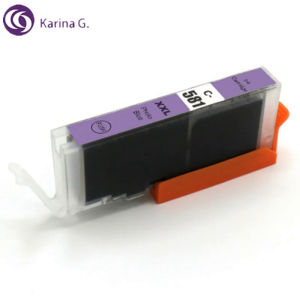
Review

You May Also Like
OPC Drum DR2355 DR-2355 DR 2355 Compatible for Brother
HP Printer / HP Smart Tank 720 Printer / All in One Printer / Printer with Scanner and Xerox / Wireless Printer / Printer Ink Tanks / Printer Refillable Ink / Printer for Student / Free Ink
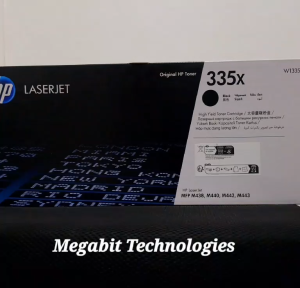
HP Laserjet 335x Black
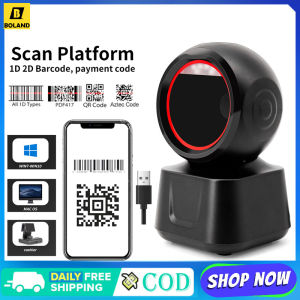
1D 2D QR Wired Barcode Scanner High-speed Platform Hands-Free Automatic Sense Reader USB Port Plug&Play for Window Android
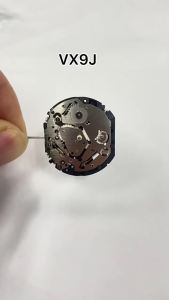
2024VX9J Movement Epson VX9JE VX9 Series Quartz Movement Six Hands 3.6.9 Small Seconds Size:12 3/4 Day / Date / 24 Hour
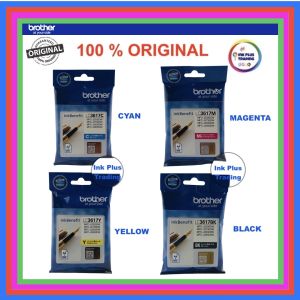
Original Brother Ink Cartridge LC3617 For MFC-J2330DW / MFC-2730DW / J3530DW / J3930DW
PaperCornerPh - Sublimation CUYI Ink for Epson Printer Sublimation Paper (CMYK LC LM) 100ML

Auto-SMP Printer Style Telescopic Dot Matrix Technology

Handheld Printer Portable Inkjet Printer with 4.3 Inch LED Touchscreen Quick-Drying Ink Cartridge for printable Label/Production Date/Barcode/Trademark/Logo/Graphic etc
Bluetooth Barcode Scanner: A Comprehensive Guide
MLT D111S Toner Cartridge for use and Compatible with Xpress M2022 M2020 M2021 M2020W M2070 M2071