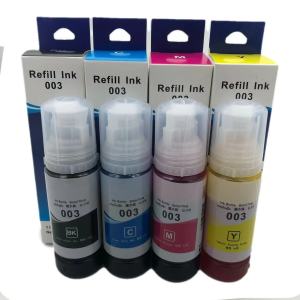
70ML Epson 003 Ink Refill Ink Dye Ink for Epson Inkjet Printer L3110 L3116 L3150 L3156 L5190 L5196
70ML Epson 003 Ink Refill Ink Dye Ink for Epson Inkjet Printer L3110 L3116 L3150 L3156 L5190 L5196
Are you looking for a reliable and cost-effective solution to keep your Epson inkjet printer running smoothly? Look no further than our 70ML Epson 003 ink refill dye ink! This versatile ink is compatible with a wide range of Epson models, including the L3110, L3116, L3150, L3156, L5190, and L5196.
Understanding Compatible Ink Options
Which Compatible Inks Are Best for Your Printer?
When it comes to choosing the right compatible ink for your Epson printer, it's important to consider factors like print quality, color accuracy, and long-term reliability. Our 70ML Epson 003 ink refill dye ink has been specifically formulated to meet these requirements, providing consistent results and a long-lasting solution for your printing needs.
Choosing Between Original & Compatible Inks
While original Epson inks may offer peace of mind, they often come at a higher price point. Compatible inks, like our 70ML Epson 003 ink refill dye ink, provide a more affordable alternative without sacrificing quality. By carefully selecting the right compatible ink, you can enjoy high-quality prints while keeping costs under control.
Refilling Your Epson Printer
How to Safely Refill Your Printer Ink
Refilling your Epson printer ink can seem daunting, but with the right tools and guidance, it's a straightforward process. Start by turning off and unplugging your printer to ensure safety. Next, locate the ink cartridge and remove it from the printer. Follow the manufacturer's instructions to refill the cartridge with our 70ML Epson 003 ink refill dye ink. Once refilled, reinsert the cartridge and turn your printer back on to resume printing.
Tips for Refilling Epson L5190 & L5196 Printers
When refilling your Epson L5190 or L5196 printer, it's essential to pay close attention to the specific steps required for these models. Be sure to consult the manufacturer's guidelines for your particular printer model to avoid any potential issues. Remember to handle the ink cartridges with care to prevent spills or damage.
Maintaining Your Printer
Extending the Life of Your Printer with Proper Maintenance
Regular maintenance is crucial for keeping your Epson printer running smoothly and extending its lifespan. This includes cleaning the print head, replacing worn-out parts, and using high-quality ink like our 70ML Epson 003 ink refill dye ink. By taking the time to properly maintain your printer, you'll enjoy consistent performance and reduced downtime.
How to Troubleshoot Common Issues with Epson Printers
Even with proper maintenance, Epson printers can sometimes experience issues like clogged print heads or misaligned cartridges. If you encounter these problems, consult the manufacturer's troubleshooting guide or seek assistance from a professional technician. Remember to always use compatible inks like our 70ML Epson 003 ink refill dye ink to minimize the risk of future issues.

OKKey
Review
You May Also Like
Original Epson 001 Ink for Epson L4150 L4160 L6160 L6170 L6190 L14150: A Comprehensive Guide
eTONER Compatible Toner Cartridge TN1000 for Brother HL-1210W
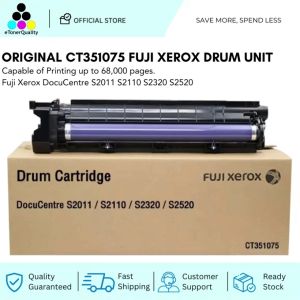
Original CT351075 Drum Unit Fuji Xerox DocuCentre S2011 S2110 S2320 S2520
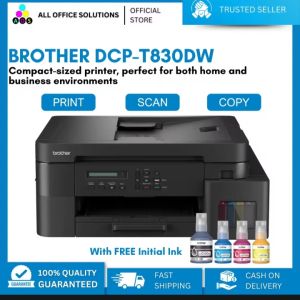
Brother DCP-T830DW Ink Tank Printer with Starter Ink
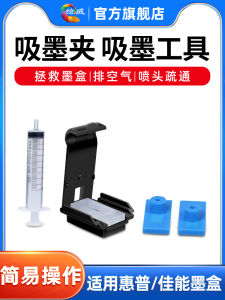
Ink Absorption Clip Air Ejection Nozzle Cleaning Tool Compatible with HP Canon Ink Cartridges 803 802 678 816 901 680 63 845 815 840 835 245 240

Epson Substitute ink 004 1 Set Box (Black Cyan Magenta Yellow)
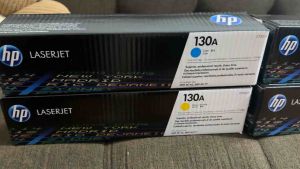
HP 130A Black Cyan Magenta Yellow Original LaserJet Toner Cartridge BCYM CF350A
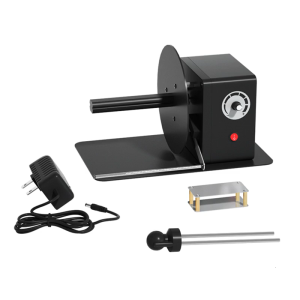
Industrial Label Rewinder Automatic Speed Adjustment 12cm Paper Length Support
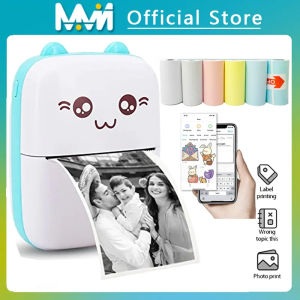
EKLEVA Portable Thermal Printer MINI Wirelessly BT 203dpi Photo Label Memo Wrong Question Printing With USB Cable Imprimante Portable
FUJIAS3 MC-G02 Maintenance Box Waste Ink Tank G02 For G2160 G3160 G1220 G2260 G3260 G1420 G2420 G2460 G3420 G3460 G1520 Printers
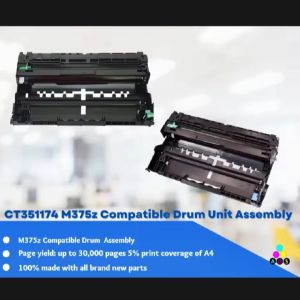
A Comprehensive Guide to AOS M375 & Fuji Xerox Docuprint Printer Series