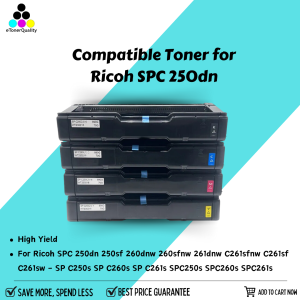
ETQ Compatible SP C250S Toner for Ricoh SPC250S & SPC261DNw Printers
ETQ Compatible SP C250S Toner for Ricoh SPC250S & SPC261DNw Printers
What is ETQ Compatible SP C250S Toner
ETQ Compatible SP C250S toner is a high-quality toner option specifically designed for Ricoh SPC250S and SPC261DNw printers. This toner is compatible with these printer models and offers a cost-effective alternative to the original equipment manufacturer (OEM) toner cartridges. ETQ toner is known for its high-quality print output and reliability, making it a popular choice among Ricoh printer users.
Key Features of ETQ Toner
- High-quality print output
- Compatible with Ricoh SPC250S and SPC261DNw printers
- Cost-effective alternative to OEM toner cartridges
- Reliable performance
How to Choose the Right Toner for Your Printer
When selecting a toner cartridge for your Ricoh SPC250S or SPC261DNw printer, consider the following factors:
- Compatibility: Ensure the toner is compatible with your printer model.
- Quality: Look for a toner that offers high-quality print output.
- Cost-effectiveness: Compare the cost of the toner with OEM alternatives.
- Reliability: Choose a toner that has a proven track record of reliable performance.
Understanding Compatible Toner Options for Ricoh Printers
Compatible toner options for Ricoh printers offer a cost-effective alternative to OEM toner cartridges. These toners are designed to meet the same performance standards as OEM toner cartridges, but at a lower cost.
Benefits of Using Compatible Toner
- Cost-effective: Compatible toner cartridges are often less expensive than OEM alternatives.
- High-quality print output: Compatible toners can offer high-quality print output comparable to OEM toner cartridges.
- Reliable performance: Many compatible toner cartridges have a proven track record of reliable performance.
How to Install Compatible Toner
Installing compatible toner cartridges in your Ricoh printer is straightforward. Follow these steps:
- Turn off your printer and unplug it from the power source.
- Open the toner cartridge access door and remove the old toner cartridge.
- Remove the new compatible toner cartridge from its packaging and remove any protective tape or labels.
- Insert the new toner cartridge into the printer, following the manufacturer's instructions.
- Close the toner cartridge access door and turn on your printer.
High-Quality Toner Alternatives for Ricoh SPC250S & SPC261DNw Printers
In addition to ETQ Compatible SP C250S toner, there are other high-quality toner alternatives available for Ricoh SPC250S and SPC261DNw printers.
Comparing ETQ Toner with Other Brands
When comparing ETQ toner with other brands, consider the following factors:
- Quality: Look for a toner that offers high-quality print output.
- Cost-effectiveness: Compare the cost of the toner with OEM alternatives.
- Reliability: Choose a toner that has a proven track record of reliable performance.
How to Save Money on Toner Costs
There are several ways to save money on toner costs for your Ricoh printer:
- Use compatible toner cartridges instead of OEM alternatives.
- Purchase toner cartridges in bulk to take advantage of volume discounts.
- Recycle empty toner cartridges to reduce waste and save money.
Best Practices for Maintaining Your Ricoh Printer
Regular maintenance is essential for keeping your Ricoh printer running smoothly and extending its lifespan.
Regular Maintenance Tips
- Clean the printer regularly to remove dust and debris.
- Replace worn or damaged parts, such as the drum unit or fuser roller.
- Calibrate the printer periodically to ensure accurate color output.
- Update the printer firmware to ensure optimal performance.
Troubleshooting Common Issues
If you experience issues with your Ricoh printer, try the following troubleshooting steps:
- Check the printer's power supply and connections.
- Clear any paper jams or obstructions.
- Reset the printer to its default settings.
- Contact Ricoh support for further assistance.

eTonerQuality Reference Number: 250919-16162227
Review

You May Also Like
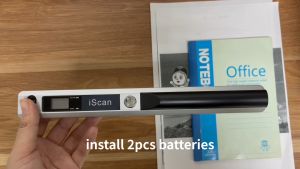
Portable iScan Document Scanner: A Comprehensive Guide
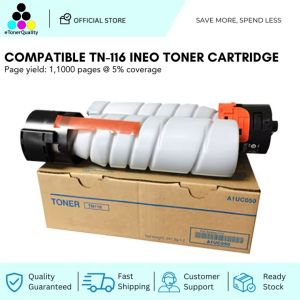
ETQ Compatible TN116 TN 116 TN-116 Ineo Toner Cartridge

INKSCRIBED DR269CL DR-269CL Compatible for Bro HL-L3280CDW DCP-L3560CDW MFC-L8340CDW Printer etc. Universal for All Colors
【Free Shipping】HP ink 727 130-ml Magenta DesignJet Ink Cartridge B3P20A HP DesignJet T2530 36-in PostScript Multifunction (L2Y26A#B1K)
Coconut Activated T33 Carbon Post Water Cartridges 10 inch Smell Remover
PLA+ Filament 1.75mm PLA Basic Dimensional Accuracy +/- 0.05mm 250G Spool (0.55 LBS)Dark Blue
Portable Thermal Printer MINI Wirelessly BT 203dpi Photo Label Memo Wrong Question Printing With USB Cable Imprimante Portable
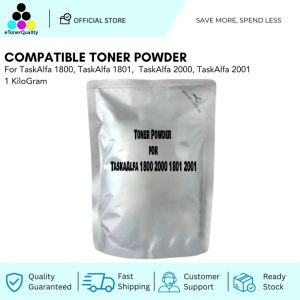
ETQ Compatible Toner Powder for TaskAlfa 1800 2000 1801 2001
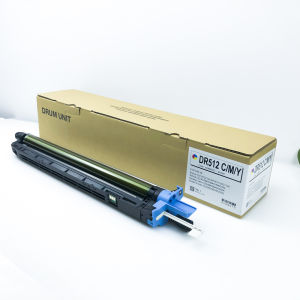
1 X KMCY OEM C224 DR512 Drum Unit For Konica C284 C364 C454 C554 C221 C221S C281 C224e C284e
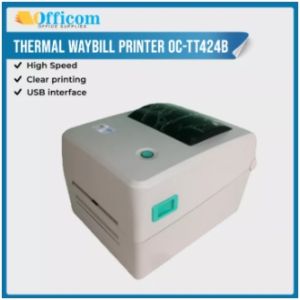
Officom OC-TT424B Label Printer Thermal Ribbon Printer Label Barcode Waybill Printer w/ USB for Thermal Waybill Stickers Officom Oc Tt424B - Lazada
80mm Pocket Bill Maker: A Wireless Portable Receipt Printer for Android, iOS, and PC