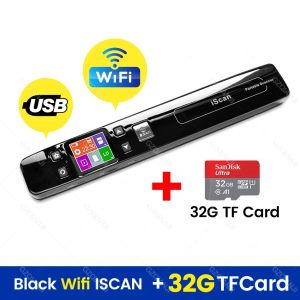
GZISCAN02 USB Handheld WiFi Portable Scanner Mobile HD LCD Display Document Scanner A4 Size 1050DPI Support JPEG or PDF TF card
GZISCAN02 USB Handheld WiFi Portable Scanner Mobile HD LCD Display Document Scanner A4 Size 1050DPI Support JPEG or PDF TF card
Introduction to GZISCAN02
Introducing the GZISCAN02, a powerful and versatile portable document scanner that delivers outstanding performance and ease of use. This HD LCD display scanner is designed to cater to the needs of professionals and businesses alike, offering a wide range of features that make it stand out from the competition. With its A4 size scanning capability, USB and WiFi connectivity options, and support for JPEG and PDF formats, the GZISCAN02 is the perfect choice for anyone looking to streamline their document scanning process.
Key Features & Specifications
The GZISCAN02 boasts several key features and specifications that set it apart from other portable document scanners:
- Scan Element Type: CMOS
- Optical Resolution: 1050DPI
- Scan Breadth: A4
- Interface Type: USB
- Certification: CE
- Colour Depth: 32 Bit
- Scanning Light Source: Natural Light+LED
These features ensure that the GZISCAN02 delivers high-quality scans while maintaining a compact and portable design.
How to Choose the Right Document Scanner
When selecting a document scanner, consider the following factors:
- Scan Size: Make sure the scanner can handle the size of documents you need to scan.
- Resolution: Higher resolution means better image quality, so choose a scanner with a resolution that meets your needs.
- Connectivity Options: Consider whether you need a wired or wireless connection, or both.
- File Format Compatibility: Ensure the scanner supports the file formats you require.
How to Use GZISCAN02
Step-by-Step Guide to Scanning Documents
Using the GZISCAN02 is simple and straightforward. Follow these steps to scan your documents:
- Connect the scanner to your computer via USB or WiFi.
- Place the document on the scanner's glass surface.
- Adjust the scanning settings according to your needs.
- Press the scan button to start the scanning process.
- Save the scanned file in your desired format.
Tips for Optimizing Scan Quality
To ensure the best possible scan quality, keep the following tips in mind:
- Use good lighting conditions to improve image clarity.
- Keep the scanner clean to avoid any dust or debris affecting the scan quality.
- Calibrate the scanner regularly to maintain optimal performance.
GZISCAN02: A Versatile Solution for Your Document Scanning Needs
Comparing GZISCAN02 with Other Portable Document Scanners
The GZISCAN02 stands out from other portable document scanners due to its high-resolution capabilities, versatile connectivity options, and support for JPEG and PDF formats. Additionally, its compact and lightweight design makes it easy to carry around, while the HD LCD display provides a convenient way to preview and adjust scans.
Applications for GZISCAN02 in Various Industries
The GZISCAN02 has a wide range of applications across various industries, including:
- Legal: Quickly scan and digitize legal documents, contracts, and case files.
- Healthcare: Scan medical records, prescriptions, and insurance forms.
- Education: Digitize textbooks, research papers, and student records.
- Finance: Scan financial statements, invoices, and receipts.
Conclusion: Why GZISCAN02 is the Best Choice for Your Document Scanning Needs
With its high-resolution scanning capabilities, versatile connectivity options, and support for JPEG and PDF formats, the GZISCAN02 is the perfect choice for anyone looking to streamline their document scanning process. Its compact and lightweight design, combined with the HD LCD display, make it a convenient and efficient solution for professionals and businesses alike.

GZQIANJI Store
Review

You May Also Like
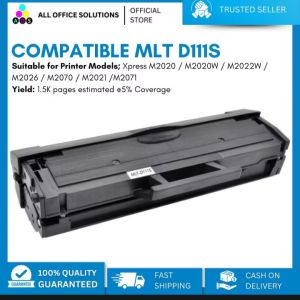
AOS MLTD111S Toner Cartridge Compatible MLT-D111S for Samsung Printer
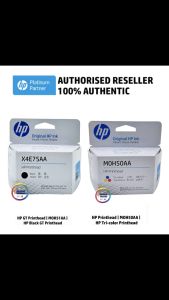
HP Black Printhead (X4E75AA) for HP Smart Tank & Ink Tank Series
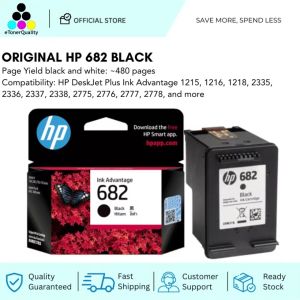
HP 682 Black Original Ink Advantage Cartridge
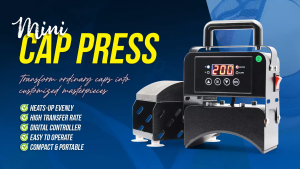
Magic Photo Mini Cap Press Machine: A Portable Handheld Heat Press for Net Cap
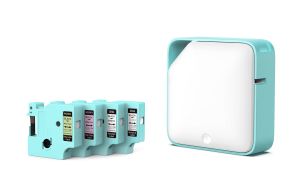
Phomemo D1600 Label Maker Machine Bluetooth Portable Mini Thermal Label Sticker Printer

Canon IP100B IP100 TR150 Ink Cartridge For Canon IPIXMA iP100/iP100 PGI-35BK Black CLI-36C Color
Epson Ribbon Cartridge LQ-310 S015639/S015634
Full Rubber Printing Roller & Woodcut Block Printing: A Comprehensive Guide
2024VX9J Movement Epson VX9JE VX9 Series Quartz Movement Six Hands 3.6.9 Small Seconds Size:12 3/4 Day / Date / 24 Hour
Refillable Ink Cartridges for Compatible Canon Printers: A Comprehensive Guide
AOS Canon NPG 28 Toner Cartridge Compatible for IR2016/2018/2020/2022/2025/2030