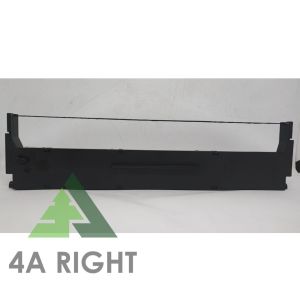
Epson Ribbon Cartridge LQ-310 S015639/S015634
Epson Ribbon Cartridge LQ-310 S015639/S015634
What Are Compatible Ribbons for Epson LQ-310?
Epson LQ-310 printers require specific ribbon cartridges to produce high-quality prints. The S015639 and S015634 ribbons are compatible with Epson LQ-310 printers, ensuring optimal performance and print quality.
Key Features of S015639 & S015634 Ribbons
- High-quality ink formulation for consistent and clear prints
- Durable ribbon structure to withstand frequent use
- Easy installation and removal process
Benefits of Using High-Quality Printer Ribbons
Using high-quality printer ribbons, such as the S015639 and S015634, can significantly improve your printing experience. These ribbons offer:
- Enhanced print quality
- Longer-lasting results
- Cost-effective solution compared to original equipment manufacturer (OEM) ribbons
How to Choose the Right Ribbon Cartridge for Epson LQ-310
Selecting the appropriate ribbon cartridge for your Epson LQ-310 printer involves considering compatibility, print quality, durability, cost, and longevity.
Identifying Printer Compatibility
Ensure that the ribbon cartridge is compatible with your Epson LQ-310 printer model. Check the printer's manual or consult the manufacturer's website for recommended ribbon models.
Evaluating Print Quality & Durability
Assess the print quality and durability of the ribbon cartridge by reading customer reviews and comparing the specifications of different brands. Opt for ribbons that produce clear, consistent prints and offer a long lifespan.
Considering Cost & Longevity
Compare the prices of various ribbon cartridges and consider their longevity. Investing in high-quality ribbons may result in lower costs over time due to their extended lifespan.
Where to Find Replacement Ink Ribbons for Epson LQ-310
Several options are available for purchasing replacement ink ribbons for your Epson LQ-310 printer.
Online Retailers & Marketplaces
Shop for compatible ribbons on popular online marketplaces such as Amazon, eBay, and Alibaba. Be cautious of counterfeit products and verify the seller's reputation before making a purchase.
Authorized Dealers & Service Centers
Visit authorized Epson dealers or service centers to purchase genuine ribbons. While these may be more expensive, they come with a warranty and support from the manufacturer.
Direct Manufacturer Sales
Purchase ribbons directly from reputable manufacturers like Epson, Canon, or Brother. These ribbons often offer superior quality and performance.
How to Install a New Ribbon Cartridge in Epson LQ-310
Installing a new ribbon cartridge in your Epson LQ-310 printer is a straightforward process.
Preparing the Printer for Installation
- Turn off the printer and unplug it from the power source
- Open the printer cover and remove the old ribbon cartridge
Step-by-Step Installation Guide
- Remove the protective film from the new ribbon cartridge
- Insert the new ribbon cartridge into the printer, ensuring it is aligned correctly
- Close the printer cover and reconnect the power source
- Turn on the printer and perform a test print to verify proper installation
Troubleshooting Common Issues
If you encounter issues during installation, refer to the printer's manual or contact the manufacturer's support team for assistance.
How to Maintain Optimal Printer Performance with Compatible Ribbons
Regular maintenance and timely ribbon replacement are essential for maintaining optimal printer performance.
Cleaning & Maintenance Tips
- Clean the printer's print head and rollers periodically
- Store the printer in a cool, dry place
- Avoid exposing the printer to dust or other contaminants
Regularly Replacing Ribbons for Best Results
Replace ribbons when the print quality begins to deteriorate or the ribbon runs out of ink. Using high-quality ribbons can extend the life of your printer and produce better results.
Extending Printer Lifespan
By following these guidelines and using compatible ribbons, you can extend the lifespan of your Epson LQ-310 printer and enjoy reliable, high-quality printing for years to come.

4A Right
Review

You May Also Like
Mini HD Portable Label Thermal Printer Endurance Bluetooth Printer for Student Error Title Note Wrong Pocket Inkless Printing
For EPSON L1800 P400 P640 P600 R1800 R1900 R2000 R2400 4800 R3000 R3880 F2000 F2100 F2200 4720 Printer DTF ink For Direct Transfer Film for PET Film Textile Pigment Ink
LC233 LC 233 231 LC231 Premium Color Compatible Ink Cartridge for Brother MFC-J5720/J4120/ J4620/J5320/DCP-J562DW/ MFC-J480DW/
Original Epson - 664 Ink Bottle 70mL:L655 / L605 / L565 / L550 / L486 / L455 / L386 / L382 / L365 / L360 / L355 / L310 / L300 / L220 / L210 / L1455 / L1300 / L120 / L110
ETQ Compatible Toner Cartridge NPG28 for Canon ir2020 2016 2018 2022 NPG-28
Epson 003 Inks for L1110, L3150, L3110 & L5190 Printer - BK/CY/MG/YW
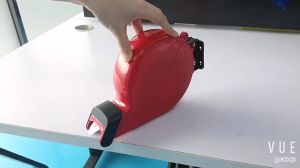
Fast Delivery Take a Number System Ticket Machine for Counter Queuing System with 3 Digit Roll Paper
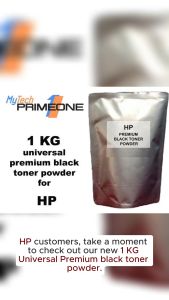
Universal HP Premium Black Toner Powder - 1 KG (1000 grams) - Compatible with HP Monochrome Printers - Grade A Quality - 90% Cost Savings
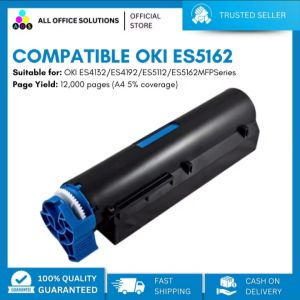
AOS Compatible ES5162 Toner Cartridge for use in OKI MFP
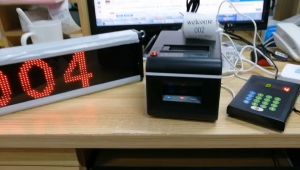
(LAZ) - Set Hospital clinic ticket printer wireless queue call system wireless clinic queue management system ticket printer with
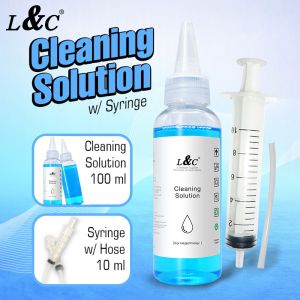
【PH Ready Stock】L&C Cleaning Solution For Inkjet Printer & Syringe With Hose Bundle Package 100ML