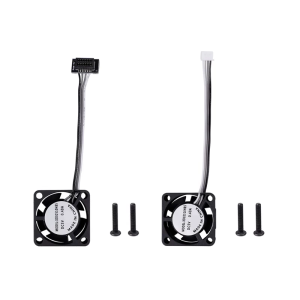
Beelink GTR7 Gaming Mini PC: Unleashing Power & Performance
Beelink GTR7 Gaming Mini PC: Unleashing Power & Performance
Introduction to Beelink GTR7 Gaming Mini PC
The Beelink GTR7 Gaming Mini PC is a powerful and compact desktop computer that combines the best of both worlds – high-performance gaming capabilities and sleek, space-saving design. This article will delve into the key features and specifications of the Beelink GTR7 Gaming Mini PC, its performance and capabilities, connectivity options, and how to set it up and use it effectively.
Key Features & Specifications
The Beelink GTR7 Gaming Mini PC is equipped with a powerful AMD Ryzen 7 7840HS processor, which can boost up to 5.10GHz, featuring 8 cores and 16 threads, along with 16MB Smart Cache. Additionally, it comes with an AMD Radeon 780M Graphics card, boasting 12 cores and a frequency of 2700 MHz. The Ryzen 9 7940HS variant offers even more power, with a boost up to 5.20GHz, 8 cores, 16 threads, and 16MB L3 Cache.
The Beelink GTR7 Gaming Mini PC is equipped with two SO-DIMM DDR5 memory slots, supporting speeds of up to 5600MHz, and two M.2 2280 PCIe4.0 X4 SSD slots, allowing for a maximum storage capacity of 4TB per slot. This combination ensures fast data transfer rates and ample storage space for all your gaming needs.
Why Choose Beelink GTR7 Gaming Mini PC?
The Beelink GTR7 Gaming Mini PC offers a compelling combination of high-performance hardware, compact design, and excellent connectivity options. Its powerful AMD Ryzen processors and Radeon 780M Graphics provide exceptional gaming performance, while its sleek and compact form factor makes it an ideal choice for those with limited desk space. Additionally, its dual USB4 ports and dual LAN ports offer superior connectivity options, allowing you to connect multiple peripherals and displays effortlessly.
Performance & Capabilities
CPU: AMD Ryzen 7 7840HS & 9 7940HS
The Beelink GTR7 Gaming Mini PC is powered by the latest AMD Ryzen processors, offering outstanding performance for gaming and other demanding tasks. The Ryzen 7 7840HS processor features 8 cores and 16 threads, along with 16MB Smart Cache, while the Ryzen 9 7940HS variant offers even more power, with a boost up to 5.20GHz, 8 cores, 16 threads, and 16MB L3 Cache.
GPU: Radeon 780M Graphics
The Beelink GTR7 Gaming Mini PC is equipped with an AMD Radeon 780M Graphics card, which delivers exceptional gaming performance with its 12 cores and a frequency of 2700 MHz. This powerful GPU ensures smooth gameplay and stunning visuals, making it an ideal choice for gamers.
Memory & Storage
The Beelink GTR7 Gaming Mini PC offers ample memory and storage options, with two SO-DIMM DDR5 memory slots supporting speeds of up to 5600MHz and two M.2 2280 PCIe4.0 X4 SSD slots, allowing for a maximum storage capacity of 4TB per slot. This combination ensures fast data transfer rates and ample storage space for all your gaming needs.
Connectivity & Interfaces
Dual USB4 & Dual LAN Ports
The Beelink GTR7 Gaming Mini PC features dual USB4 ports, providing fast data transfer rates and support for Thunderbolt 3 and DisplayPort 1.4. Additionally, it comes with dual LAN ports, allowing you to connect multiple peripherals and displays effortlessly.
Display Options
The Beelink GTR7 Gaming Mini PC offers a variety of display options, including DisplayPort 1.4 (4K 144Hz), HDMI 2.1 (4K 120Hz), and a Type-C USB 3.2 port (10Gbps). These options ensure compatibility with a wide range of displays and monitors, allowing you to enjoy your gaming experience in stunning detail.
Audio & Other Ports
The Beelink GTR7 Gaming Mini PC comes equipped with two 3.5mm audio jacks, a DC IN port, and a fingerprint scanner, providing convenient access to audio and power options, as well as enhanced security features.
How to Set Up & Use Beelink GTR7 Gaming Mini PC
Setting Up Your New Mini PC
To set up your Beelink GTR7 Gaming Mini PC, simply plug in the power cord, connect your display, and install any necessary drivers and software. Once set up, you can begin enjoying your gaming experience.
Connecting Peripherals & Displays
The Beelink GTR7 Gaming Mini PC offers a variety of connectivity options, including dual USB4 ports, dual LAN ports, DisplayPort 1.4, HDMI 2.1, and a Type-C USB 3.2 port. These options ensure compatibility with a wide range of peripherals and displays, allowing you to connect and enjoy your gaming experience effortlessly.
Optimizing Performance & Settings
To optimize the performance and settings of your Beelink GTR7 Gaming Mini PC, consider adjusting the power settings, disabling unnecessary startup programs, and updating drivers and software regularly. Additionally, ensure that your operating system is up to date and that any necessary security measures are in place.

Lans MiniPC Store
Review
You May Also Like
CPU Fan Replacement For 15EG 15MEG 15EH 15eg2000TU CS10S9A 1C290S9A Laptops Enhanced Cooling Performances Metal Build
Console Cooling Fan for Series Cooling System with 2 USB Port & Light 3 Speed Adjustable Low Noise Cooling Fan
Suitable for Lenovo Xiaoxin Air 14ikbr Arr 530s-14 B Shell Screen Frame Shell Ap171000100
Universal Multi-Coin Slot 10/5/1 Coin Selector for Electrical Circuitry New & Used Coin Compatibility
Raspberry Pi Screen APROTII 7 inch 1024x600 IPS Portable Monitor 5-Points Capacitive Touchscreen Display Mini HDMI Monitor for Laptop Raspberry Pi 4B 3B+3A+ & Banana Pi win7/8/10/11 & Game Consoles
XUANFENG CPU Cooler Fan Computer x79 x99 Processor 2/4/6 Heat pipe 4pin/PWM Compatible LGA2011-3 2066 115x 1200 1700 AMD AM4 AM5
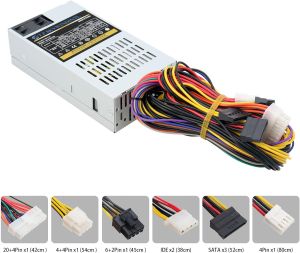
300W Power Supply Mini ITX Flex ATX PSU Computer Power Supplies for POS IPC Server Desktop PC Fits Small Form Factor
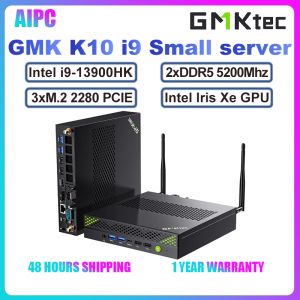
GMKtec K10 Intel 13th Core i9-13900HK Iris Xe Dual DDR5 3xM.2 2280 PCIe SSD 4x4/8K Display MINI PC Server Compute
88mm 4Pin 12V GPU Coolers Fan PLA09215S12H VGA Fan Graphics Card Cooling Fan for GTX1660 RTX2070 2060 MINI ITX OC 6G

Thin 0.33mm 14Inch Laptop Screen Protector Tempered Glass Precise Edges Cutting for Pavilion Screen Film
Mini UPS Battery Backup – Uninterruptible Power Supply for WiFi Routers and Modems