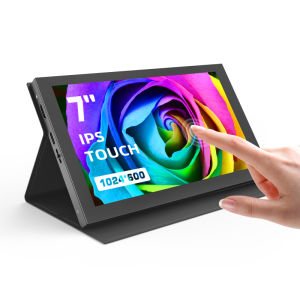
Raspberry Pi Screen APROTII 7 inch 1024x600 IPS Portable Monitor 5-Points Capacitive Touchscreen Display Mini HDMI Monitor for Laptop Raspberry Pi 4B 3B+3A+ & Banana Pi win7/8/10/11 & Game Consoles
Raspberry Pi Screen APROTII 7 inch 1024x600 IPS Portable Monitor 5-Points Capacitive Touchscreen Display Mini HDMI Monitor for Laptop Raspberry Pi 4B 3B+3A+ & Banana Pi win7/8/10/11 & Game Consoles
Introduction to APROTII 7 Inch Raspberry Pi Monitor
The APROTII 7 inch Raspberry Pi monitor is a portable, mini HDMI touchscreen display designed for Raspberry Pi projects and other compatible devices. This sleek and stylish monitor offers wide compatibility, making it an ideal choice for users who want a portable solution for their Raspberry Pi projects. With its 5-point capacitive touchscreen, users can enjoy a seamless touch experience while working on their projects.
Key Features & Benefits
- 7-inch display: The monitor features a 7-inch screen, providing ample space for viewing and interacting with content.
- Mini HDMI interface: Connect your Raspberry Pi or other compatible devices using the mini HDMI interface.
- 5-point capacitive touchscreen: Enjoy a responsive and intuitive touch experience with the 5-point capacitive touchscreen.
- Wide compatibility: The monitor is compatible with various devices, including Raspberry Pi 4B, 3B+, 3A+, Banana Pi, and Windows 7/8/10/11.
Compatibility Overview
The APROTII 7 inch monitor is compatible with several devices, including:
- Raspberry Pi 4B
- Raspberry Pi 3B+
- Raspberry Pi 3A+
- Banana Pi
- Windows 7/8/10/11
- Game consoles
How to Connect APROTII 7 Inch Monitor to Raspberry Pi
Follow these steps to connect the APROTII 7 inch monitor to your Raspberry Pi:
- Connect the mini HDMI cable to the Raspberry Pi's mini HDMI port.
- Connect the other end of the mini HDMI cable to the APROTII monitor.
- Power on both devices.
Troubleshooting Common Issues
If you encounter any issues during setup, refer to the following troubleshooting tips:
- Ensure that the mini HDMI cable is securely connected to both the Raspberry Pi and the APROTII monitor.
- Check if the power supply is sufficient for both devices.
- Verify that the Raspberry Pi operating system is configured correctly.
Maximizing APROTII Monitor Performance
To get the most out of your APROTII monitor, follow these tips:
Optimizing Display Settings
Adjust the display settings according to your preferences:
- Change the resolution to suit your needs.
- Adjust the brightness and contrast levels to achieve optimal visibility.
Enhancing Touchscreen Experience
Improve the touchscreen experience by:
- Calibrating the touchscreen to ensure accurate touch responses.
- Installing any necessary drivers or software updates.
Exploring APROTII Monitor Applications
The APROTII 7 inch monitor offers versatility and can be used in various applications:
Ideal for Raspberry Pi Projects
The APROTII monitor is perfect for Raspberry Pi projects, such as:
- Media centers
- Retro gaming consoles
- Home automation systems
- Educational tools
Versatile Use Cases for Portable Monitors
In addition to Raspberry Pi projects, the APROTII monitor can be used for:
- Portable gaming
- On-the-go work
- Presentations and demonstrations
- Educational purposes
Conclusion: APROTII 7 Inch Monitor for Raspberry Pi
The APROTII 7 inch Raspberry Pi monitor is a portable, mini HDMI touchscreen display that offers wide compatibility and a responsive touch experience. With its sleek design and versatile applications, the APROTII monitor is an excellent choice for users who want a portable solution for their Raspberry Pi projects and other compatible devices. }

Eyoyo Philippines
You May Also Like
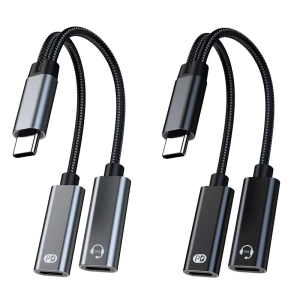
USB C Splitter 1 in 2 Out Double USB C Headphone Charging Adapter Type C Sound Adapter PD60W Fast Charging Cable
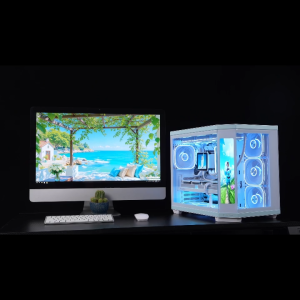
Acer Seaview Palace Pro PC Case With Screen Tempered Glass Micro ATX/ATX Gaming Desktop Case
Barrow Water Cooling D5 PWM Pump 18W Maximum Flow Lift 4 Meters 1260L/H / D5 Combo Pump + Reservoir / Length 190mm 230mm 310mm / Coolant Tank
USB Development Board Digital Analog Module Development Platform Component Electronic Accesoories
Two Port Type C To 3.5mm Sound Splitter And PD60W Charging Cable With Builts In DACs Chip For HIFIs Sound
Upgraded Auto Bed Leveling Sensor Kit for 3D Printer Ender 3/ 3s / 3 Pro/ V2 Hot Bed Leveling Set
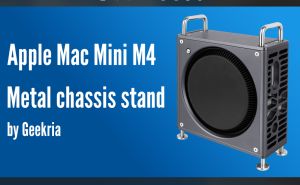
Geekria Computer Aluminum Chassis Stand Compatible with Apple 2024 Mac Mini M4 / Mac Mini M4 Pro Case - Accessories Optimized Heat Dissipation (Space Gray)
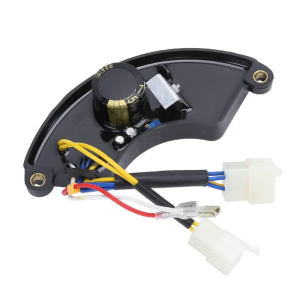
Automatic Voltage Regulator 8KW AVR Replacement Generator Three -phase 400V 4-Wire+2-Wire+2 Wires Connector
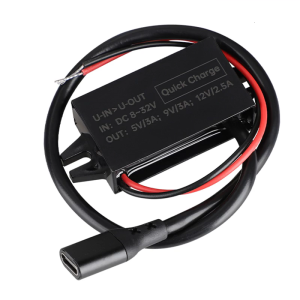
8V-32V to 5V/9V/12V PD 30W Type C Fast Power Module Car Power Converter Waterproof Modified Car Automobiles
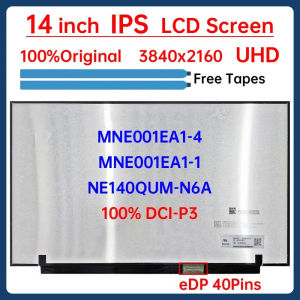
14 Inch 4K Laptop LCD Screen MNE001EA1-4 MNE001EA1-1 NE140QUM-N6A Display Matrix Panel Replacement UHD 3840x2160 eDP 40 Pins
QJE PS50SWIV DC Switching Power Supply: A High-Power & Adjustable Solution