



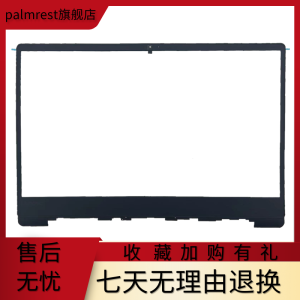
Suitable for Lenovo Xiaoxin Air 14ikbr Arr 530s-14 B Shell Screen Frame Shell Ap171000100
Suitable for Lenovo Xiaoxin Air 14ikbr Arr 530s-14 B Shell Screen Frame Shell Ap171000100
Understanding the Lenovo Xiaoxin Air 14 Screen Frame
The Lenovo Xiaoxin Air 14 laptop has gained popularity among users due to its sleek design and powerful performance. One crucial component of this laptop is the screen frame, which plays a significant role in the overall aesthetics and functionality of the device. This article will guide you through the process of replacing the 14-inch laptop screen frame for the Lenovo Xiaoxin Air 14ikbr Arr 530s-14 B model, specifically focusing on the Ap171000100 screen frame.
Key Features of the Lenovo Xiaoxin Air 14 Screen Frame
- Material: The Ap171000100 screen frame is made from high-quality plastic, providing durability and resistance to wear and tear.
- Design: The frame features a sleek and modern design that complements the overall look of the Lenovo Xiaoxin Air 14 laptop.
- Compatibility: This screen frame is specifically designed to fit the Lenovo Xiaoxin Air 14ikbr Arr 530s-14 B model, ensuring a perfect fit and seamless integration.
Why Choose a Compatible Replacement Screen Frame
Replacing the screen frame of your Lenovo Xiaoxin Air 14 laptop with a compatible replacement offers several advantages:
- Enhanced Aesthetics: A new screen frame can significantly improve the appearance of your laptop, giving it a fresh and modern look.
- Improved Functionality: A compatible replacement screen frame ensures seamless integration with the existing components of your laptop, minimizing the risk of compatibility issues.
- Cost-effective: Investing in a compatible replacement screen frame is often more cost-effective compared to purchasing a new laptop altogether.
Choosing the Right Replacement Screen Frame
When selecting a replacement screen frame for your Lenovo Xiaoxin Air 14 laptop, it is essential to consider several factors to ensure a perfect fit and optimal performance.
Key Considerations for Selecting a Compatible Replacement
- Model Compatibility: Ensure that the replacement screen frame is specifically designed for the Lenovo Xiaoxin Air 14ikbr Arr 530s-14 B model.
- Material Quality: Opt for a screen frame made from high-quality plastic to ensure durability and resistance to wear and tear.
- Design: Choose a screen frame that complements the overall design of your laptop, enhancing its aesthetics.
Finding the Right Lenovo Xiaoxin Air 14 Screen Frame
To find the perfect replacement screen frame for your Lenovo Xiaoxin Air 14 laptop, consider the following steps:
- Research: Conduct thorough research online to find reputable suppliers offering compatible replacement screen frames for the Lenovo Xiaoxin Air 14ikbr Arr 530s-14 B model.
- Read Reviews: Read customer reviews to gauge the quality and performance of the replacement screen frame before making a purchase.
- Check Compatibility: Verify that the replacement screen frame is compatible with your specific laptop model.
How to Replace the Lenovo Xiaoxin Air 14 Screen Frame
Replacing the screen frame of your Lenovo Xiaoxin Air 14 laptop requires careful attention to detail and the right tools. Follow these steps to successfully replace the screen frame:
Tools Needed for the Replacement Process
- Screwdriver: A small screwdriver is necessary to remove the screws securing the screen frame to the laptop.
- Screen Frame: The compatible replacement screen frame for the Lenovo Xiaoxin Air 14ikbr Arr 530s-14 B model.
Step-by-Step Guide to Replacing the Screen Frame
- Prepare Your Workspace: Clear a clean, flat workspace to work on your laptop.
- Power Off Your Laptop: Ensure your laptop is powered off before beginning the replacement process.
- Remove Screws: Using a small screwdriver, carefully remove the screws securing the screen frame to the laptop.
- Detach the Screen Frame: Gently detach the screen frame from the laptop, taking care not to damage any internal components.
- Install the Replacement Screen Frame: Carefully install the compatible replacement screen frame, ensuring it is securely attached to the laptop.
- Reattach Screws: Reattach the screws to secure the replacement screen frame to the laptop.
- Power On Your Laptop: Power on your laptop to ensure the replacement screen frame is functioning correctly.
Troubleshooting Common Issues
During the process of replacing the screen frame of your Lenovo Xiaoxin Air 14 laptop, you may encounter some common issues. Here are some tips to address these problems:
Addressing Common Problems During the Replacement Process
- Misalignment: If the replacement screen frame appears misaligned, double-check that all screws are securely attached and that the frame is properly positioned.
- Internal Damage: If you notice any internal damage during the replacement process, cease work immediately and seek professional assistance.
Tips for Maintaining Your Lenovo Xiaoxin Air 14 Screen Frame
To ensure the longevity of your replacement screen frame, follow these maintenance tips:
- Handle with Care: Handle the replacement screen frame with care to avoid damage.
- Regular Cleaning: Regularly clean the replacement screen frame using a soft cloth to maintain its appearance.
- Avoid Exposure to Extreme Temperatures: Avoid exposing the replacement screen frame to extreme temperatures, which may cause damage. " }

TB EL SHOP
Review

You May Also Like
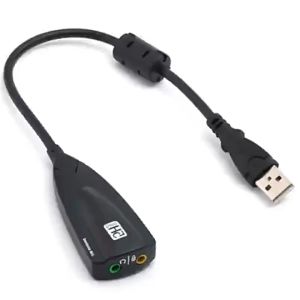
7.1 External USB Sound Card Jack 3.5mm USB Audio Adapter Earphone Micphone Sound Card for Macbook Computer Laptop PC Portable Sound Card Adapter Steel Series Sound 5Hv2 7.1 External USB Sound Card Audio Adapter
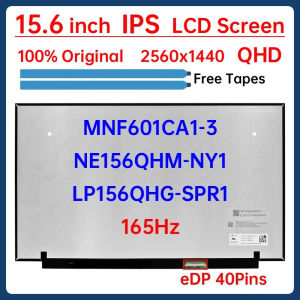
15.6 Inch 165Hz Laptop LCD Screen NE156QHM NY1 NE156QHM-NY1 LP156QHG-SPR1 MNF601CA1-3 Display Matrix Panel 2560x1440 eDP 40 Pins
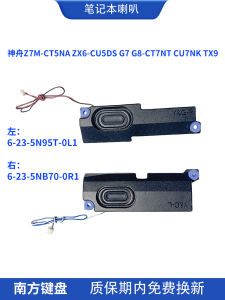
Shenzhou Z7M-CT5NA ZX6-CU5DS G7 G8-CT7NT CU7NK TX9 Laptop Speakers 02 Digital Accessories Computer Components Laptop Parts
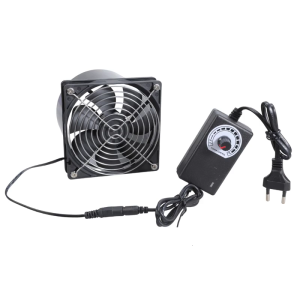
12cm Exhaust Fan 3000RPM DC12V Double Ball Bearing Ventilation Fan Kit with Speed Controller for 3D Printer Duct Fan
BYONE 15.6-inch Portable Monitor For pc computer 1080P FHD HDMI IPS Brand New Touch screen monitor 100% sRGB Game Monitor For Laptop PS3/4/5 Switch Xbox ips monitor computer
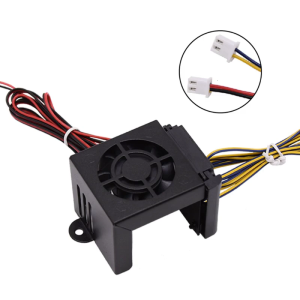
3D Printer Accessories Silicone Case Extruder Cooling Fan Cover Kit for Ender3/CR10/Ender5 24V / 12V
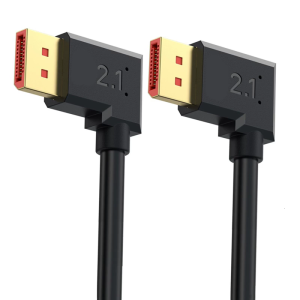
DisplayPort 2.1 Video Cable 54Gbps Fast Speed Connectors For 4090 7900XTX Graphics Cards and RTX3070/RTX3080/RTX3090

TCOMAS SJR400 4 HeatPipe Single Tower CPU Air Cooler
Auto Leveling Extruder Capacitive Normally Closed Proximitys Sensors Switches Replacement for SV08 3D Printer
Type C Interfaces Power Board for Game Console 15V 3A Modification Power Board Module Low Power Consumption
GameKM | BRANDNEW DESKTOP CASE
![[COD] PkYeG Tool Laptop CPU GPU Cooling Cooler Fan For Asus TUF Gaming TUF Gaming FX506 FX95D FX505GM FX86 FX505](https://img.lazcdn.com/g/p/f1f38929856214c63dc7d5120658c0b0.jpg_300x300q80.jpg)

















