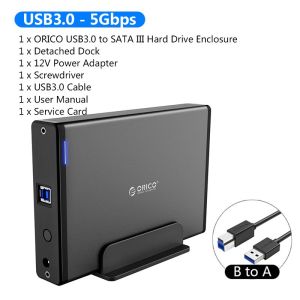
ORICO Aluminum Hard Drive HDD Enclosure USB3.0/Type-C to SATA3.0 3.5 inch HDD Case Docking Station Support UASP 12V2A Power
ORICO Aluminum Hard Drive HDD Enclosure USB3.0/Type-C to SATA3.0 3.5 inch HDD Case Docking Station Support UASP 12V2A Power
What is the ORICO Aluminum Hard Drive HDD Enclosure?
The ORICO Aluminum Hard Drive HDD Enclosure is a high-quality, durable aluminum casing designed to securely house and protect your 3.5-inch hard drives. This docking station allows you to easily connect your hard drive to your computer via USB3.0 Type-C port, providing fast data transfer speeds and enhanced performance. The ORICO HDD enclosure supports UASP technology, which further improves transfer speeds and overall efficiency. Additionally, this docking station comes with a 12V2A power supply, ensuring optimal performance and reliability.
Key Features & Benefits
- High-Quality Aluminum Construction: The ORICO Aluminum Hard Drive HDD Enclosure is made from durable aluminum, providing excellent protection for your hard drive.
- USB3.0 Type-C Port: Connect your hard drive to your computer via USB3.0 Type-C port, allowing for fast data transfer speeds.
- UASP Support: This docking station supports UASP technology, which improves transfer speeds and overall efficiency.
- SATA3.0 Compatibility: The ORICO HDD enclosure is compatible with SATA3.0 hard drives, ensuring seamless integration with your existing storage solutions.
- 12V2A Power Supply: The included power supply provides optimal performance and reliability for your hard drive.
How to Choose the Right Hard Drive Docking Station
When selecting a hard drive docking station, consider the following factors:
- Compatibility: Ensure the docking station is compatible with your hard drive's interface (e.g., SATA3.0).
- Transfer Speeds: Look for docking stations that support USB3.0 or higher, as these provide faster data transfer speeds.
- Power Supply: Choose a docking station with a reliable power supply, such as the ORICO HDD enclosure's 12V2A power supply.
- Durability: Opt for a docking station made from high-quality materials, such as aluminum, to ensure long-lasting protection for your hard drive.
Setting Up Your ORICO HDD Enclosure
To set up your ORICO HDD enclosure, follow these steps:
- Connecting Your Hard Drive: Insert your 3.5-inch hard drive into the ORICO HDD enclosure, ensuring it is securely connected to the SATA3.0 interface.
- Powering Up the Docking Station: Connect the included 12V2A power supply to the ORICO HDD enclosure and plug it into a power outlet.
- Connecting to Your Computer: Connect the USB3.0 Type-C cable to the ORICO HDD enclosure and your computer.
Maximizing Performance with UASP Support
UASP (USB Attached SCSI Protocol) is a technology that improves transfer speeds and overall efficiency by allowing multiple commands to be executed simultaneously. To maximize performance with UASP support, ensure your computer's operating system and drivers are up-to-date and compatible with UASP technology.
Understanding UASP Technology
UASP technology allows multiple commands to be executed simultaneously, reducing the time required for data transfers. This results in faster read and write speeds, improved performance, and reduced power consumption.
Improving Transfer Speeds with USB3.0 Type-C
The ORICO HDD enclosure's USB3.0 Type-C port provides fast data transfer speeds, up to 5 Gbps. By combining UASP support with USB3.0 Type-C, you can achieve even faster transfer speeds and enhanced performance.
Troubleshooting Common Issues
If you encounter issues with your ORICO HDD enclosure, try the following troubleshooting steps:
Connection Problems
- Ensure the hard drive is securely connected to the SATA3.0 interface.
- Check that the USB3.0 Type-C cable is properly connected to the ORICO HDD enclosure and your computer.
- Try using a different USB port on your computer.
Power Supply Issues
- Ensure the power supply is properly connected to the ORICO HDD enclosure and a power outlet.
- Try using a different power outlet.
- Check that the power supply is functioning correctly.
By following these guidelines, you can ensure optimal performance and reliability from your ORICO Aluminum Hard Drive HDD Enclosure.

OricoCN
You May Also Like
❤100%Original Product+FREE Shipping+COD❤ Kingston Memory Card SD Card Micro SD TF Card Class10 Micro SD 64GB/128GB/256GB/512GB High Speed With Free Reader
Readystock+FREE Shipping+COD Vivo Class 10 Micro SD Card 16GB 128GB 256GB TF Flash Memory Card Video Card
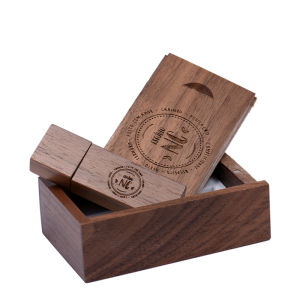
Custom Logo USB Flash Drive: A Comprehensive Guide
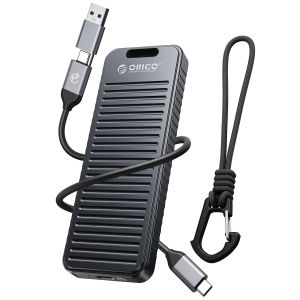
ORICO M.2 NVME SSD Enclosure 10Gbps with Lanyard M.2 NVMe/SATA Dual Protocol Enclosure PCIe NVMe Adapter 4TB PCIe/NGFF B&M Key Case Shockproof & Drop-proof for Outdoor Travel (OXS)

Sandisk Ultra Curve USB 3.2: A Comprehensive Guide
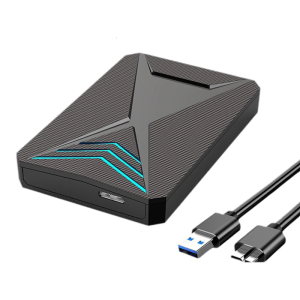
USB3.0 Mobile Enclosure Box 2.5inch Mechanical Hard Drives Solid States Drives SSDs Case Hard Drives Enclosure

Seagate Expansion 1TB & 2TB Portable USB 3.0 External Hard Drive for Mac & Windows
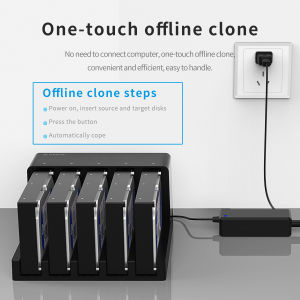
ORICO Hard Drive Docking Station: 5 Bay SATA to USB 3.0 HDD Docking Station with Offline Clone Function

Synology BeeStation 4TB - Personal Cloud - BST150-4T with 3 years Local Warranty
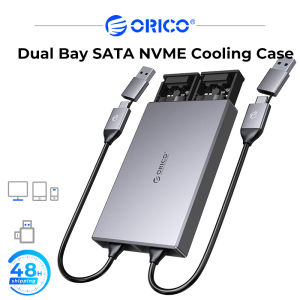
ORICO Cooling Dual Bay Dual NVMe M2 SSD Case Support M.2 NVMe SSD Disk For M Key B&M Key SSD Tool Free Enclosure

32GB USB with GoBots Challenge of the Go-Bots Hanna-Barbera Mecha Robots Transformers Animated Series Complete 65 Episodes & Free Surprise Gifts