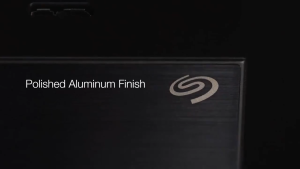
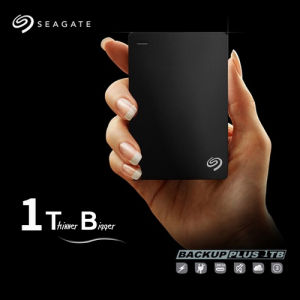
Seagate Expansion 1TB & 2TB Portable USB 3.0 External Hard Drive for Mac & Windows
Seagate Expansion 1TB & 2TB Portable USB 3.0 External Hard Drive for Mac & Windows
Introduction to Seagate Expansion External Hard Drive
The Seagate Expansion External Hard Drive is a compact and lightweight storage solution designed for users who require additional data storage capacity. Available in both 1TB and 2TB capacities, this portable USB 3.0 external hard drive is compatible with both Mac and Windows operating systems, making it an ideal choice for users who switch between platforms.
Key Features of Seagate Expansion Hard Drive
- Compact and Lightweight: Weighing just 6 ounces, the Seagate Expansion External Hard Drive is easy to carry around, making it perfect for on-the-go data storage needs.
- High-Speed Data Transfer: With USB 3.0 connectivity, users can enjoy fast data transfer speeds, allowing them to quickly back up and access their files.
- Durable Design: The hard drive features a rugged design that protects against drops and impacts, ensuring reliable data storage even in challenging environments.
Compatibility with Mac & Windows
The Seagate Expansion External Hard Drive is designed to work seamlessly with both Mac and Windows operating systems. The default format used by this hard drive is ExFAT, which provides compatibility across multiple platforms.
Understanding the ExFAT Format
ExFAT is a file system developed by Microsoft that is commonly used in portable storage devices such as USB drives and external hard drives. It offers several advantages over other file systems, including better performance and compatibility with various devices.
Why ExFAT is the Default Format
The ExFAT file system has been chosen as the default format for the Seagate Expansion External Hard Drive due to its compatibility with both Mac and Windows operating systems. This ensures that users can easily transfer files between different platforms without encountering any issues.
Compatibility with PS4 & TV
If you plan to use the Seagate Expansion External Hard Drive with your PS4 or TV, please ensure that your device supports the ExFAT file system before placing an order. Most modern devices are compatible with ExFAT, but it's always best to double-check before making a purchase.
How to Use Seagate Expansion External Hard Drive
Using the Seagate Expansion External Hard Drive is straightforward and easy. Follow these simple steps to get started:
Connecting the Hard Drive to Your Device
- Plug the USB 3.0 cable into the hard drive.
- Connect the other end of the cable to a USB port on your computer, Mac, PS4, or TV.
Transferring Files to the Hard Drive
- Open File Explorer (Windows) or Finder (Mac).
- Locate the files you want to transfer.
- Drag and drop the files onto the Seagate Expansion External Hard Drive icon.
Troubleshooting Common Issues
If you encounter any issues while using the Seagate Expansion External Hard Drive, refer to the troubleshooting guide provided by Seagate. For more complex problems, contact their customer support team for assistance.
After-Sales Service and Support
Seagate offers limited after-sales service and support for the Expansion External Hard Drive. If you face any problems, please do not send a private message to change the hard drive settings. We will not support after-sales service for this request. For further assistance, please refer to the troubleshooting guide or contact Seagate's customer support team.

Samsung SSD MAll
You May Also Like
Car Music Mini Metal USB Flash Drive High Speed Song Thumb USB Flash Drive
Portable M.2 SSDs Protective Box for 2280 2260 NVME NGFFs Drive Impact Resistant and Waterproof Design
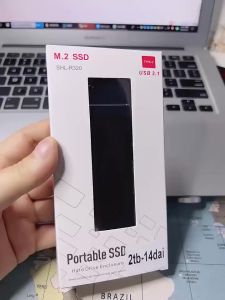
Mini Portable SSD & External Hard Drive: 20TB, 8TB, 16TB, & Type-C USB 3.0
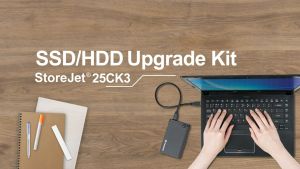
Transcend StoreJet 25CK3 2.5” SSD/HDD Enclosure Kit (TS0GSJ25CK3)
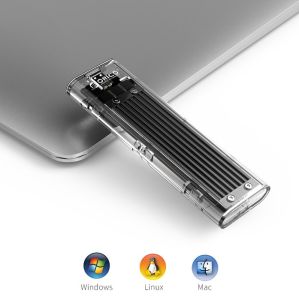
ORICO 20Gpbs M2 SSD Case NVME SSD Enclosure M.2 to USB Type C Transparent Hard Drive Enclosure

1 Pcs Free Customer LOGO Wooden USB Flash Drive: A Comprehensive Guide
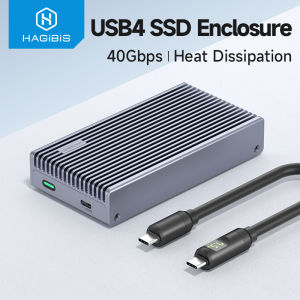
Hagibis M.2 NVMe SSD Enclosure 40Gbps USB4 SSD Enclosure With LED Display USB4 Cable PCIe3.0x4 Aluminum USB C External Solid State Drive Case B&M+M Key 2230/2242/2260/2280 For Thunderbolt 4/3
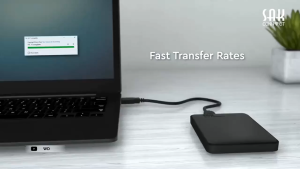
WD Elements Portable External Hard Drive 2TB: A High-Speed Solution for Mac & Windows
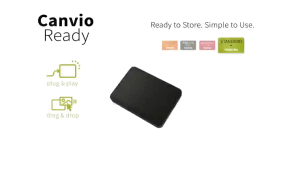
Toshiba Canvio Basics (new) External Hard Drive (Black) 2TB 1TB USB 3.0 Portable 2.5‘’ hard drive external HDD
【E-WOITD】 10Pcs Clear Plastic Memory Card Case Micro SD TF Card Storage Box Protection
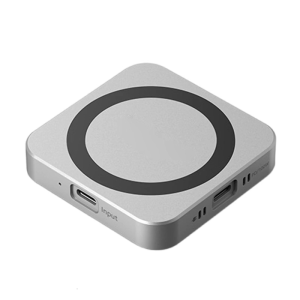
Magnetic M.2 NVME Solid Disk Enclosure Box For Easy Installation USB 3.1 10Gbps Speed Data Transmission PD100W Fast