Sandisk Ultra Curve USB 3.2: A Comprehensive Guide
Sandisk Ultra Curve USB 3.2: A Comprehensive Guide
SanDisk Ultra Curve USB 3.2 Flash Drives are designed to meet the needs of users who require reliable, high-speed storage solutions. In this comprehensive guide, we will discuss the key features of these flash drives, how to choose the right capacity and color, compatibility and performance, enhancing your experience with RescuePRO file recovery software, and warranty and support.
Key Features of Sandisk Ultra Curve USB 3.2 Flash Drives
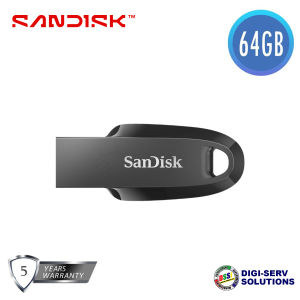
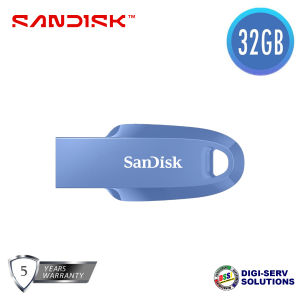
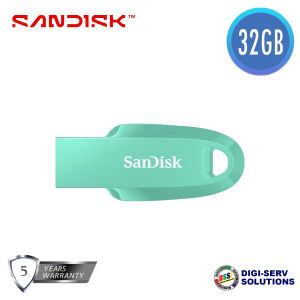
SanDisk Ultra Curve USB 3.2 Flash Drives come in various capacities and colors, including 64GB Black, 32GB Navy Blue, and 32GB Black.
- Capacities: 64GB, 32GB
- Color: Black, Navy Blue
- Interface: USB 3.2 Gen 1
- Operating Temperature: 0°C to 45 °C
- Storage Temperature: -10°C to 70 °C
- Compatibility: USB 3.2/USB 3.0 enabled (backward-compatible with USB 2.0)
- Software: RescuePRO file recovery software offer (download required)
- Warranty: 5 Years
How to Choose the Right Capacity and Color for Your Needs
When choosing a SanDisk Ultra Curve USB 3.2 Flash Drive, consider your storage requirements and style preferences.
Assessing Your Storage Requirements
Determine the amount of data you need to store, and select the appropriate capacity. For example, if you have large files like videos or high-resolution images, a 64GB Black USB Flash Drive may be more suitable. If you only need to store smaller files like documents or photos, a 32GB USB Flash Drive would suffice.
Considering Your Style Preferences
SanDisk Ultra Curve USB 3.2 Flash Drives come in two color options: Black and Navy Blue. Choose the color that best suits your personal style or matches your existing tech accessories.
Compatibility and Performance of SanDisk Ultra Curve USB 3.2 Flash Drives
SanDisk Ultra Curve USB 3.2 Flash Drives offer excellent compatibility and performance, making them ideal for various devices and tasks.
Backward Compatibility with USB 2.0
These flash drives are backward-compatible with USB 2.0, allowing you to use them with older devices without compromising performance.
Read & Write Speeds Explained
The read and write speeds of SanDisk Ultra Curve USB 3.2 Flash Drives may vary depending on the capacity and speed of the host device. However, they are capable of reaching maximum potential speeds if used with a better host device and components.
Enhancing Your Experience with RescuePRO File Recovery Software
SanDisk Ultra Curve USB 3.2 Flash Drives come with RescuePRO file recovery software, which helps you recover lost files with ease.
Downloading and Installing RescuePRO
Download and install the RescuePRO software from the SanDisk website. Follow the on-screen instructions to set up the software on your computer.
Restoring Lost Files with Ease
Once installed, use the RescuePRO software to scan your SanDisk Ultra Curve USB 3.2 Flash Drive for lost files. Select the files you want to recover and restore them to your desired location.
Warranty and Support for SanDisk Ultra Curve USB 3.2 Flash Drives
SanDisk Ultra Curve USB 3.2 Flash Drives come with a 5-year warranty, providing peace of mind and support when needed.
Understanding the 5-Year Warranty
The 5-year warranty covers manufacturing defects and ensures that your SanDisk Ultra Curve USB 3.2 Flash Drive will function properly during its warranty period.
Contacting SanDisk Customer Support
If you encounter any issues with your SanDisk Ultra Curve USB 3.2 Flash Drive, contact SanDisk customer support for assistance. They will help you troubleshoot problems and provide solutions.

DSSi
You May Also Like
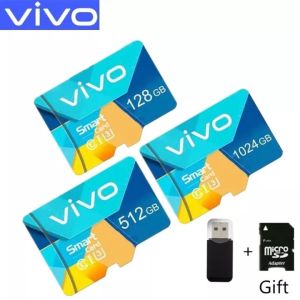
FREE+COD Vivo 1024GB 512GB 256GB 128GB High Speed Memory Micro SD Card XC Microsd Mobile TF Card C10V
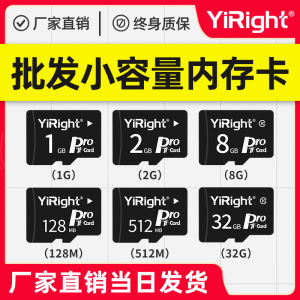
YiRight Mini SD Memory Card TF Card 1GB Storage for Elderly Mobile Phones Radio Sound Amplifier Small Capacity Flash Drive
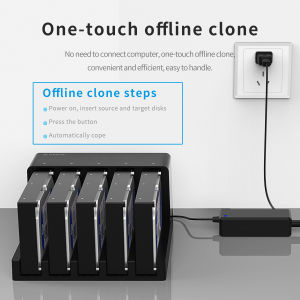
ORICO Hard Drive Docking Station: 5 Bay SATA to USB 3.0 HDD Docking Station with Offline Clone Function

Micro Memory SD Card extreme pro 512GB 256GB 128GB TF Card SDXC HDD SD Memory Card
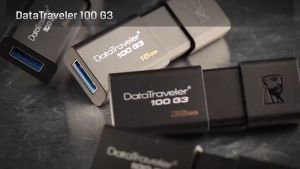
Kingston USB 16GB/32GB/64GB/128GB Flash Drive: A Comprehensive Guide
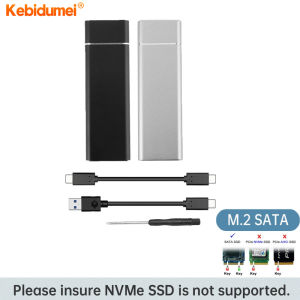
Kebidumei M.2 SSD Case USB 3.1: A Comprehensive Guide
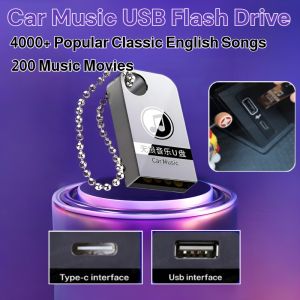
Lossless Car Music USB Flash Drive: 4000+ Popular Classic English Songs & 200 Music Movies
【Local Shop】Toshiba Hard Drive 2TB/1TB USB3.0 Portable External Hard Disk HDD Canvio Basics
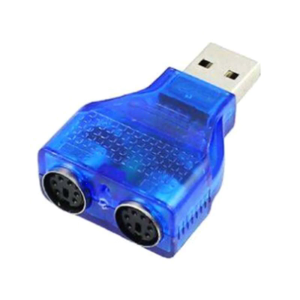
Hot Sale PS/2 Dual PS/2 Mini Din 6Pin 2.0 Laptop USB Male Converter Adapter To for Female

2025 Langke 1T Mobile SSD Z Slim Series High Speed USB3.1 Mobile Phone Computer Universal Type-C Interface\\n\\n Introduction to Slim Series Mobile SSD\\n\\nIntroducing the 2025 Langke 1T Mobile SSD Z Slim Series, a revolutionary storage solution designed specifically for mobile devices. With its sleek and lightweight design, this high-speed USB3.1 Type-C interface SSD offers unparalleled convenience and performance for both personal and professional use. \\n\\n Key Features of Slim Series Mobile SSD\\n\\nThe Slim Series Mobile SSD boasts a range of features that make it stand out in the market:\\n\\n- **High Speed USB3.1 SSD:** With transfer speeds up to 5 Gbps, this mobile SSD ensures lightning-fast data transfer, making it perfect for transferring large files, streaming media, and more.\\n- **Universal Compatibility with Mobile Phone SSD:** The Langke 1T Mobile SSD is compatible with a wide range of devices, including smartphones, tablets, laptops, and desktop computers, thanks to its USB3.1 Type-C interface.\\n- **Lightweight and Portable Design:** Weighing just a few grams, the Slim Series Mobile SSD is easy to carry around and fits seamlessly into any pocket or bag.\\n\\n Benefits of High Speed USB3.1 SSD\\n\\nThe high-speed USB3.1 SSD offers several benefits that make it an excellent choice for users who require fast data transfer and storage capabilities:\\n\\n- **Faster Data Transfer:** With transfer speeds up to 5 Gbps, the Slim Series Mobile SSD allows you to transfer large files quickly and efficiently, saving time and increasing productivity.\\n- **Increased Storage Capacity:** With a 1TB storage capacity, the Langke 1T Mobile SSD provides ample space for storing photos, videos, documents, and more.\\n- **Compatibility with Multiple Devices:** Thanks to its USB3.1 Type-C interface, the Slim Series Mobile SSD is compatible with a wide range of devices, making it a versatile storage solution for users on-the-go.\\n\\n Universal Compatibility with Mobile Phone SSD\\n\\nThe Langke 1T Mobile SSD is designed to work seamlessly with a wide range of devices, including smartphones, tablets, laptops, and desktop computers. Its USB3.1 Type-C interface ensures compatibility with the latest devices, while its compact design makes it easy to carry around.\\n\\n How to Use Langke 1T USB3.1 Type-C SSD\\n\\nUsing the Langke 1T Mobile SSD is simple and straightforward. Follow these steps to get started:\\n\\n1. Connect the Langke 1T Mobile SSD to your device using the USB3.1 Type-C interface.\\n2. Once connected, your device will automatically recognize the SSD and prompt you to format it if necessary.\\n3. Once formatted, you can start transferring files to and from the SSD using your device's file explorer or management software.\\n\\n Step-by-step Guide to Using Langke 1T Mobile SSD\\n\\nTo use the Langke 1T Mobile SSD, follow these steps:\\n\\n1. Connect the SSD to your device using the USB3.1 Type-C interface.\\n2. Format the SSD if prompted by your device.\\n3. Transfer files to and from the SSD using your device's file explorer or management software.\\n\\n Troubleshooting Common Issues with Langke 1T Mobile SSD\\n\\nIf you encounter any issues while using the Langke 1T Mobile SSD, try the following troubleshooting steps:\\n\\n- **Check Connection:** Ensure that the SSD is properly connected to your device using the USB3.1 Type-C interface.\\n- **Check Compatibility:** Make sure that your device is compatible with the Langke 1T Mobile SSD by checking its specifications.\\n- **Check for Software Updates:** Ensure that your device's operating system and software are up-to-date.\\n\\n Ordering and Delivery Information\\n\\nTo order the Langke 1T Mobile SSD, please follow these guidelines:\\n\\n- **Pre-order Guidelines and Requirements:** Before placing an order, please enter the exact phone number and address where you want the product delivered. Once ordered, we do not accept changes to the name, number, address, or item.\\n- **Order Confirmation and Delivery Process:** After placing your order, you will receive an order confirmation email. Your Langke 1T Mobile SSD will be shipped within 3-5 business days and delivered to your specified address.\\n- **Customer Service and Support for Langke 1T Mobile SSD:** If you have any questions or concerns about your Langke 1T Mobile SSD, please contact our customer service team. We strive to provide excellent support and assistance to all our customers.\\n\\nThank you for choosing the Langke 1T Mobile SSD Z Slim Series! We hope you enjoy the convenience and performance it provides.\n}
♥100%Original Product+Free Send adapter+card reader♥Lenovo 2TB SD Memory Card 1TB 512GB 256GB A2 U3 Micro TF SD Card 128GB High Speed TF Flash Card For