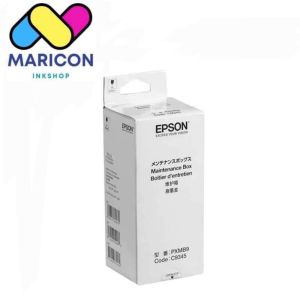
Brandnew Ink Maintenance Box for Printer L8050, L18050, L15150 & L15160 (C9345)
Brandnew Ink Maintenance Box for Printer L8050, L18050, L15150 & L15160 (C9345)
Introduction to Ink Maintenance Box for L8050 Printer
Maintaining the quality and longevity of your laser printer is essential for ensuring optimal performance and cost-effectiveness. One crucial aspect of printer maintenance is the regular use of ink maintenance accessories like the C9345 Ink Cartridge Maintenance Box. This guide will provide you with an overview of the C9345 Ink Cartridge Maintenance Box, its benefits, and how to install it on compatible printers such as the L8050, L18050, L15150, and L15160.
Overview of C9345 Ink Cartridge Maintenance
The C9345 Ink Cartridge Maintenance Box is specifically designed to improve the print quality and lifespan of compatible printers. This maintenance accessory helps eliminate issues related to clogged ink nozzles, ink residue, and other factors that may affect the printer's performance. By regularly using the C9345 Ink Cartridge Maintenance Box, you can extend the life of your printer and ensure consistent print quality.
Benefits of Using Printer Maintenance Accessories
Using printer maintenance accessories like the C9345 Ink Cartridge Maintenance Box offers several advantages:
- Improved print quality
- Extended printer lifespan
- Reduced risk of clogged ink nozzles
- Cost-effective alternative to frequent ink cartridge replacements
How to Install the Ink Maintenance Box
Installing the C9345 Ink Cartridge Maintenance Box on compatible printers is a straightforward process. Follow the step-by-step guide below for the L8050 printer, and refer to the instructions for other compatible printers (L18050, L15150, and L15160) if necessary.
Step-by-Step Guide for L8050 Printer
- Turn off the printer and unplug it from the power source.
- Open the printer cover and remove the ink cartridges.
- Insert the C9345 Ink Cartridge Maintenance Box into the appropriate slot.
- Close the printer cover and plug the printer back into the power source.
- Turn on the printer and run the maintenance cycle according to the manufacturer's instructions.
Instructions for Compatible Printers (L18050, L15150 & L15160)
For printers compatible with the C9345 Ink Cartridge Maintenance Box, follow the manufacturer's instructions specific to your model. Generally, the installation process will be similar to that of the L8050 printer.
Maintaining Your Laser Printer's Performance
Regular maintenance is essential to ensure optimal performance and longevity of your laser printer. Follow these tips to maintain your L8050 printer:
- Clean the printer regularly using a soft, lint-free cloth.
- Check and replace ink cartridges as needed.
- Run the maintenance cycle using the C9345 Ink Cartridge Maintenance Box regularly.
- Update the printer firmware to the latest version.
Troubleshooting Common Issues
If you encounter issues with your L8050 printer, refer to the manufacturer's troubleshooting guide or contact their customer support for assistance. Some common issues include:
- Clogged ink nozzles
- Ink cartridge errors
- Paper jams
- Printer not responding
Conclusion
The C9345 Ink Cartridge Maintenance Box is an essential accessory for maintaining the performance and longevity of compatible printers like the L8050, L18050, L15150, and L15160. By regularly using this maintenance accessory, you can improve print quality, extend the life of your printer, and reduce the risk of costly repairs. Follow the installation instructions and regular maintenance tips provided in this guide to ensure optimal performance from your laser printer.

Maricon Inkshop
Review

You May Also Like
Soonpos Bluetooth 2.4G Wireless USB Pocket Barcode Scanner Portable Mini 1D 2D QR Code Reader Supermarket Logistics Express Auto-Sensing Scan Compatible With Android iOS Windows Linux
AOS Compatible TN267 High Yield Toner Compatible with HL-L3230CDN HL-L3270CD DCP-L3551CDW
Warm Regulation Stove Component Extended Service Life five thousand Time Low Maintenance 3D Printer Component
1.75mm Silk Black Red PLA Filament 3D Printer Two Color 3D Printing Material Magic Dual Color Sublimation Duotone 250g
ZONESUN Tabletop Inkjet Printer ZS-TIP127: A Portable Touch Screen Barcode Printer

Eyoyo Mini 1D Wireless Barcode ScannerCompatible with Bluetooth Function & 2.4GHz Wireless & Wired Connection Portable Barcode Reader Work with Windows MacAndroid IOS Phones Tablets or Computers
Toner Cartridge CE285A: A Comprehensive Guide

CoLiDo Kids 1.0 3D Printer: A Portable Educational Tool
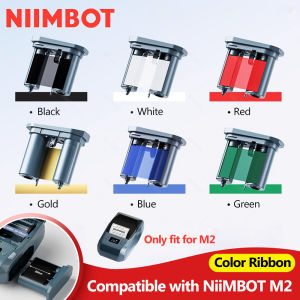
Special Carbon Ribbon for Niimbot M2 Label Printer Label Ribbons Barcode Label Maker Color Ribbon Black Red Golden Blue White
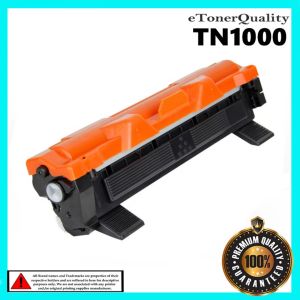
Compatible Toner Cartridge for Brother HL-1110 & HL1112 Printers
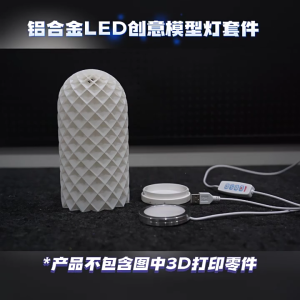
Innovative Aluminum LED Light Kit for 3D Printing Projects Assembly Required No Cover Included