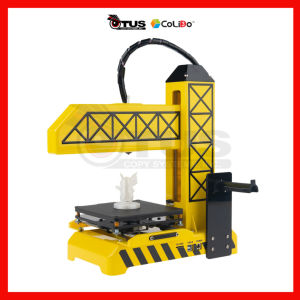
CoLiDo Kids 1.0 3D Printer: A Portable Educational Tool
CoLiDo Kids 1.0 3D Printer: A Portable Educational Tool
Introduction to CoLiDo Kids 1.0 3D Printer
A Portable Kids 3D Printer, like the CoLiDo Kids 1.0, is a compact and lightweight device specifically designed for children aged 8 and above. This Educational 3D Printer allows kids to explore the world of 3D printing and develop critical thinking skills, creativity, and problem-solving abilities.
What is a Portable Kids 3D Printer?
A Portable Kids 3D Printer, such as the CoLiDo Kids 1.0, is a miniaturized version of a traditional 3D printer that can be easily transported and set up anywhere. It is designed to provide children with an engaging and hands-on learning experience, fostering curiosity and a love for technology.
Benefits of Using an Educational 3D Printer
Using an Educational 3D Printer like the CoLiDo Kids 1.0 offers numerous benefits for children:
- Enhances critical thinking skills
- Boosts creativity and problem-solving abilities
- Encourages collaboration and teamwork
- Provides a fun and interactive learning experience
Key Features & Specifications
Compact Design & Portability
The CoLiDo Kids 1.0 3D Printer has a compact design, making it easy to transport and set up anywhere. Its lightweight construction ensures that it can be carried around effortlessly, allowing children to explore the world of 3D printing at home, school, or even during extracurricular activities.
User-Friendly Interface & Safety Features
With a simple and intuitive interface, the CoLiDo Kids 1.0 3D Printer is easy to use for both children and adults. Safety features, such as a closed printing chamber and automatic shutdown, ensure a safe and secure printing experience.
Versatile Printing Capabilities
The CoLiDo Kids 1.0 3D Printer supports various file formats, including STL, OBJ, and AMF, allowing users to print a wide range of 3D models. Its versatile printing capabilities make it an ideal tool for educational purposes, as well as for personal projects and hobbies.
How to Use CoLiDo Kids 1.0 3D Printer
Setting Up Your Portable Kids 3D Printer
Setting up the CoLiDo Kids 1.0 3D Printer is a straightforward process. Follow these steps:
- Unpack the device and assemble the components
- Connect the power supply and turn on the printer
- Install the filament and load it into the printer
- Calibrate the printer to ensure accurate printing
Creating & Customizing 3D Models
Creating and customizing 3D models using the CoLiDo Kids 1.0 3D Printer is simple and fun. Here's how:
- Choose a 3D model from online resources or design one yourself
- Import the model into the printer's software
- Customize the model by adjusting its size, color, and orientation
- Start printing and watch your creation come to life
Troubleshooting Common Issues
If you encounter any issues while using the CoLiDo Kids 1.0 3D Printer, refer to the troubleshooting guide in the user manual or contact customer support for assistance.
Educational Applications & Curriculum Integration
STEM Education & Critical Thinking Skills
The CoLiDo Kids 1.0 3D Printer is an excellent tool for teaching STEM concepts and fostering critical thinking skills. By engaging in hands-on learning experiences, children can develop a deeper understanding of math, science, technology, and engineering principles.
Enhancing Creativity & Problem-Solving Abilities
Using the CoLiDo Kids 1.0 3D Printer encourages creativity and problem-solving abilities. Children can design and print their own creations, fostering a sense of accomplishment and boosting their confidence.
Encouraging Collaboration & Teamwork
The CoLiDo Kids 1.0 3D Printer promotes collaboration and teamwork among children. By working together on projects, they can learn valuable social skills and develop a sense of community.
Conclusion & Final Thoughts
In conclusion, the CoLiDo Kids 1.0 3D Printer is a fantastic tool for children to explore the world of 3D printing and develop essential skills such as critical thinking, creativity, and problem-solving. With its compact design, user-friendly interface, and versatile printing capabilities, it is an excellent investment for parents, educators, and children alike. Start your 3D printing journey today with the CoLiDo Kids 1.0 3D Printer!

OTUS COPY SYSTEMS INCORPORATED
Review

You May Also Like
Price Tag Gun Crown MX-5500 Price Labeller With Labels Introductory package (Free ink roll and Tag)

Date Coding Machine Expiry Date Printer: A Comprehensive Guide
【🔥🔥🔥Hot sale &fast delivery】Eyoyo 2D QR Desktop Barcode Scanner with Automatic Sensing Scanning Omnidirectional Hands-Free QR Screen Scan Platform Bar code Reader for POS PC Supermarket Bookstore Library Retail Mall
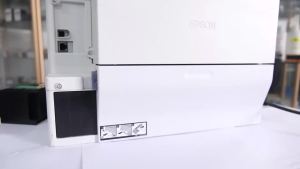
Maintenance Model T04D1 T6711 C9345 for Epson L6290 L6580 M3178 WF-7621 WF-3010DW EcoTank L15150
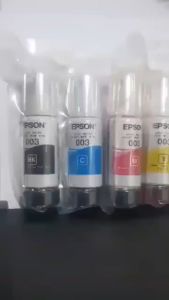
70ML Epson 003 Ink Refill Ink Dye Ink for Epson Inkjet Printer L3110 L3116 L3150 L3156 L5190 L5196
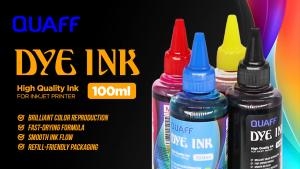
Printing View - QUAFF 100ML Dye Ink (CMYK) for All Desktop Printers

EPSON 664 INK GENUINE 100% ORIGINAL (L360 L3110 L200 L565 L220 L130)\\n\\n Understanding EPSON 664 INK GENUINE\\n\\n What is EPSON 664 INK GENUINE?\\n\\nEPSON 664 INK GENUINE is a high-quality ink cartridge specifically designed for EPSON printers such as L360, L3110, L200, L565, L220, and L130. This ink cartridge guarantees optimal performance and print quality, ensuring your documents and photos look their best.\\n\\n Benefits of using 100% ORIGINAL EPSON INK\\n\\nUsing 100% original EPSON ink provides numerous benefits, including:\\n\\n- **Superior Print Quality**: Original EPSON ink cartridges produce vibrant colors and sharp text, making your prints stand out.\\n- **Reliability**: Genuine EPSON ink cartridges are tested and optimized for EPSON printers, reducing the risk of print errors and ensuring consistent performance.\\n- **Durability**: Original EPSON ink cartridges have a longer lifespan compared to compatible alternatives, providing cost savings over time.\\n\\n Compatible Ink for EPSON Printers\\n\\n Advantages of using compatible ink cartridges\\n\\nWhile original EPSON ink cartridges offer superior print quality and reliability, compatible ink cartridges can be a cost-effective alternative. Some advantages of using compatible ink cartridges include:\\n\\n- **Cost Savings**: Compatible ink cartridges often come at a lower price point, allowing you to save money on printing costs.\\n- **Wide Availability**: Compatible ink cartridges are readily available from various manufacturers, providing more options for consumers.\\n\\n How to choose the right compatible ink for your printer\\n\\nWhen selecting a compatible ink cartridge for your EPSON printer, consider the following factors:\\n\\n- **Compatibility**: Ensure the compatible ink cartridge is specifically designed for your printer model.\\n- **Quality**: Look for reputable manufacturers that prioritize quality and reliability.\\n- **Price**: Compare prices from different manufacturers to find the best value for your budget.\\n\\n Installing EPSON 664 INK GENUINE\\n\\n Step-by-step guide to installing genuine EPSON ink cartridges\\n\\nFollow these steps to install EPSON 664 INK GENUINE in your printer:\\n\\n1. Turn off your printer and open the ink cartridge access door.\\n2. Remove the old ink cartridge by gently pulling it out of its slot.\\n3. Carefully remove the new EPSON 664 INK GENUINE from its packaging.\\n4. Insert the new ink cartridge into its designated slot and close the ink cartridge access door.\\n5. Turn on your printer and allow it to initialize.\\n\\n Troubleshooting common ink installation issues\\n\\nIf you encounter any issues during the ink cartridge installation process, refer to the following troubleshooting tips:\\n\\n- **Print Quality Issues**: If your prints appear faded or blurry, try cleaning the print head or replacing the ink cartridge.\\n- **Ink Cartridge Not Detected**: Ensure the ink cartridge is properly inserted and the ink cartridge access door is closed.\\n\\n Maximizing Printer Performance\\n\\n Best practices for maintaining optimal printer performance\\n\\nTo keep your EPSON printer running smoothly, follow these best practices:\\n\\n- **Regular Maintenance**: Clean the print head and replace the ink cartridges regularly to maintain optimal print quality.\\n- **Proper Storage**: Store ink cartridges in a cool, dry place away from direct sunlight to prevent drying out.\\n- **Software Updates**: Keep your printer software up-to-date to ensure compatibility with the latest ink cartridges and features.\\n\\n Tips for extending the lifespan of your ink cartridges\\n\\nTo extend the lifespan of your EPSON 664 INK GENUINE, consider the following tips:\\n\\n- **Use the Right Paper**: Using high-quality paper can help prevent ink smudging and bleeding, reducing the amount of ink used.\\n- **Print in Draft Mode**: Printing in draft mode can reduce ink usage, extending the lifespan of your ink cartridges.\\n- **Store Ink Cartridges Properly**: Storing ink cartridges in a cool, dry place can help prevent drying out and extend their lifespan.\"
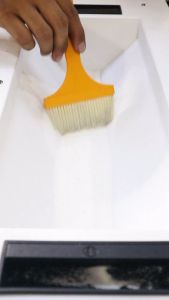
KGS DTF Powder Hotmelt 1kg & 5 kg Quality Premium Fine Powder for DTF Printer
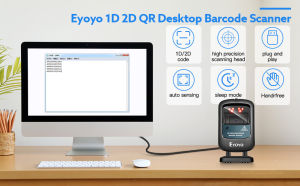
Eyoyo Hands-Free 1D 2D USB Wired Desktop Barcode Scanner & PDF417 Data Matrix Bar Code QR Scan Reader
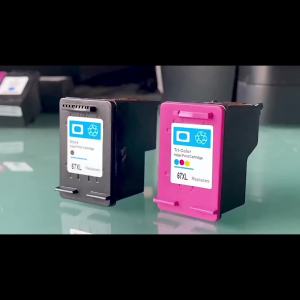
Compatible Refillable Ink Cartridge For HP63 63XL Envy Printers
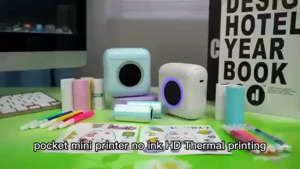
LIOTOG C22 Portable Label Thermal Printers Colorful Light Mini Printer Inkless Printing Stickers Paper 57mm