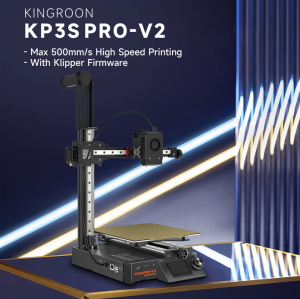
Kingroon KP3S Pro V2 3D Printer: A High-Speed 350mm Klipper Mainboard & Linear Rails
Kingroon KP3S Pro V2 3D Printer: A High-Speed 350mm Klipper Mainboard & Linear Rails
Key Features & Specifications
The Kingroon KP3S Pro V2 3D Printer is a cutting-edge FDM (Fused Deposition Modeling) printer that offers impressive printing capabilities and robust features. This printer has a print volume of 200x200x200mm, making it perfect for hobbyists and professionals alike who want to create large-scale models. Its compact machine size of 345x330x506mm makes it easy to store and transport. Additionally, the printer comes with a Klipper mainboard and linear rails, which significantly enhances its speed and accuracy.
Print Volume & Machine Size
The Kingroon KP3S Pro V2 3D Printer boasts a print volume of 200x200x200mm, which is sufficient for creating large-scale models. Its compact machine size of 345x330x506mm ensures that it doesn't take up too much space in your workspace. The packaging size is 510x440x200mm, making it easy to ship and store.
Klipper Mainboard & Linear Rails
One of the standout features of the Kingroon KP3S Pro V2 3D Printer is its Klipper mainboard and linear rails. The Klipper mainboard is a powerful open-source firmware that provides advanced features such as high-speed printing, improved accuracy, and better control over the printer's settings. The linear rails ensure smooth and precise movements, which contribute to the printer's overall performance.
Power & Connectivity
The Kingroon KP3S Pro V2 3D Printer operates at a power of 200W and supports input voltage of 110V-220V. It comes with a 24V 12.5A 300W power supply, which provides enough power to run the printer smoothly. The printer can be connected via web or USB flash disk, making it easy to transfer files and control the printer remotely.
Setup & Installation Guide
Setting up the Kingroon KP3S Pro V2 3D Printer is a straightforward process. Follow these steps to get started:
Unboxing & Assembly
- Unpack the printer and remove all packaging materials.
- Assemble the printer according to the included instructions.
- Connect the power supply and turn on the printer.
Firmware & Software Configuration
- Download and install the slicing software (Cura, Slice, Host, etc.) on your computer.
- Connect the printer to your computer via USB or web.
- Configure the firmware settings according to the included instructions.
Calibration & Maintenance
- Calibrate the printer by adjusting the bed leveling and nozzle height.
- Regularly clean the printer to maintain its performance.
- Replace worn-out parts such as the hotend, nozzle, and PEI sheet.
Performance & Capabilities
The Kingroon KP3S Pro V2 3D Printer offers impressive printing speed and accuracy, making it ideal for both hobbyists and professionals. Here are some of its key performance capabilities:
Printing Speed & Accuracy
The printer can achieve a maximum printing speed of 500mm/s, with a recommended printing speed of 200mm-350mm/s. Its printing accuracy ranges from 0.05-0.3mm, which ensures that your models are printed with precision.
Material Compatibility & Recommendations
The Kingroon KP3S Pro V2 3D Printer supports a wide range of materials, including PLA, ABS, PETG, and TPU. It is recommended to use materials with a nozzle diameter of 0.4mm for optimal results.
Advanced Features & Customization
The printer comes with several advanced features, such as machine leveling support and optional material break detection. Users can customize their printing experience by adjusting the firmware settings and using slicing software to create complex models.

Power Central
Review
You May Also Like
Epson EcoTank L3556 Wireless All-in-One Ink Tank A4 Printer - Print Scan Copy

Tulco Discharge Powder: Screen Printing Supply Essentials
3D Printer Accessories: Consumables & Material Detection
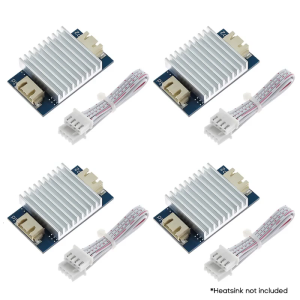
4Pcs TL Smoother Addon Modules 3D Printer Part for Pattern Elimination Motor Clipping 3D Pinter Accessory
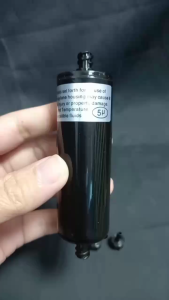
PPS 5μm 6*4mm Ink Tube Capsule UV Ink Filter for Myjet Allwin Crystaljet Witcolor Solvent Printer
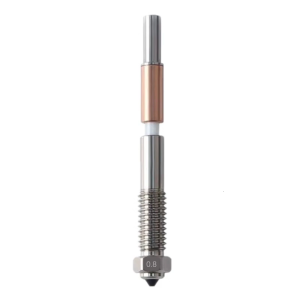
Resistant Metal Composite Nozzle With Hardened Steel For Enhanced 3D Printing

CUYI PIGMENT INK FOR ALL INKJET 500ML by VSPH
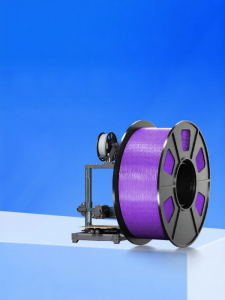
High-Speed Printing PLA Materials for ELEGOO Neptune 4 pro plus Max 3D Printer Non-OEM 1kg Diameter 1.75mm Resilient Color Grid

KM1800 Paper Pick Up Roller Compatible with Kyocera Taskalfa 1800 18012200 22012010 2020
May Ink 2480 Compatible Toner

GTCODESTAR GT-3303H Supermarket Handheld Wired Wireless 2.4G 1D 2D Barcode Scanner with Charing Base Laser Price Bar code Qr code Reader Scanners