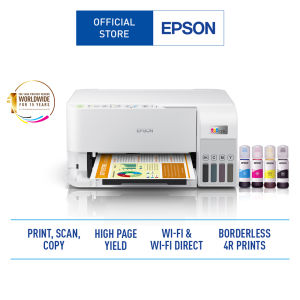
Epson EcoTank L3556 Wireless All-in-One Ink Tank A4 Printer - Print Scan Copy
Epson EcoTank L3556 Wireless All-in-One Ink Tank A4 Printer - Print Scan Copy
Introduction to Epson EcoTank L3556
The Epson EcoTank L3556 is a wireless all-in-one ink tank A4 printer that offers users an efficient, cost-effective, and user-friendly printing experience. This multifunctional device supports print, scan, and copy operations, making it perfect for home or small office environments. With its ultra-high page yield, fast print speeds, and hassle-free ink tank system, the Epson EcoTank L3556 is a top choice for those looking to streamline their printing needs.
Key Features
- Fast print speed: Up to 15.0 ipm (black) and 8.0 ipm (colour)
- Ultra-high page yield: Up to 4,500 pages (black) and 7,500 pages (colour)
- Wireless connectivity: Wi-Fi / Wi-Fi Direct / USB 2.0
- Smart features: Epson iPrint, Epson Email Print, Remote Print Driver, Epson Smart Panel app, Apple AirPrint, Mopria Print Service
- Hassle-free ink tank system: Enjoy mess-free refills with key-lock bottles and front-facing tanks
- Compact integrated tank design: Save space with a compact printer that integrates the ink tank system
- Replaceable Maintenance Box: Easy maintenance for long-lasting performance
Technical Specifications
The Epson EcoTank L3556 is equipped with the following technical specifications:
- Printing technology: Epson PrecisionCore MicroTFP
- Print resolution: Up to 5760 x 1440 dpi
- Media handling: 100-sheet paper tray, 10-sheet auto document feeder
- Dimensions: 427 x 340 x 157 mm (W x D x H)
- Weight: 6.5 kg
How to Use Epson EcoTank L3556
Setting Up the Printer
To set up the Epson EcoTank L3556, follow these steps:
- Unpack the printer and remove any protective materials.
- Connect the power cord to the printer and plug it into a power outlet.
- Install the ink tanks by opening the front cover and inserting the key-lock bottles into their respective slots.
- Load paper into the paper tray and align it properly.
- Turn on the printer and follow the on-screen instructions to complete the setup process.
Printing Documents
To print documents using the Epson EcoTank L3556, simply connect your computer or mobile device to the printer via Wi-Fi or USB, open the document you wish to print, and select the printer from the list of available devices. You can also use the Epson Smart Panel app to print documents directly from your smart device.
Scanning and Copying
To scan or copy documents using the Epson EcoTank L3556, place the document on the flatbed scanner or in the auto document feeder, select the desired scanning or copying settings, and press the Scan or Copy button. The scanned or copied document will be saved to your computer or mobile device, depending on your settings.
Benefits of Epson EcoTank L3556
Cost-Effective Printing
With its ultra-high page yield and hassle-free ink tank system, the Epson EcoTank L3556 offers a cost-effective printing solution that minimizes the need for frequent ink cartridge replacements. This results in significant savings on printing costs over time.
Wireless Connectivity
The Epson EcoTank L3556 supports Wi-Fi, Wi-Fi Direct, and USB 2.0 connectivity options, allowing you to print, scan, and copy documents wirelessly from your computer or mobile device. This makes it easy to share and collaborate on projects with others.
User-Friendly Design
The Epson EcoTank L3556 features a compact integrated tank design that saves space and simplifies the printing process. Its intuitive controls and user-friendly interface make it easy to operate, even for those who are not tech-savvy.
Conclusion
The Epson EcoTank L3556 is a versatile wireless all-in-one ink tank A4 printer that offers users a cost-effective, efficient, and user-friendly printing experience. With its fast print speeds, ultra-high page yield, and smart features, the Epson EcoTank L3556 is an excellent choice for home or small office environments.

Epson
Review
You May Also Like
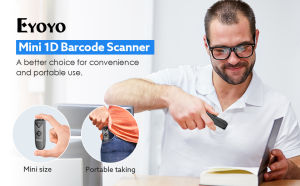
【🔥🔥🔥Hot sale &fast delivery】Eyoyo Mini Portable 1D Bluetooth Barcode Scanner 3-in-1 2.4G Wireless & Bluetooth Wireless & USB wired Barcode Reader Work with Smartphone Tablet iPhone iPad Laptop POS or Computers
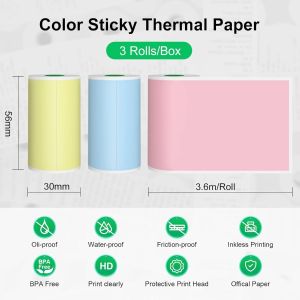
Colorful Adhesive Printing Paper Rolls 57mm - Perfect for Portable Thermal Printers Wireless Wireless Ideal for Notes & Photo
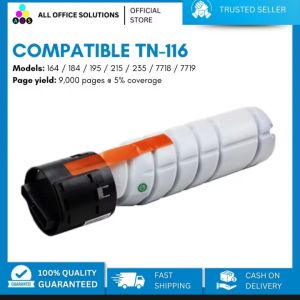
AOS 2pcs Compatible Toner Cartridge TN116 TN 116 TN-116 for Ineo Develop
OPC Drum DR-2255 DR-2355 DR-2455 Compatible for DCP-L2540DW HL-2130 HL-2240D HL-2270DW HL-L2365DW etc.
Alpha Egg AI Dictionary Pen D1 32G Chinese & English Learning Scanner Translation Reading Pen (Q3 Upgraded Model)
eTONER Compatible TN-2150 Toner Cartridge for use in HL-2140 HL-2117W

Colorful Double-sided Inkpad for Seal Engraving And Calligraphy White Blue Green Black Yellow Traditional Chinese Stationery

Canon Printer Ink Cartridge: PGI-35 & CLI-36 Black
HSHOP 57x30mm Thermal Paper For PAPERANG P1 (4 Rolls)

iPrintph Waste ink pad maintenance box sponge pad set With shell & Without shell for Epson printer
TN2560XL w/Chip TN2560 Toner Cartridge & Reset Chip Compatible for Brother DCP-L2640DW L2680 L2885 L2805 L2400 L2440